





Best MicroSD for Switch game storage expansion?

Why Your Nintendo Switch Needs More Storage
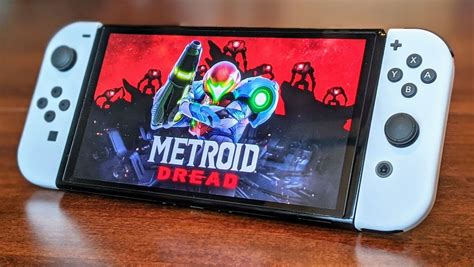
The Nintendo Switch, a marvel of portable gaming, comes with a rather modest 32GB (or 64GB for the OLED model) of internal storage. While sufficient for a few digital titles and save data, serious gamers quickly find themselves running out of space. Many popular games can easily consume 10GB, 20GB, or even more, making a microSD card an essential accessory for expanding your game library without constantly deleting and re-downloading titles.
Key Factors When Choosing a MicroSD Card for Switch
Not all microSD cards are created equal, especially when it comes to gaming performance. Here’s what you need to consider to ensure a smooth gaming experience:
- Speed: This is paramount for loading games quickly and reducing in-game stutter. Look for cards with good read/write speeds.
- Capacity: How many games do you plan to download? Higher capacity means more games.
- Brand Reliability: Stick with reputable brands to avoid data corruption and ensure longevity.
- Price: Balance performance and capacity with your budget.
Understanding Speed Ratings: UHS-I, U3, and A1/A2
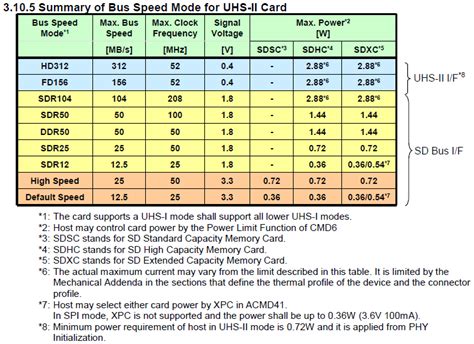
For the Nintendo Switch, speed is crucial. The console officially supports UHS-I (Ultra High Speed Phase I) cards. While there are faster UHS-II cards available, the Switch does not utilize their full speed, so investing in one would be overkill and unnecessary. Within UHS-I, look for:
- UHS Speed Class 3 (U3): This indicates a minimum sequential write speed of 30MB/s, which is ideal for gaming.
- Application Performance Class 1 (A1) or Class 2 (A2): These ratings are designed for better performance in applications, which translates well to game loading. A2 cards offer even better random read/write performance compared to A1, though the practical difference on Switch might be minimal for most users.
Aim for cards with read speeds of 90-100MB/s and write speeds of at least 30-40MB/s for optimal performance on your Switch.
How Much Storage Do You Need?
The ideal capacity depends on your gaming habits. Here’s a general guide:
- 128GB: A good starting point for casual gamers or those who buy mostly physical cartridges.
- 256GB: Excellent value and capacity for most digital-first gamers, allowing for a substantial library.
- 512GB: For avid digital collectors who want dozens of AAA titles installed. This is often the sweet spot for many.
- 1TB (or more): If you plan to download almost every game imaginable and never want to worry about space, a 1TB card will serve you well, though they come at a premium price.
Top Recommended MicroSD Card Brands for Nintendo Switch
When it comes to reliability and performance, a few brands consistently stand out:
- SanDisk: Widely recognized and often partnered with Nintendo for officially licensed Switch microSD cards. Their ‘Extreme’ and ‘Ultra’ lines are excellent choices.
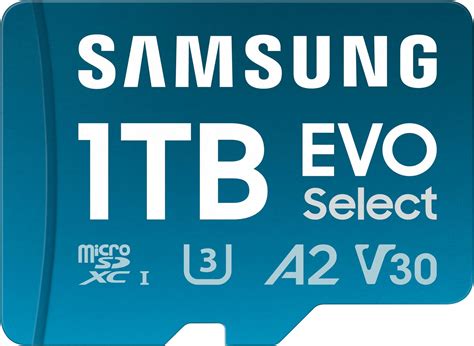
- Samsung: Renowned for their high-quality flash memory. The ‘EVO Select’ and ‘PRO Plus’ series offer superb performance and value.
- Lexar: A long-standing memory brand, offering reliable and fast microSD cards.
While other brands exist, sticking to these ensures compatibility, speed, and peace of mind.
Our Top Picks for Switch Storage Expansion
Based on performance, reliability, and value, here are some specific recommendations:
SanDisk MicroSDXC for Nintendo Switch
These officially licensed cards are specifically designed and tested for the Switch. They come in various capacities (64GB to 1TB) and feature distinctive Nintendo branding. They offer reliable U3, A1 performance, ensuring smooth gameplay.
Samsung EVO Select / PRO Plus
Samsung’s EVO Select (often found on Amazon) and PRO Plus series are fantastic alternatives. They offer U3, A2 performance, providing excellent read and write speeds that often rival or exceed the official SanDisk cards, often at a competitive price point.
SanDisk Extreme / Extreme Pro
If you want top-tier UHS-I performance, the SanDisk Extreme or Extreme Pro lines are superb. They boast very high read and write speeds (up to 160MB/s read, 90MB/s write), making them excellent for the Switch, though the ‘Pro’ might be slight overkill.
Installation and Usage Tips
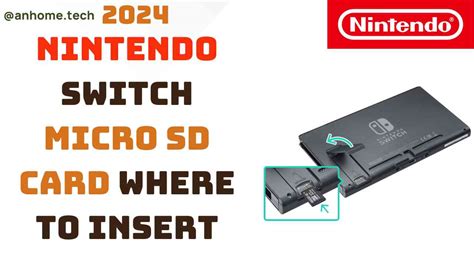
Installing a microSD card in your Switch is straightforward:
- Power off your Nintendo Switch completely.
- Open the kickstand on the back of the console to reveal the microSD card slot.
- Insert the microSD card with the label facing down until it clicks into place.
- Close the kickstand and power on your Switch.
The Switch will automatically detect the card and begin using it for new downloads. You can also move existing downloaded software from internal memory to the microSD card via the Data Management settings.
Conclusion
Expanding your Nintendo Switch storage with a quality microSD card is perhaps the most crucial upgrade for any serious gamer. By prioritizing UHS-I U3/A1 (or A2) cards from reputable brands like SanDisk or Samsung, and choosing a capacity that suits your gaming habits, you’ll ensure a vast and responsive game library that keeps the fun going without interruption. Don’t let limited storage hold back your gaming adventures!


