





Best MicroSD cards for Switch game storage expansion?

Why Your Nintendo Switch Needs a MicroSD Card
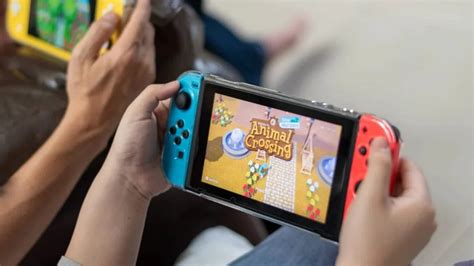
The Nintendo Switch comes with a modest 32GB (or 64GB for the OLED model) of internal storage, a significant portion of which is occupied by the operating system. With modern games often requiring gigabytes of space, especially digital downloads, this built-in storage fills up remarkably fast. A high-quality MicroSD card is not just an accessory; it’s an essential upgrade for any serious Switch gamer looking to expand their digital library without constantly deleting and re-downloading games.
Choosing the right MicroSD card can dramatically improve your gaming experience, offering faster loading times for downloaded titles and peace of mind that you’ll always have space for that next big release. But with so many options available, how do you pick the best one?
Key Factors When Choosing a MicroSD Card for Switch
Not all MicroSD cards are created equal, and some are better suited for the demands of gaming than others. Here’s what to look for:
Capacity: How Much Space Do You Really Need?
- 128GB – 256GB: A good starting point for casual gamers with a mix of physical and digital games.
- 400GB – 512GB: Ideal for most dedicated digital-first gamers, offering ample room for dozens of AAA titles.
- 1TB – 1.5TB: For hardcore digital collectors who want to download every game imaginable and never worry about space again. Keep in mind, the Switch officially supports cards up to 2TB, though 1.5TB is currently the largest commercially available.
Always consider future-proofing. It’s often better to buy a slightly larger card than you think you need now, as game file sizes tend to increase over time.
Speed: Understanding UHS-I and A1/A2 Ratings
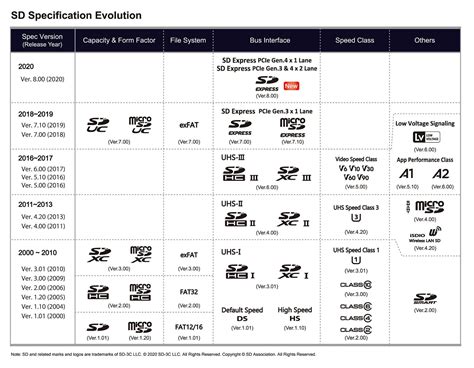
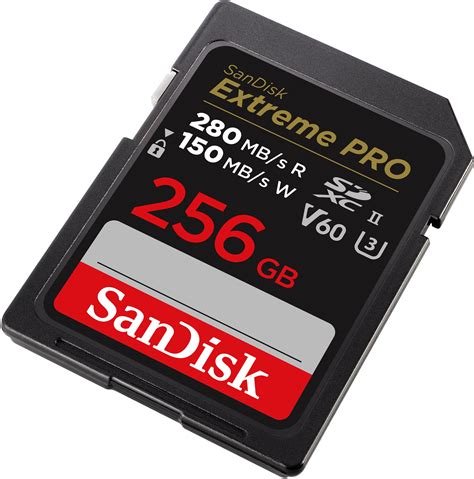
The Nintendo Switch supports UHS-I (Ultra High Speed Phase I) cards, which have a theoretical maximum transfer speed of 104 MB/s. While faster UHS-II cards exist, the Switch cannot fully utilize their increased speeds, so investing in one would be overkill and unnecessary.
- UHS Speed Class 1 (U1) or Class 10: These are the minimum recommended for good performance.
- Application Performance Class A1 or A2: These ratings are crucial. A1 cards offer better random read/write speeds, which are important for running applications (like games) directly from the card. A2 cards offer even better performance, though the difference might not be as noticeable on the Switch compared to devices that can fully leverage A2’s capabilities. Look for cards with at least an A1 rating for the best experience.
Prioritizing read speed is more important than write speed for gaming, as you’ll be loading games far more often than installing them.
Top MicroSD Card Recommendations for Nintendo Switch
Based on performance, reliability, and value, here are some of the best MicroSD cards for your Nintendo Switch:
1. SanDisk MicroSDXC for Nintendo Switch
SanDisk offers officially licensed MicroSD cards specifically branded for the Nintendo Switch, often featuring iconic game characters. These cards are U3, Class 10, and A1 rated, providing excellent read speeds up to 100MB/s. They come in various capacities, from 64GB all the way up to 1TB, making them a safe and reliable choice with guaranteed compatibility.
2. Samsung EVO Select / EVO Plus
Samsung’s EVO series cards are a fantastic value-for-money option. Both the EVO Select (often an Amazon exclusive) and EVO Plus lines offer fast UHS-I U3 Class 10 performance with A2 ratings, delivering read speeds up to 130MB/s (for newer models). They are known for their reliability and come in capacities up to 512GB and 1TB, providing ample storage for even the most extensive game libraries.
3. Lexar Play MicroSDXC UHS-I Card
The Lexar Play series is designed with gamers in mind, offering a compelling blend of speed and capacity at competitive prices. These cards boast UHS-I U3, Class 10, and A1 ratings, with read speeds up to 150MB/s. Available in capacities up to 1TB, the Lexar Play card is a strong contender for those seeking high performance without breaking the bank.
4. SanDisk Ultra MicroSDXC UHS-I Card
A widely popular and affordable option, the SanDisk Ultra is a solid choice for Switch owners. While often U1 instead of U3, and typically A1 rated, its read speeds of up to 120MB/s are more than sufficient for most Switch games. It’s an excellent budget-friendly alternative that still delivers reliable performance, especially for those who don’t need the absolute fastest loading times.
Installation and Best Practices
Installing a MicroSD card in your Switch is straightforward: simply open the kickstand on the back of the console and slide the card into the slot. Make sure your Switch is powered off before inserting or removing the card to prevent data corruption. Once inserted, the Switch will automatically detect and format the card if needed. You can then manage your data and designate the MicroSD card as the primary download location for new games.
Conclusion
Expanding your Nintendo Switch storage with a high-quality MicroSD card is an easy and essential upgrade. By considering capacity, speed ratings, and choosing a reputable brand like SanDisk, Samsung, or Lexar, you can ensure a smooth, uninterrupted gaming experience. Say goodbye to storage anxiety and hello to a vast library of games at your fingertips!


