Best microSD card for Switch game storage, balancing speed & cost?

Why a microSD Card is Essential for Your Switch
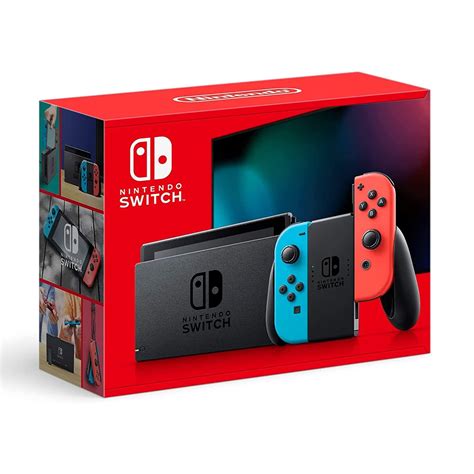
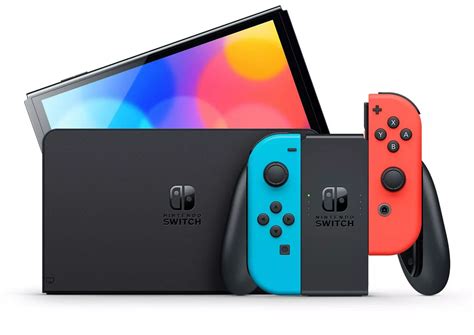
The Nintendo Switch, an incredible portable console, comes with a rather modest 32GB (or 64GB for the OLED model) of internal storage. While this might suffice for a few smaller digital titles, serious gamers will quickly run out of space. Many AAA Switch games can easily consume 10-15GB, making an external storage solution not just a luxury, but a necessity. A microSD card allows you to download more digital titles, store game updates, and save data without constantly deleting and re-downloading.
Understanding microSD Card Specifications for Switch
When choosing a microSD card, it’s easy to get overwhelmed by various numbers and acronyms. For the Nintendo Switch, you need to focus on a few key specifications:
- Capacity: This is straightforward – how much data can it hold? Common sizes range from 128GB to 1TB. While 128GB can work, 256GB is a good starting point, and 512GB or even 1TB offers substantial room for a growing digital library.
- Speed Class (UHS-I U1/U3): The Switch supports the UHS-I interface, which has a theoretical maximum speed of 104MB/s. Look for cards with a ‘U3’ rating (often displayed as a ‘3’ inside a ‘U’ symbol). U3 cards guarantee a minimum sustained write speed of 30MB/s, which is ideal for the Switch. While U1 cards (minimum 10MB/s) will work, U3 offers better performance, especially for larger games and loading times.
- Application Performance Class (A1/A2): These ratings indicate how well a card handles random read/write operations, which are crucial for running applications (like games). A1 cards are good, but A2 cards offer even better random performance. While beneficial, the Switch itself doesn’t fully leverage the extreme speeds of top-tier A2 cards, so prioritize U3 over A2 if you need to make a choice.
The Sweet Spot: Balancing Speed and Cost
Given the Switch’s hardware limitations, investing in the absolute fastest (and most expensive) microSD card isn’t necessary. The sweet spot lies with UHS-I U3 cards from reputable brands. These offer excellent read and write speeds that are more than sufficient for the Switch, without breaking the bank.
Top Recommendations:
- SanDisk Ultra / Extreme: SanDisk is a leading name in flash storage. The Ultra series offers fantastic value with U1 or U3 ratings, while the Extreme series steps up the performance to U3/A2 for those wanting a little extra speed, though the price difference might not always be justified for Switch use alone.
- Samsung EVO Select / EVO Plus: Samsung’s EVO line is renowned for its reliability and consistent performance. The EVO Select (often an Amazon exclusive) and EVO Plus cards are typically U3 rated, providing excellent speeds for game loading and saving.
- Lexar Play / 633x: Lexar offers competitive cards, with their Play series often optimized for gaming (U3/A2) and their 633x series being a reliable, cost-effective U1 option that performs well enough for many Switch users, especially at smaller capacities.
How Much Storage Do You Need?
This largely depends on your gaming habits. Here’s a general guide:
- 128GB: Good for light digital gamers, or those who primarily buy physical cartridges. Will fill up quickly if you download many large titles.
- 256GB: An excellent balance of cost and capacity for most users. You can comfortably store dozens of games, updates, and DLC.
- 512GB: For avid digital gamers with a large library or those who anticipate collecting many games over time. This offers significant peace of mind.
- 1TB: The ultimate choice for collectors and digital-only enthusiasts. It’s more expensive, but you likely won’t need another card for years.
Final Tips for Choosing Your Card
- Buy from Reputable Retailers: Counterfeit microSD cards are unfortunately common. Always purchase from well-known retailers or the official stores of the brands themselves to avoid fakes.
- Check for Sales: microSD cards frequently go on sale. Keep an eye out for deals, especially during major shopping events.
- Format in Your Switch: Once you insert your new microSD card, let your Nintendo Switch format it. This ensures optimal compatibility and performance.
Conclusion
For the Nintendo Switch, the ideal microSD card balances reliable U3-rated speed with ample capacity, without overspending on features the console can’t fully utilize. Brands like SanDisk, Samsung, and Lexar offer excellent choices in the 256GB to 512GB range, providing the perfect blend of performance and affordability to expand your Switch’s game storage. Prioritize a U3 speed class for smooth gameplay, and choose a capacity that fits your gaming habits, ensuring you never have to delete a beloved title again.