





Best microSD card for Switch digital game storage?
Why Your Nintendo Switch Needs a microSD Card
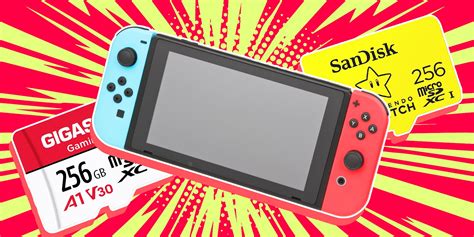
The Nintendo Switch comes with a modest 32GB (or 64GB for the OLED model) of internal storage, a significant portion of which is occupied by the system software. This leaves very little room for digital games, especially considering that many AAA titles can easily exceed 10-20GB each. Without additional storage, you’ll quickly find yourself deleting games to make space for new ones, a frustrating experience for any avid gamer. A high-quality microSD card is not just an upgrade; it’s an essential expansion for anyone who primarily buys digital titles or wants to keep a large game library readily accessible.

Key Factors When Choosing a Switch MicroSD Card
Not all microSD cards are created equal, and picking the right one for your Switch involves more than just looking at the price tag. Here are the crucial factors to consider:
1. Capacity: How Much Storage Do You Need?
- 128GB: A good starting point for casual gamers or those who mostly buy physical cartridges. It offers decent room for a handful of digital titles and DLC.
- 256GB: The sweet spot for many gamers, providing ample space for a substantial digital library without breaking the bank.
- 512GB: Ideal for serious digital collectors who download many large games. This size offers significant future-proofing.
- 1TB or more: For the ultimate digital hoarder. While expensive, it means you’ll likely never have to worry about storage again.
Consider your gaming habits and budget. It’s often better to buy a slightly larger card than you think you need, as game sizes tend to increase over time.
2. Speed: UHS-I (U3) Is Key
The Nintendo Switch supports UHS-I (Ultra High Speed Phase I) microSD cards, with a maximum data transfer rate of 100MB/s. Faster cards (like UHS-II or UHS-III) are compatible but won’t offer any performance benefits as the Switch doesn’t support their higher speeds. Look for cards with a U3 speed class, which guarantees a minimum write speed of 30MB/s, crucial for smooth game loading and operation. Many cards also feature an A1 or A2 rating, indicating optimized performance for running apps, which is beneficial for game data.
3. Brand Reliability
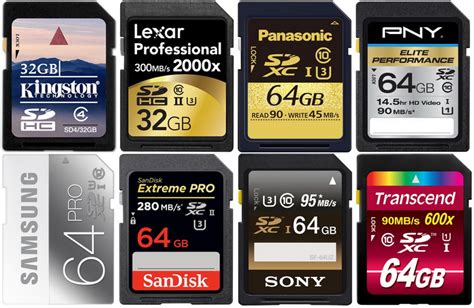
Stick to reputable brands like SanDisk, Samsung, PNY, and Kingston. These brands are known for their quality control, durability, and reliable performance. Off-brand or extremely cheap cards often have inconsistent performance, shorter lifespans, and may even be fake, offering less storage than advertised.
Top MicroSD Card Recommendations for Nintendo Switch
Based on performance, reliability, and value, here are some of the best options available:
SanDisk Ultra & Extreme Series
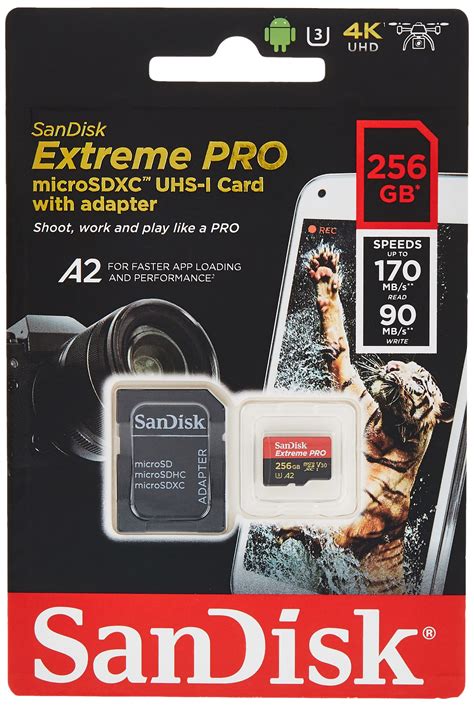
SanDisk is a perennial favorite, and their Ultra and Extreme series cards are excellent choices. The SanDisk Ultra microSDXC UHS-I Card offers great value, especially at 256GB and 512GB capacities, with speeds up to 120MB/s. For slightly better performance and durability, the SanDisk Extreme microSDXC UHS-I Card is a solid upgrade, boasting read speeds up to 160MB/s and write speeds up to 90MB/s (though the Switch won’t fully utilize the write speed beyond U3 minimums).
SanDisk Nintendo Licensed MicroSD Cards
SanDisk also produces officially licensed Nintendo Switch microSD cards, easily identifiable by their iconic Nintendo branding (e.g., Mario mushroom, Zelda Hylian Crest). These cards are essentially SanDisk Ultras but come with a premium price for the branding. While they perform identically to the non-licensed Ultra cards, they offer peace of mind and a fun aesthetic for dedicated fans.
Samsung EVO Select & EVO Plus
Samsung’s EVO series, particularly the EVO Select and EVO Plus, are fantastic alternatives. They offer competitive speeds and excellent reliability at a great price point. The EVO Select (often found on Amazon) is a strong contender for its value and consistent performance, with similar speeds to the SanDisk Ultra.
Installation and Management Tips
Installing a microSD card in your Switch is straightforward: simply open the kickstand on the back of the console and slide the card into the slot until it clicks. The Switch will automatically detect and format the card if needed.
- Transferring data: You can move downloaded software between the system memory and the microSD card via the System Settings > Data Management menu.
- Primary storage: Once inserted, the Switch will automatically download new games and updates to the microSD card by default, saving precious internal storage.
- Back up: While not strictly necessary for digital games (as they can be re-downloaded), consider backing up important save data to the cloud if you have a Nintendo Switch Online subscription.
Conclusion
Investing in a quality microSD card is the single best way to enhance your Nintendo Switch digital gaming experience. By prioritizing sufficient capacity and a reliable U3-rated UHS-I card from a reputable brand like SanDisk or Samsung, you can ensure smooth performance and plenty of room for all your adventures. Say goodbye to the frustrating cycle of deleting and re-downloading games, and hello to an expanded, worry-free digital library.


