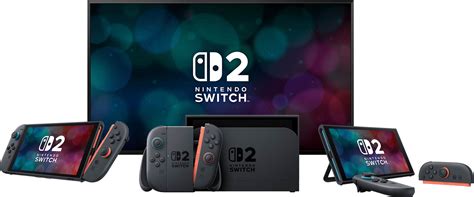
Best MicroSD card for Nintendo Switch performance & game storage?

The Nintendo Switch, while a marvel of portable gaming, comes with a limited internal storage of just 32GB (or 64GB for the OLED model). For most gamers, this quickly fills up, especially with the growing file sizes of digital downloads and game updates. This is where a reliable MicroSD card becomes not just an accessory, but a necessity to ensure you never have to delete a beloved game to make space for a new adventure. But with countless options available, how do you choose the best one for performance and ample game storage?
Why a MicroSD Card is Essential for Your Switch
Many popular Switch titles, like The Legend of Zelda: Tears of the Kingdom or Pokémon Scarlet and Violet, can consume significant chunks of internal memory. When you consider multiple games, DLC, and screenshots, the default storage becomes insufficient almost immediately. A MicroSD card provides the much-needed expansion, allowing you to carry your entire digital library wherever you go without constant archiving or redownloading.
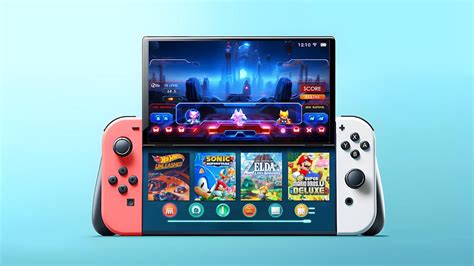
Beyond just capacity, the speed of your MicroSD card also plays a crucial role. A faster card can lead to quicker game loading times and smoother in-game performance, particularly for titles that frequently access data from storage. While the Switch doesn’t utilize the absolute fastest speeds available on some cards, investing in a card that meets or exceeds its requirements will provide a noticeable improvement over slower, cheaper alternatives.
Understanding MicroSD Card Types and Speed
When selecting a MicroSD card for your Switch, you’ll encounter a few key specifications:
- UHS-I (Ultra High Speed Phase I): The Nintendo Switch supports the UHS-I standard, which offers theoretical read speeds up to 104 MB/s. Cards labeled with U1 or U3 indicate their minimum write speeds (U1 for 10 MB/s, U3 for 30 MB/s). For the Switch, a U1 or U3 card is recommended for optimal performance.
- A1/A2 Rating (App Performance Class): While primarily designed for smartphones to improve app loading, A1 and A2 rated cards also indicate good random read/write performance, which can be beneficial for game loading on the Switch. A1 offers at least 1500 IOPS random read and 500 IOPS random write, while A2 significantly boosts this to 4000 IOPS random read and 2000 IOPS random write. While A2 might be overkill for the Switch’s current capabilities, an A1 rated card provides excellent value.
Focusing on cards that offer strong read speeds (ideally 100MB/s or close to it) and are at least U1 rated will ensure you get the best possible experience without overspending on features the Switch can’t fully utilize.
How Much Storage Do You Really Need?
The ideal capacity depends entirely on your gaming habits. Here’s a general guideline:
- 64GB – 128GB: Good for casual players who mostly buy physical games but download some digital titles and DLC.
- 256GB: A solid sweet spot for many gamers. It allows for a substantial digital library and isn’t overly expensive.
- 512GB: Recommended for avid digital-only gamers or those with extensive collections who want to avoid managing storage.
- 1TB: The maximum available and perfect for collectors who download every game and rarely delete anything. It’s an investment, but offers ultimate peace of mind.
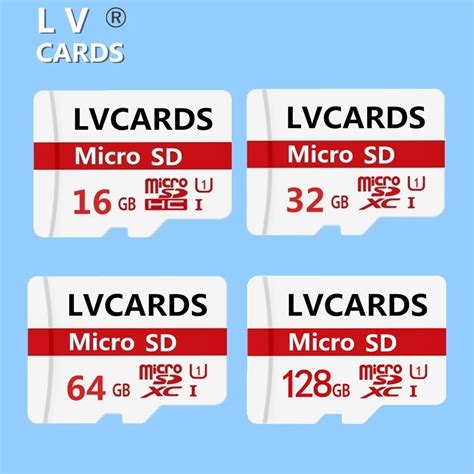
Remember, bigger is often better when it comes to storage, especially since you can’t easily upgrade the card once you’ve filled it without transferring all your data. Consider future purchases and game releases when making your decision.
Top Picks: Recommended MicroSD Cards for Nintendo Switch
Based on performance, reliability, and value, certain brands and models consistently stand out for Nintendo Switch users:
1. SanDisk Extreme / Extreme Pro
SanDisk is an official partner with Nintendo, even offering Switch-branded MicroSD cards. The Extreme and Extreme Pro lines are excellent choices, known for their high read/write speeds (up to 160MB/s read, 90MB/s write for some models) and A2 rating. They offer robust performance and are available in capacities up to 1TB.
2. Samsung EVO Select / EVO Plus
Samsung’s EVO line provides fantastic value. The EVO Select (often found on Amazon) and EVO Plus cards offer reliable performance with fast read speeds (up to 130MB/s) and U3 ratings, making them ideal for the Switch. They are generally more affordable than SanDisk equivalents while delivering comparable real-world performance on the console.
3. Lexar Play
The Lexar Play series is specifically designed for gaming, offering fast read speeds (up to 150MB/s) and an A1 or A2 rating, making it a strong contender for Switch users. It provides a good balance of speed and capacity at competitive prices.
Installation and Best Practices
Installing a MicroSD card in your Switch is straightforward:
- Power Off: Ensure your Nintendo Switch is completely powered off (not just in sleep mode).
- Locate Slot: Open the kickstand on the back of the console to reveal the MicroSD card slot.
- Insert Card: Insert the MicroSD card with the label facing down until it clicks into place.
- Power On: Turn on your Switch. The console will automatically detect the new card and may prompt you to format it.
Once formatted, your Switch will prioritize saving new game data to the MicroSD card. You can also manually move existing downloaded games from internal storage to the MicroSD card via the System Settings under ‘Data Management’.
Conclusion: Maximize Your Switch Experience
Investing in a high-quality MicroSD card is one of the most impactful upgrades you can make for your Nintendo Switch. By choosing a card from reputable brands like SanDisk, Samsung, or Lexar, with sufficient capacity and appropriate speed ratings (UHS-I U1/U3, A1/A2), you’ll ensure a seamless gaming experience free from storage limitations and lengthy loading screens. Select the capacity that best fits your gaming style, and unlock the full potential of your Nintendo Switch.