





Best micro SD card for Switch storage?

Why Your Nintendo Switch Needs a Micro SD Card
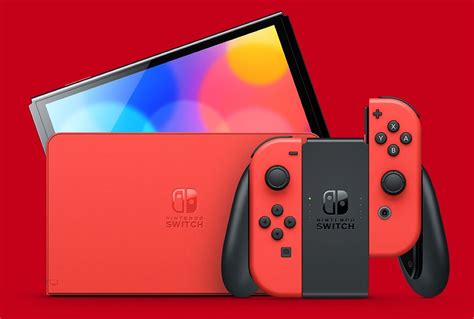
The Nintendo Switch, Switch Lite, and Switch OLED models come with limited internal storage—32GB for the original and Lite, and 64GB for the OLED. While this might seem sufficient for a few games, modern digital titles, downloadable content (DLC), and game updates can quickly consume this space. To avoid constantly deleting and re-downloading games, investing in a high-quality micro SD card is an essential upgrade for any Switch owner.
Key Factors When Choosing a Switch Micro SD Card
Not all micro SD cards are created equal. When selecting one for your Nintendo Switch, consider these crucial factors:
1. Capacity: How Much Storage Do You Really Need?
This is arguably the most important decision. Digital games vary wildly in size, from a few hundred megabytes to over 20GB. A good rule of thumb is to go for the largest capacity you can afford, as you’ll likely accumulate more games over time.
- 64GB-128GB: Good for casual gamers with a mix of physical and digital titles.
- 256GB-512GB: Ideal for most digital-heavy gamers, offering ample space for a large library.
- 1TB or more: For hardcore digital collectors who want virtually unlimited space.
2. Speed: Don’t Compromise on Performance
The Nintendo Switch supports UHS-I (Ultra High Speed Phase I) micro SD cards, with a maximum theoretical transfer rate of 104 MB/s. While faster UHS-II cards exist, the Switch cannot fully utilize their increased speeds, making them an unnecessary expense. Look for cards with:
- UHS Speed Class 3 (U3): Indicated by a ‘3’ inside a ‘U’ symbol. This guarantees a minimum write speed of 30 MB/s.
- Video Speed Class V30: Also guarantees a minimum write speed of 30 MB/s.
- Application Performance Class A1 or A2: While A2 offers slightly better random read/write performance, A1 is perfectly adequate for gaming on the Switch and typically offers better value. Both help with loading applications and games quicker.
Cards rated for at least 90 MB/s read speeds and 30 MB/s write speeds will provide the best experience on the Switch, minimizing game loading times and ensuring smooth performance.
3. Brand Reputation and Reliability
Stick to reputable brands known for quality and reliability. Major players like SanDisk, Samsung, PNY, and Kingston are generally safe bets and often come with good warranties.
Top Micro SD Card Recommendations for Nintendo Switch
Based on performance, reliability, and value, here are some of the best micro SD cards for your Switch:
1. SanDisk microSDXC for Nintendo Switch
These officially licensed cards are specifically designed and tested for the Nintendo Switch. They come in various capacities (64GB to 1TB) and feature iconic Nintendo branding. While they might sometimes carry a slight premium due to the branding, they offer guaranteed compatibility and excellent performance, typically rated for up to 100MB/s read and 90MB/s write speeds.
2. Samsung EVO Select / EVO Plus microSDXC
Samsung’s EVO Select and EVO Plus lines offer fantastic value and top-tier performance. They are known for their reliability and consistent speeds, often matching or exceeding the official SanDisk cards at a more competitive price point. They typically boast read speeds of up to 100MB/s and write speeds of up to 90MB/s (for larger capacities), along with U3 and A2 ratings.
3. PNY PRO Elite microSDXC
PNY’s PRO Elite series is a strong contender, offering impressive speeds (up to 100MB/s read and 90MB/s write) and durability at a competitive price. They are U3 and A2 rated, making them an excellent choice for a smooth gaming experience.
Installing and Managing Your Switch Micro SD Card
Installing a micro SD card in your Nintendo Switch is incredibly simple:
- Turn off your Nintendo Switch completely.
- Open the kickstand on the back of the console to reveal the micro SD card slot.
- Insert the micro SD card with the label facing down until it clicks into place.
- Close the kickstand and power on your Switch.
Your Switch will automatically detect the card and may prompt you to format it. Once formatted, the console will prioritize saving new downloads and screenshots to the micro SD card. You can check your storage status and manage data by going to System Settings > Data Management.
Conclusion
Expanding your Nintendo Switch storage with a high-quality micro SD card is an essential upgrade that prevents frustration and enhances your gaming experience. While the officially licensed SanDisk cards are a safe bet, excellent alternatives from Samsung and PNY offer similar performance and reliability, often at a better price. Prioritize capacity and ensure the card meets the recommended speed specifications (UHS-I U3/V30 and A1/A2 rated) to get the most out of your digital game library on the Nintendo Switch.


