





Best fixes for Nintendo Switch Joy-Con drift: DIY or repair?

Joy-Con drift, the frustrating phenomenon where your Nintendo Switch controller registers movement even when untouched, has plagued countless Switch owners since the console’s launch. This phantom input can ruin gaming experiences, making precise movements impossible. But don’t despair; there are several ways to tackle this common issue, ranging from simple DIY fixes to professional repair services. The best approach often depends on your comfort with technical repairs, budget, and the severity of the drift.
Understanding Joy-Con Drift
Before diving into fixes, it’s helpful to understand what causes drift. The primary culprit is typically wear and tear on the joystick mechanism. Over time, dust, debris, or even tiny plastic particles from the joystick’s internal components can get trapped beneath the sensor pads. This interference leads to erratic electrical signals, which the Switch interprets as input, causing your character or cursor to move without your command.
While some argue it’s a design flaw, the constant friction and movement inherent to joystick usage inevitably lead to material degradation. Environmental factors, like dust and pet hair, can accelerate the problem.
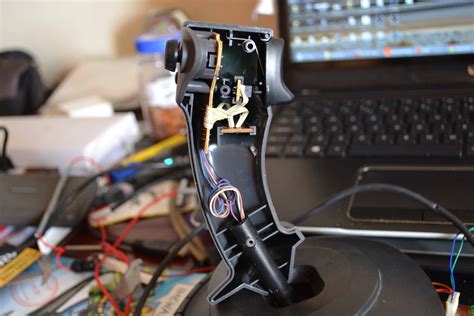
DIY Fixes: Taking Matters into Your Own Hands
If you’re comfortable with a bit of tinkering, several DIY solutions can potentially resolve Joy-Con drift without sending your controller away.
1. Calibration and Firmware Updates
This is always the first, simplest step. Go to System Settings > Controllers and Sensors > Calibrate Control Sticks. Follow the on-screen instructions to re-calibrate your problematic Joy-Con. Also, ensure your Switch system and Joy-Cons have the latest firmware updates, as Nintendo sometimes releases software patches that can mitigate minor issues.
2. Cleaning Under the Stick
Often, drift is caused by debris. You can try to clean the area around and under the joystick. Power off your Switch and detach the Joy-Con. Gently lift the rubber skirt around the base of the joystick. Use compressed air to blow out any dust or particles. For more stubborn grime, a small amount of electronics contact cleaner (like isopropyl alcohol applied with a cotton swab, or a specialized spray) can be applied carefully around the base of the stick. Move the stick around to work the cleaner in, then let it dry completely before testing.
3. Replacing the Joystick Module
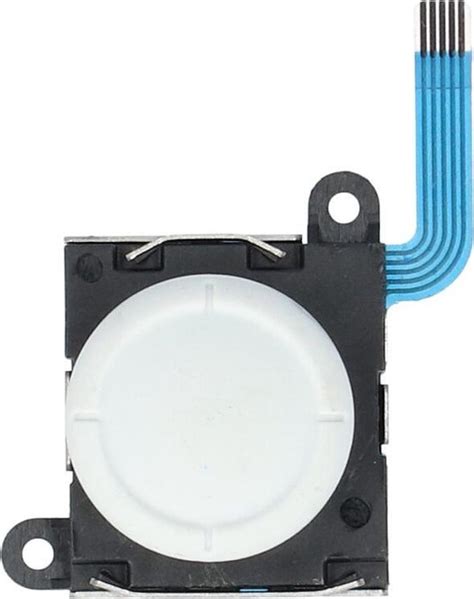
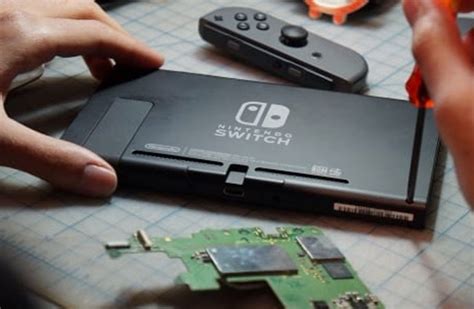
This is the most involved DIY fix but often the most effective for persistent drift. It requires a specialized repair toolkit (usually including a tri-wing screwdriver) and a replacement joystick module, which can be purchased online for a relatively low cost. The process involves opening the Joy-Con, disconnecting internal ribbon cables, and swapping out the faulty joystick. There are numerous detailed video tutorials online that can guide you through each step. While not exceedingly difficult, it does require a steady hand and patience, as components are small and fragile.
Professional Repair Options
If DIY solutions aren’t for you, or if they fail to fix the problem, professional repair is the next logical step.
1. Nintendo’s Official Repair Service
Nintendo offers official repair services for Joy-Con drift. In many regions, particularly North America and parts of Europe, Nintendo has offered free Joy-Con drift repairs, even outside of the standard warranty period, acknowledging the widespread nature of the issue. You’ll typically need to submit a repair request through their support website, after which you’ll receive instructions to ship your Joy-Cons to a service center. The turnaround time can vary, but it’s often a reliable and cost-free (or low-cost) solution, preserving your warranty.
2. Third-Party Repair Shops
Local electronics repair shops or specialized console repair services are another option. They can often replace the joystick module for you, potentially offering a faster turnaround than Nintendo’s official service, depending on parts availability. Costs will vary, but it can be a convenient option if you prefer to deal with someone in person and don’t want to ship your controllers. Always inquire about their warranty for the repair.
DIY vs. Professional Repair: Which is Right for You?
Choosing between DIY and professional repair depends on several factors:
- Cost: DIY part replacement is generally the cheapest option (around $10-20 for parts and tools). Nintendo’s official repair is often free. Third-party repairs will have a labor cost in addition to parts.
- Skill Level: Cleaning and calibration are easy. Joystick replacement requires some technical aptitude. Professional repair requires no skill from your side.
- Warranty: Opening your Joy-Con for DIY repair might void any remaining warranty with Nintendo, though given Nintendo’s stance on drift, this is less of a concern. Official repairs maintain your warranty.
- Time: DIY fixes can be immediate. Official repairs involve shipping and waiting. Local shops might be quicker.
- Risk: DIY repairs carry a small risk of damaging other components if not done carefully. Professional repairs have less risk for the consumer.

Conclusion
Joy-Con drift is a frustrating but often fixable problem. Start with the simplest DIY steps like calibration and cleaning. If those don’t work, consider your comfort level with opening electronics. If you’re confident, a joystick module replacement can be highly effective. Otherwise, taking advantage of Nintendo’s often free official repair service is usually the safest and most recommended route. Whichever path you choose, getting rid of drift will undoubtedly enhance your Nintendo Switch gaming experience.


