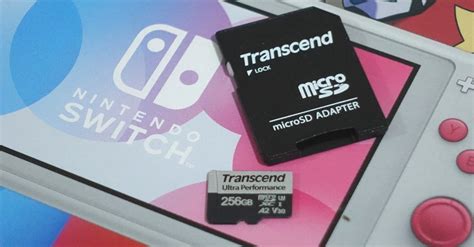
Best budget Switch SD card for expanding game library?

The Nintendo Switch, with its incredible library of games, often leaves players wanting more storage. While the console comes with 32GB or 64GB of internal memory, digital downloads, updates, and DLC quickly eat into that space. Fortunately, expanding your game library is simple and affordable with a microSD card. But which one offers the best bang for your buck without compromising performance?
Why Your Nintendo Switch Needs an SD Card
Many popular Switch titles can easily take up 10GB or more, and some even exceed 20GB. Games like The Legend of Zelda: Tears of the Kingdom or Pokémon Scarlet and Violet, along with numerous indie titles and system updates, mean that the built-in storage fills up rapidly. A high-quality microSD card becomes an essential upgrade, allowing you to download more games, save data, and capture screenshots and videos without constantly juggling installations.
Key Factors When Choosing a Budget SD Card for Switch
When selecting a microSD card, several specifications are crucial, even for budget options:
- Capacity: For most users, 128GB is a good starting point, offering space for several large games. 256GB provides more breathing room, while 512GB or even 1TB will future-proof your storage for years.
- Speed (UHS-I): The Switch supports UHS-I microSD cards, which have a theoretical maximum transfer speed of 104 MB/s. There’s no benefit to purchasing faster (and more expensive) UHS-II cards, as the Switch cannot utilize their full speed. Look for cards with “UHS-I Speed Class 3” (U3) or “Video Speed Class 30” (V30) for optimal game loading times, indicating a minimum write speed of 30 MB/s.
- Application Performance Class (A1/A2): While less critical than U3/V30 for the Switch, A1 or A2 ratings indicate good random read/write performance, which can slightly improve game loading and system responsiveness. A1 is usually sufficient.
- Brand Reputation: Stick to reputable brands like SanDisk, Samsung, or Lexar to ensure reliability and avoid counterfeit cards, which can lead to data loss or poor performance.

Top Budget-Friendly SD Card Recommendations
You don’t need to break the bank to get a reliable and spacious microSD card for your Switch. Here are some excellent budget-conscious choices:
SanDisk Ultra microSDXC UHS-I Card
The SanDisk Ultra series is a perennial favorite for Switch owners due to its excellent balance of price and performance. These cards consistently offer U1/C10 speeds that meet or exceed the Switch’s requirements, making them perfect for game storage. They are widely available and frequently go on sale, making them an incredible value, especially in 256GB or 512GB capacities.
Samsung EVO Select/Plus microSDXC UHS-I Card
Samsung’s EVO Select (often an Amazon exclusive) and EVO Plus series are another top contender. They boast U3/V30 speeds, which means slightly faster loading times than some U1 cards, though the difference might be negligible for many Switch games. Their reliability and competitive pricing, particularly for 256GB and 512GB options, make them a smart investment for expanding your digital library.
Lexar Play microSDXC UHS-I Card
Lexar Play cards are specifically designed for devices like the Nintendo Switch and other handheld gaming consoles. They are rated A1 (for 1TB and 512GB) or A2 (for 256GB and 128GB) and offer U1 or U3 speeds depending on the capacity. They are often aggressively priced and provide solid performance, making them a strong alternative to the more popular brands.

Installation and Management Tips
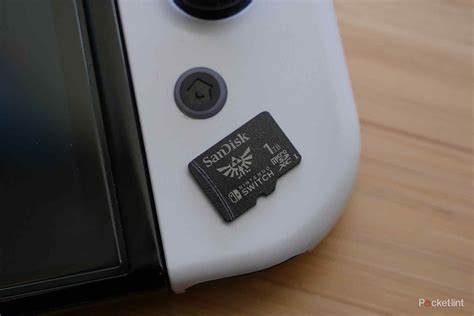
Once you have your new SD card, installing it is straightforward: simply insert it into the slot under the Switch’s kickstand. The Switch will format it automatically. To move games, go to System Settings > Data Management > Move Data Between System / microSD Card. For the best experience, set your Switch to automatically save new downloads to the microSD card.
Investing in a good budget microSD card is one of the easiest and most impactful upgrades you can make to your Nintendo Switch. By choosing a reputable brand with sufficient capacity and appropriate speed ratings, you’ll ensure a seamless gaming experience without constantly worrying about storage limitations. Happy gaming!