Actionable tips to optimize mobile game settings for better battery life & less data usage?

Unlock Longer Playtime: Tweak Your Mobile Game Settings
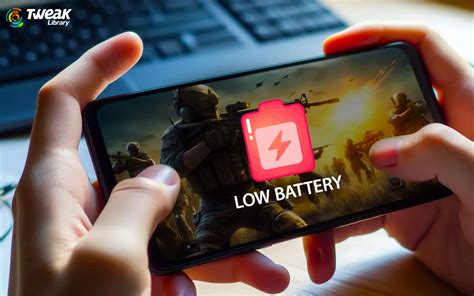
Mobile gaming offers endless entertainment, but it often comes at the cost of rapid battery drain and surprisingly high data usage. Whether you’re battling dragons or solving puzzles, optimizing your game settings can dramatically improve your experience by preserving your device’s charge and keeping your data plan intact. Let’s dive into actionable tips that will help you game longer and smarter.
Graphics Settings: The Power Hogs
The visual fidelity of a game is usually the biggest drain on your battery. High-resolution textures, complex shadow effects, and advanced anti-aliasing all require significant processing power from your device, leading to increased energy consumption.
- Lower Resolution: Many games offer an option to reduce the in-game resolution. While it might make the visuals slightly less crisp, the battery savings are substantial.
- Reduce Frame Rate (FPS): Setting your frame rate to 30 FPS instead of 60 FPS can halve the GPU’s workload. Unless you’re playing a fast-paced competitive shooter, 30 FPS is often perfectly acceptable for a smooth experience.
- Disable Fancy Visual Effects: Turn off settings like real-time shadows, reflections, bloom, motion blur, and anti-aliasing. These are resource-intensive and often have a minimal impact on gameplay.

Network Settings: Taming the Data Beast
Some mobile games can be surprisingly data-hungry, especially those with online multiplayer modes, frequent updates, or cloud saves. Managing network usage is key to avoiding unexpected charges or hitting your data cap.
- Download Game Assets on Wi-Fi: Always download large game updates, new levels, or additional content when connected to a Wi-Fi network. Most games will prompt you, but double-check your settings.
- Disable In-Game Voice Chat: If you’re not actively communicating with teammates, turn off voice chat. It consumes both data and battery.
- Limit Background Data: Your device’s system settings often allow you to restrict a specific app’s background data usage. Prevent games from downloading updates or syncing data when you’re not actively playing them on mobile data.
- Play Offline Games: When possible, opt for games that can be played entirely offline. This eliminates data usage completely and often reduces battery consumption as your device isn’t constantly trying to maintain a network connection.

Device-Level Optimizations for Gaming
Beyond individual game settings, your phone’s overall configuration plays a crucial role in battery life and performance during gaming sessions.
- Reduce Screen Brightness: The screen is often the single biggest battery drain. Lowering your brightness, especially when playing indoors, can significantly extend your playtime.
- Activate Battery Saver Mode: Most smartphones have a built-in battery saver or power-saving mode. Activating it will throttle CPU performance and restrict background activities, which is beneficial for gaming, though it might slightly reduce maximum game performance.
- Close Background Apps: Before launching a game, close any unnecessary apps running in the background. They consume RAM and CPU cycles, which the game could otherwise use.
- Disable Notifications: Turn on ‘Do Not Disturb’ or silence notifications during gameplay. Constant alerts wake the screen and consume power, interrupting your immersion.
Game-Specific and Advanced Tips
Every game is different, and some offer unique optimization opportunities.
- Check Game-Specific Settings: Dive deep into each game’s settings menu. Developers often include specific ‘Performance’ or ‘Quality’ presets that can quickly adjust multiple graphical and network options.
- Clear Game Cache: Over time, game caches can grow large and sometimes contain corrupted data. Periodically clearing the cache (via your phone’s app settings) can free up space and sometimes resolve minor performance issues.
- Consider ‘Lite’ Versions: If your favorite game has a ‘Lite’ version (e.g., PUBG Mobile Lite, Facebook Lite), it’s designed to be less resource-intensive and use less data, making it an excellent alternative for older devices or limited data plans.
- Update Games and OS: Developers frequently release updates that include performance optimizations and bug fixes. Keeping your games and your phone’s operating system up to date can lead to better efficiency.
Maximize Your Mobile Gaming Experience
By implementing these actionable tips, you’ll not only extend your mobile gaming sessions but also keep your data usage in check. A little tweaking goes a long way in ensuring your device performs optimally, allowing you to focus on the fun of the game without constantly worrying about your battery percentage or data plan. Start optimizing today and enjoy uninterrupted mobile adventures!