





Practical parental controls for safe, age-appropriate online gaming?

Navigating the Digital Playground: Practical Parental Controls for Safe Online Gaming
In today’s digital age, online gaming is an integral part of many children’s lives, offering entertainment, social interaction, and skill development. However, it also presents challenges, from exposure to inappropriate content and cyberbullying to excessive screen time and in-game purchases. For parents, ensuring a safe and age-appropriate online gaming environment can feel like a daunting task. This guide will walk you through practical parental controls and strategies to help you manage your child’s digital playtime effectively.
Understanding the Gaming Landscape
Before diving into controls, it’s crucial to understand what online gaming entails. Many games feature multiplayer interaction, in-game chat (voice or text), microtransactions, and content that varies widely in suitability. Different platforms—consoles (PlayStation, Xbox, Nintendo Switch), PCs, and mobile devices—each have their own ecosystems and control mechanisms.
Leveraging Platform-Specific Parental Controls
Most gaming platforms offer robust built-in parental control features. Learning how to use these is your first and most effective step.
Console and PC Controls
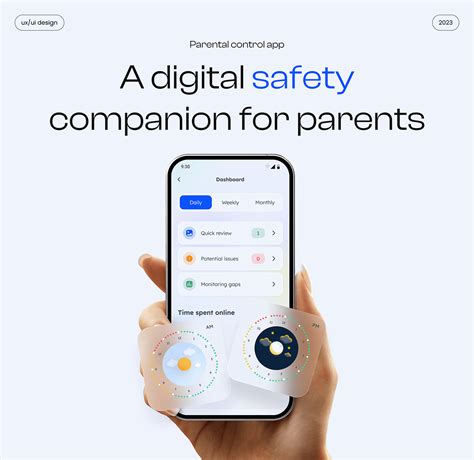
- Age Ratings & Content Filters: Set limits based on game ratings (e.g., ESRB in North America, PEGI in Europe) to prevent access to mature content.
- Time Limits: Schedule specific playtimes or set daily/weekly limits on gaming duration.
- Purchase Restrictions: Disable in-game purchases or require a password for any transactions to prevent unexpected bills.
- Communication Settings: Control who your child can communicate with, restrict voice/text chat, or disable it entirely.
- Friend Requests: Manage who can send friend requests to your child.
Mobile Device Controls
Both iOS (Screen Time) and Android (Family Link) offer comprehensive parental control suites. These allow you to set app usage limits, filter web content, restrict in-app purchases, and track app activity. Ensure these are configured on your child’s tablets and smartphones where they might also access games.
In-Game Settings and Customization
Beyond platform-level controls, many individual games, especially popular titles like Minecraft, Roblox, or Fortnite, have their own internal settings for privacy, chat, and player interaction. Explore these settings directly within the game to further customize your child’s experience. For instance, you can often turn off public chat, block specific players, or set privacy to ‘friends only’.

The Power of Communication and Education
Technical controls are important, but they are only one part of the solution. Open communication and educating your child about online safety are equally, if not more, vital.
Talk About Online Safety
- Stranger Danger: Explain that people online may not be who they say they are and to never share personal information.
- Cyberbullying: Teach them what cyberbullying is and encourage them to report any uncomfortable interactions to you immediately.
- Digital Footprint: Discuss the permanence of online actions and comments.

Play Together and Get Involved
Show interest in their games. Play with them occasionally. This not only strengthens your bond but also gives you firsthand insight into the games they’re playing, who they’re interacting with, and the in-game culture. This involvement allows you to guide them proactively rather than reactively.
Choosing Age-Appropriate Games
The vast number of games available can be overwhelming. Here’s how to ensure your child plays games suitable for their age and maturity level:
- Understand Ratings: Familiarize yourself with game rating systems like ESRB, PEGI, or ACB. These provide clear guidance on content (violence, language, suggestive themes) and age recommendations.
- Research Before Buying: Look up game reviews, watch gameplay videos on platforms like YouTube (with caution), or read parent guides before purchasing or allowing a new game. Common Sense Media is an excellent resource for parent-friendly game reviews.
- Demo Versions: If available, try demo versions of games together to assess suitability.

Regular Review and Adjustment
Parental controls are not a set-it-and-forget-it solution. As your children grow, their interests change, and their maturity evolves. Regularly review and adjust your parental control settings and your family’s gaming rules. Have ongoing conversations about their online experiences and be prepared to adapt your approach as needed. A flexible, informed approach fosters a safer and more positive gaming environment for everyone.

Conclusion
Ensuring safe, age-appropriate online gaming for your children requires a multi-faceted approach. By combining the smart use of technical parental controls with open communication, education, and active involvement, you can empower your children to navigate the digital world responsibly and enjoy the many positive aspects of online gaming. Remember, the goal isn’t to restrict entirely, but to guide and protect, helping them develop healthy digital habits that will last a lifetime.


