How to optimize mobile game battery life & reduce data usage on my phone?
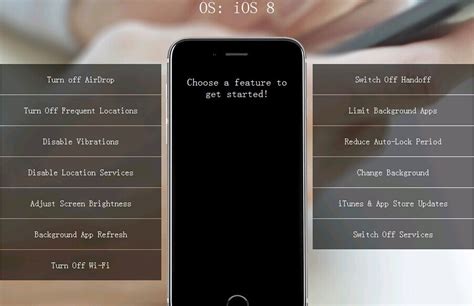
Mobile gaming offers endless entertainment, but it often comes at the cost of rapid battery drain and significant data usage. Whether you’re battling foes, solving puzzles, or racing against friends, a dying battery or exhausted data plan can quickly end the fun. Fortunately, with a few adjustments to your device settings and gaming habits, you can significantly improve your mobile gaming experience.
Extending Battery Life During Gaming Sessions
To keep your phone running longer and your gaming sessions uninterrupted, consider these battery-saving strategies:
- Adjust In-Game Graphics Settings: Many modern mobile games offer customizable graphics. Lowering settings like resolution, texture quality, or frame rate can drastically reduce the processing power required, thus saving battery. While the visuals might be slightly less crisp, the extended playtime is often worth the trade-off.
- Reduce Screen Brightness: Your phone’s screen is one of the biggest power consumers. Dimming your screen brightness, especially in well-lit environments, can have a noticeable impact on battery life. Utilize automatic brightness settings or manually adjust it to a comfortable, lower level.
- Close Background Apps: Before launching your game, swipe away any unused applications running in the background. These apps can consume CPU cycles, RAM, and network resources, all of which contribute to battery drain. A clean slate ensures your game has maximum resources.
- Disable Unnecessary Features: Turn off Wi-Fi, Bluetooth, GPS, and NFC if they are not actively required by your game or for internet connectivity. Constantly scanning for networks or devices uses precious battery power.
- Activate Battery Saver Mode: Most smartphones come with a built-in ‘Battery Saver’ or ‘Low Power Mode’. Enabling this feature will limit background activity, reduce visual effects, and optimize CPU usage, effectively prolonging your battery life during intense gaming.

Minimizing Data Usage While Gaming
Online mobile games and regular updates can quickly eat into your data allowance. Here’s how to keep your data usage in check:
- Download Game Content on Wi-Fi: Always connect to a Wi-Fi network for initial game downloads, large updates, or any in-game content packs. These files can be several gigabytes in size and consume a significant portion of your cellular data plan if downloaded over mobile data.
- Play Offline Games: When data is a concern, opt for games that don’t require an internet connection. There’s a vast library of excellent single-player and offline-capable games available that offer hours of entertainment without touching your data plan.
- Restrict Background Data for Games: In your phone’s settings (under ‘Data Usage’ or ‘App Settings’), you can often prevent specific apps from using cellular data in the background. This ensures that a game only uses data when you are actively playing it online.
- Turn Off Cellular Data When Not Needed: If you’re playing an offline game or are connected to Wi-Fi, simply toggle off your cellular data. This is a foolproof way to prevent any accidental data consumption from background processes or updates.
- Monitor Your Data Usage: Regularly check your phone’s data usage statistics (usually found in ‘Settings > Data Usage’). This helps you identify which apps are data hogs and allows you to adjust your habits accordingly before you hit your data cap.

General Best Practices for an Optimized Gaming Experience
Beyond specific battery and data settings, a few other habits can enhance your mobile gaming:
- Keep Your Device and Games Updated: Developers frequently release updates that include performance optimizations, bug fixes, and sometimes even more efficient resource management. Ensure your operating system and all your games are kept up-to-date.
- Clear Game Cache: Over time, game caches can accumulate, taking up storage and potentially affecting performance. Periodically clearing the cache for your most played games can help, though be careful not to clear game data which might delete your save files.
- Consider a Gaming Phone Cooler or Case: While not directly optimizing battery or data, preventing your phone from overheating can indirectly help. Excessive heat can degrade battery health over time and cause performance throttling, leading to a less enjoyable experience and potentially higher resource usage.

By implementing these strategies, you can transform your mobile gaming experience, ensuring longer playtime, fewer interruptions, and a happier data plan. Enjoy your games without constantly worrying about your phone giving out!