Running out of console storage for digital games? Best expansion options for Switch & others.

In the era of massive digital game downloads and frequent updates, the internal storage of your beloved console can fill up surprisingly fast. Whether you’re a Nintendo Switch enthusiast, a PlayStation loyalist, or an Xbox fan, hitting that dreaded ‘storage full’ notification is a shared experience. Fortunately, console manufacturers and third-party companies offer robust solutions to keep your digital library growing without the need for constant game deletion. Let’s explore the best expansion options available for the major consoles.
The Universal Digital Dilemma
Modern games often exceed 50GB, with some pushing past 100GB or even 200GB. Coupled with operating system files, essential updates, and DLC, the standard 500GB or 1TB internal drives of many consoles quickly become insufficient. This isn’t just an inconvenience; it can force players to choose between beloved titles or new releases. The good news is that expanding your storage is often a straightforward process, tailored to each console’s unique architecture.
Nintendo Switch: The MicroSD Advantage
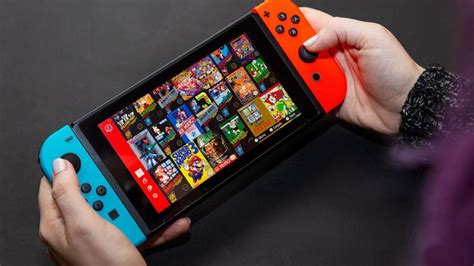
The Nintendo Switch, with its emphasis on portability and digital eShop titles, relies on expandable microSD card storage. The console’s internal 32GB or 64GB (for OLED model) fills up almost instantly with a few major releases. Thankfully, adding a microSD card is simple and effective.
Choosing a MicroSD Card for Switch
- Capacity: MicroSD cards for the Switch can range from 64GB to a whopping 2TB (though 1TB is currently the practical maximum widely available). Consider your gaming habits; 256GB, 512GB, or 1TB are popular choices for extensive digital libraries.
- Speed: Look for cards with a high ‘UHS-I’ speed class (U3 or V30 recommended) for optimal game loading times. While the Switch doesn’t fully utilize the fastest speeds of high-end cards, a reputable brand will ensure smooth performance.
- Installation: Simply insert the card into the slot under the kickstand. The Switch will automatically recognize it.
PlayStation Storage Solutions: PS5 & PS4
PlayStation consoles offer different approaches to storage expansion, largely depending on whether you own a PS5 or PS4.
PS5: Blazing Fast M.2 SSDs
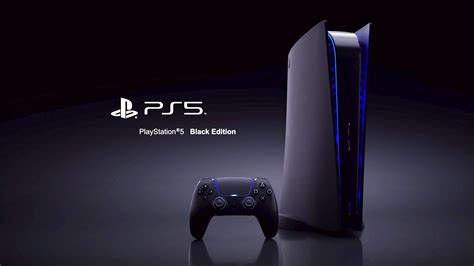
The PlayStation 5 is a next-gen powerhouse, and its storage expansion options reflect that. It supports specific M.2 NVMe SSDs that meet strict performance requirements, ensuring games load just as fast as they do from the internal drive.
- Requirements: The M.2 SSD must be a PCIe Gen4 x4 NVMe SSD, with a minimum sequential read speed of 5,500MB/s, and include a heatsink (or you’ll need to add one). Capacities range from 250GB to 4TB.
- Installation: This is a slightly more involved process, requiring you to open a side panel of the PS5 and screw in the SSD. However, Sony provides clear instructions, and many compatible SSDs come with pre-installed heatsinks.
PS4: External Drives to the Rescue
For the PlayStation 4 (and PS4 Pro), the most common and easiest expansion method is an external USB hard drive or solid-state drive (SSD).
- Compatibility: Any USB 3.0 external HDD or SSD (up to 8TB) can be used. The PS4 will format it as extended storage, allowing you to install games directly to it.
- Benefits: External SSDs will offer faster loading times than HDDs, though not as fast as the PS5’s internal or M.2 SSDs. HDDs are more cost-effective for large capacities.
- Plug and Play: Simply plug it into a USB port, go to the Storage settings, and format it as extended storage.
Xbox Console Storage: Series X/S & Xbox One
Xbox consoles also have distinct expansion strategies, especially between the latest generation (Series X/S) and the previous (Xbox One).
Xbox Series X/S: Proprietary Expansion Cards
The Xbox Series X and Series S use a proprietary ‘Storage Expansion Card’ that plugs into a dedicated port on the back of the console. These cards perfectly match the internal NVMe SSD’s speed, ensuring seamless next-gen performance.
- Proprietary Nature: Currently, these cards are made by Seagate and Western Digital, specifically designed for Xbox Series X/S.
- Capacities: Available in 512GB, 1TB, and 2TB.
- Seamless Integration: Games load just as quickly from the expansion card as they do from the internal drive, making it ideal for next-gen titles.
External USB Drives for Backward Compatibility
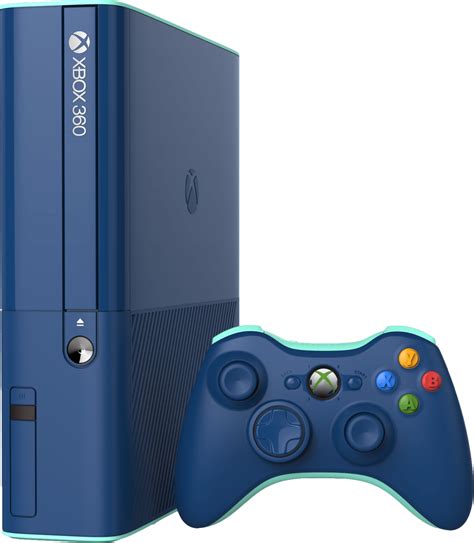
For Xbox Series X/S users, external USB 3.0 HDDs or SSDs can still be used, but with a caveat: next-gen optimized games (Series X|S enhanced) can only be played from the internal drive or the proprietary expansion card. However, external USB drives are perfect for:
- Storing Series X|S Games: You can transfer Series X|S games to an external drive to save space on your internal/expansion card, then move them back when you want to play.
- Playing Xbox One, Xbox 360, and Original Xbox Games: All backward-compatible titles can be played directly from an external USB drive.
For Xbox One consoles, external USB 3.0 HDDs or SSDs are the primary expansion method, allowing you to play all games directly from the external drive.
Choosing the Right Expansion: Key Considerations
When deciding on an expansion option, keep these points in mind:
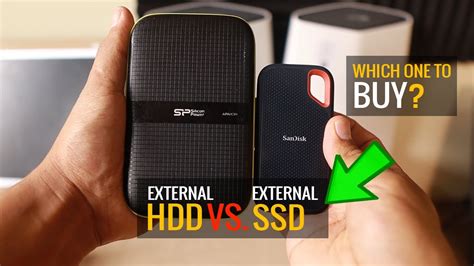
- Cost per GB: External HDDs are generally the cheapest, followed by microSD cards, then M.2 SSDs, and finally the proprietary Xbox expansion cards.
- Speed: NVMe SSDs (PS5, Xbox Series X/S expansion) offer the fastest loading times, external SATA SSDs are a good middle ground, and external HDDs are the slowest.
- Ease of Installation: MicroSD cards and external USB drives are plug-and-play. PS5 M.2 SSDs require a bit of DIY, and Xbox expansion cards are simple inserts.
- Future-Proofing: Investing in a larger capacity now can save you the hassle of upgrading again soon.
Making the Most of Your Console Storage
Even with expanded storage, good management practices can help:
- Uninstall Old Games: If you’re truly done with a game, uninstalling it frees up space. Your save data is usually stored separately on the cloud or console, so you won’t lose progress if you reinstall later.
- Manage Screenshots/Videos: High-quality screenshots and video clips can take up significant space. Regularly transfer them to external storage or upload them to cloud services.
- Prioritize Installations: Install your most frequently played games on the fastest available storage (internal drive or high-speed expansion).
Conclusion: Never Miss a New Release
Running out of storage is no longer an unavoidable problem. With a range of excellent expansion options tailored for the Nintendo Switch, PlayStation, and Xbox consoles, you can easily bolster your digital library and keep pace with the ever-growing demands of modern gaming. Whether it’s a simple microSD card, a blazing-fast M.2 SSD, or a proprietary expansion card, there’s a solution to ensure you always have room for the next big adventure.