





Maximize Switch storage: best microSD for digital games & easy transfers?
Why Expand Your Nintendo Switch Storage?
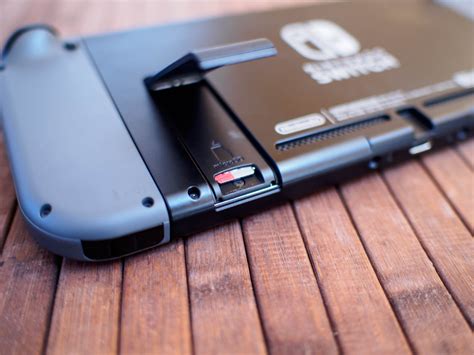
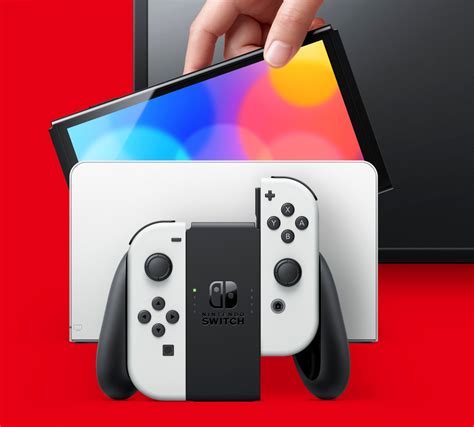
The Nintendo Switch, an incredibly versatile console, comes with a rather modest 32GB (or 64GB for the OLED model) of internal storage. While this might seem sufficient for a few games, the reality for avid digital gamers quickly sets in: it fills up fast. Major first-party titles like The Legend of Zelda: Tears of the Kingdom or Pokémon Scarlet/Violet can easily consume over 15GB each, leaving little room for indie gems, DLC, and future downloads. Expanding your Switch’s storage with a high-quality microSD card isn’t just a convenience; it’s a necessity for an unhindered gaming experience.
Understanding MicroSD Card Essentials for Switch
Not all microSD cards are created equal, especially when it comes to gaming performance. For your Nintendo Switch, you’ll want to focus on a few key specifications:
- Capacity: MicroSD cards come in various sizes, from 32GB to 2TB. While the Switch supports up to 2TB, the sweet spot for most gamers is typically between 128GB and 512GB. Consider your digital game library size and future download plans.
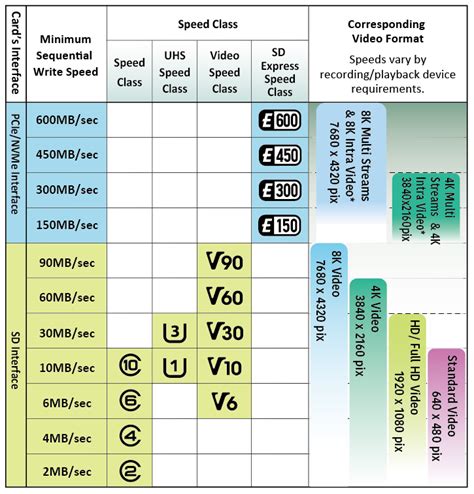
- Speed Class: This is crucial. The Switch specifically supports UHS-I (Ultra High Speed Phase I) cards, with a maximum data transfer rate of 104 MB/s. Look for cards with a “U3” (UHS Speed Class 3) rating, which guarantees a minimum sequential write speed of 30 MB/s. This ensures smoother game loading and faster transfers. While higher-speed UHS-II cards exist, the Switch cannot fully utilize their faster speeds, so you’d be paying for features you can’t use.
- Read Speed: This is arguably more important than write speed for gaming, as games are constantly being read from the card. Aim for cards with read speeds of 90MB/s or higher.
In summary, always opt for a UHS-I U3 card from a reputable brand.
Top MicroSD Card Recommendations for Nintendo Switch
When it comes to reliability, performance, and value, a few brands consistently stand out as the best choices for your Nintendo Switch:
- SanDisk MicroSDXC for Nintendo Switch: These officially licensed cards are a fantastic choice. They come in various capacities (64GB to 512GB) and are specifically tuned for the Switch, offering excellent read/write speeds and peace of mind with their Nintendo branding.
- Samsung EVO Select/Plus: Samsung’s EVO line offers superb performance at a competitive price. Both the EVO Select and EVO Plus series are UHS-I U3 cards, providing fast read speeds perfect for game loading. They’re known for their reliability and come in capacities up to 512GB or even 1TB.
- Lexar PLAY MicroSDXC: Designed with gaming in mind, Lexar PLAY cards offer high capacities (up to 1TB) and U3 speeds, making them a solid, cost-effective option for expanding your Switch’s storage.
Regardless of the brand, prioritize buying from authorized retailers to avoid counterfeit cards.
Easy Data Transfers: Managing Your Switch Games
Once you have your new microSD card, managing your games and save data is straightforward. Here’s how:
Moving Games Between Internal Storage and MicroSD Card:
- Insert your new microSD card into the slot under the kickstand of your Switch.
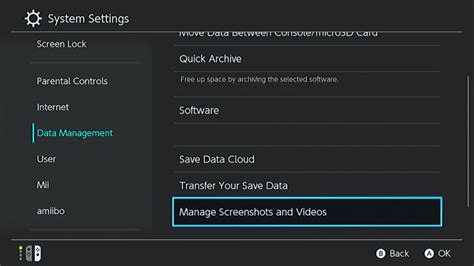
- Go to System Settings > Data Management > Move Data Between System / microSD Card.
- Select the software you wish to move and confirm. Note that save data is always stored on the console’s internal memory and cannot be moved to the microSD card.
Upgrading to a Larger MicroSD Card:
If you’re upgrading from an older, smaller microSD card, the process is simple:
- Power off your Switch completely.
- Remove the old microSD card.
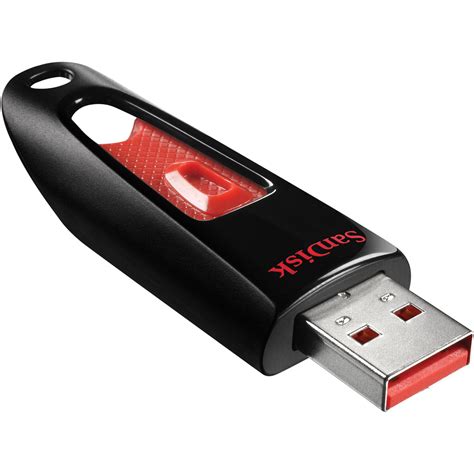
- Insert the old microSD card into a computer using a card reader.
- Copy all contents from the old microSD card to a temporary folder on your computer.
- Remove the old card and insert your new, larger microSD card into the computer.
- Copy all the files from your temporary computer folder to the new microSD card. Ensure you copy the entire folder structure exactly as it was.
- Eject the new microSD card safely from your computer and insert it into your Switch.
Your Switch should recognize all your games and data on the new card.
Conclusion: Unlock Your Switch’s Full Potential
Investing in the right microSD card is one of the best upgrades you can make for your Nintendo Switch. It frees you from constantly deleting and re-downloading games, allows you to take advantage of digital sales, and ensures your adventures are never cut short by a “storage full” message. By choosing a high-capacity, high-speed UHS-I U3 card from a trusted brand, you’re setting yourself up for years of uninterrupted gaming enjoyment. Happy gaming!



