


How to choose the best Switch SD card for your growing digital game library?
Why Your Nintendo Switch Needs an SD Card
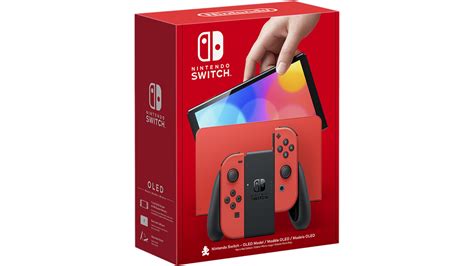
The Nintendo Switch, with its fantastic library of digital-only titles and ever-growing game sizes, quickly fills up its internal 32GB (or 64GB for the OLED model) storage. For serious gamers or those who prefer digital downloads, an SD card isn’t just an upgrade; it’s a necessity. Expanding your console’s storage ensures you never have to delete beloved games to make room for new adventures.
But with so many options on the market, how do you pick the right one? This guide will walk you through the essential factors to consider when choosing the best microSD card for your Nintendo Switch.
Understanding SD Card Types for Switch
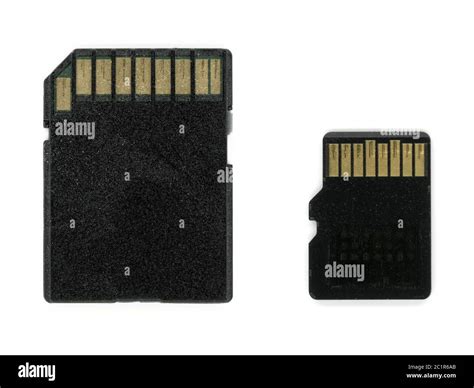
The Nintendo Switch exclusively uses microSD cards. Specifically, it supports microSDHC (High Capacity) and microSDXC (eXtended Capacity) cards. Given modern game sizes, you’ll almost certainly be looking at microSDXC cards, which offer capacities from 64GB all the way up to 2TB.
When shopping, you might see terms like SD, SDHC, and SDXC. Remember, for the Switch, you need a microSD card, and for substantial storage, microSDXC is the way to go.
Capacity: How Much Space Do You Really Need?
This is arguably the most crucial decision. The “best” capacity depends entirely on your gaming habits.
- 64GB – 128GB: Suitable for casual gamers who mostly play physical cartridges but want space for a few digital titles, DLCs, and updates.
- 256GB – 512GB: The sweet spot for many. This offers ample space for a significant digital library without breaking the bank. You can comfortably download dozens of major titles, indies, and their updates.
- 1TB – 2TB: For the ultimate digital collector. If you plan to go all-digital, purchase many large AAA titles, or simply never want to worry about storage again, these high-capacity cards are for you. Be prepared for a higher price point.
Consider your current game library size and how many new games you anticipate buying digitally. It’s often wise to go a step above what you think you’ll need to future-proof your setup.
Speed: Why It Matters for Gaming
While capacity gets most of the attention, speed is vital for a smooth gaming experience. A faster card means quicker game loading times, reduced stuttering, and faster installation of updates.
Understanding Speed Ratings:
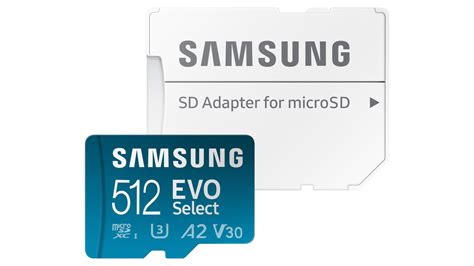
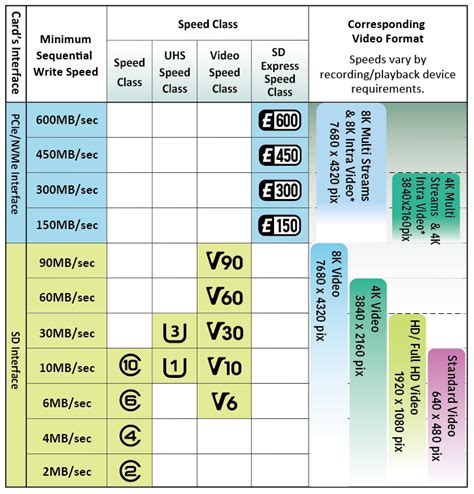
- U1 vs. U3: This refers to the UHS (Ultra High Speed) Speed Class. U1 guarantees a minimum write speed of 10MB/s, while U3 guarantees 30MB/s. For the Switch, U3 is recommended for optimal performance, though U1 cards will still work.
- Video Speed Class (V): You might see V10, V30, V60, or V90. V30 is equivalent to U3, guaranteeing 30MB/s.
- Application Performance Class (A1 vs. A2): This rating indicates how well a card handles random read/write operations, which are crucial for running apps and games. A1 guarantees 1500 IOPS random read and 500 IOPS random write. A2 is even better, with 4000 IOPS random read and 2000 IOPS random write. While the Switch doesn’t officially support A2’s full potential, an A2 card generally indicates a higher-quality, faster card that can still provide a marginal benefit. Aim for at least A1, or A2 if your budget allows.
In summary, look for cards with a U3 and at least an A1 rating for the best balance of performance and price on your Switch.
Brand Reputation and Reliability
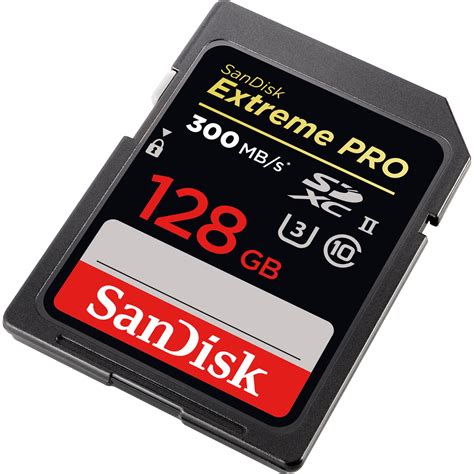
While an unknown brand might offer a tempting price, sticking with reputable manufacturers is highly recommended for SD cards. Brands like SanDisk, Samsung, Western Digital (WD), and Lexar are known for their reliability, durability, and consistent performance. Counterfeit SD cards are a real problem; purchasing from trusted retailers can mitigate this risk.
Price vs. Performance: Finding the Sweet Spot
SD card prices fluctuate, especially during sales events. It’s often a good idea to wait for deals on popular cards. While you shouldn’t just buy the cheapest card you find (due to potential fake cards or poor performance), you also don’t necessarily need the absolute fastest, most expensive card. A well-regarded U3, A1/A2 card from a known brand in the 256GB-512GB range typically offers the best value for most Switch users.
Installation and Management
Installing an SD card into your Switch is straightforward: simply open the kickstand and slide the card into the slot. The Switch will automatically recognize it. If you’re upgrading from an older, smaller card, you can transfer your data using a PC or by redownloading games from the eShop.
Conclusion: Empower Your Digital Library
Choosing the right SD card for your Nintendo Switch is a simple yet impactful upgrade that significantly enhances your gaming experience. By prioritizing sufficient capacity (256GB-512GB being ideal for most), a U3 speed rating, and a reputable brand, you can ensure your growing digital game library has all the room it needs to thrive. Say goodbye to constant game deletions and hello to endless gaming possibilities!



