





What are the best fixes for Nintendo Switch Joy-Con drift on your console?
Understanding and Addressing Joy-Con Drift
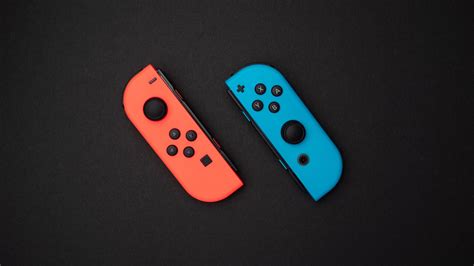
Nintendo Switch Joy-Con drift is a frustratingly common problem for many owners, causing characters or cursors to move on screen without any input. This can severely impact gameplay and overall enjoyment. While it often feels like a serious hardware defect, there are several steps you can take, ranging from simple software adjustments to more involved repairs, to get your Joy-Cons back in working order.
Before considering any drastic measures, it’s wise to start with the easiest, most accessible fixes. Many instances of drift can be resolved without needing to open your controller or send it away for service.
Initial Software & Calibration Solutions
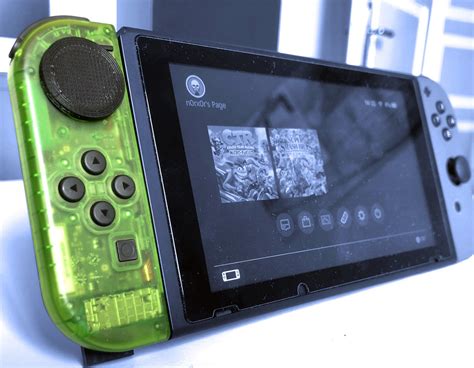
The first line of defense against Joy-Con drift involves the console’s settings. These steps are simple to perform and can often resolve minor cases of drift or input inaccuracies.
Update Your Joy-Con Firmware
Ensure your Joy-Cons have the latest firmware. Nintendo frequently releases updates that can address various performance issues. To check, go to System Settings > Controllers and Sensors > Update Controllers. Make sure your Joy-Cons are attached or wirelessly connected.
Calibrate Control Sticks
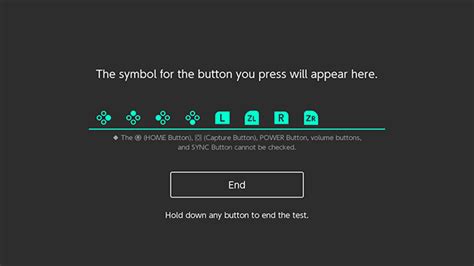
Recalibrating your Joy-Cons is a crucial step. Go to System Settings > Controllers and Sensors > Calibrate Control Sticks. Follow the on-screen prompts for each Joy-Con. This process helps the Switch understand the true neutral position of your joysticks.
Clean Under the Joystick (External)
Sometimes, dust, dirt, or debris can get under the joystick’s skirt, interfering with its sensors. Gently lift the rubber skirt around the base of the joystick and use a can of compressed air to blow out any particulates. Be gentle and use short bursts of air. You can also try a small amount of isopropyl alcohol on a cotton swab around the base, letting it dry completely before use.
Hardware-Based Fixes and Repairs
If software and external cleaning don’t resolve the drift, the issue is likely more deeply rooted in the hardware. These solutions require more care and, in some cases, specialized tools.
DIY Cleaning and Repair (Internal)
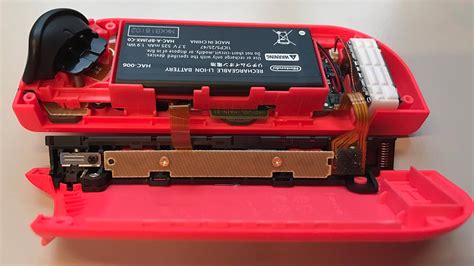
For those comfortable with electronics, opening the Joy-Con can allow for a more thorough cleaning of the joystick mechanism. This involves unscrewing the back of the Joy-Con, carefully disconnecting the battery and ribbon cables, and then accessing the joystick module. Using isopropyl alcohol and cotton swabs, you can clean the contact pads and moving parts of the joystick. Be aware: Opening your Joy-Cons will void your warranty and carries the risk of damaging components if not done carefully.
Replacing the Joystick Module
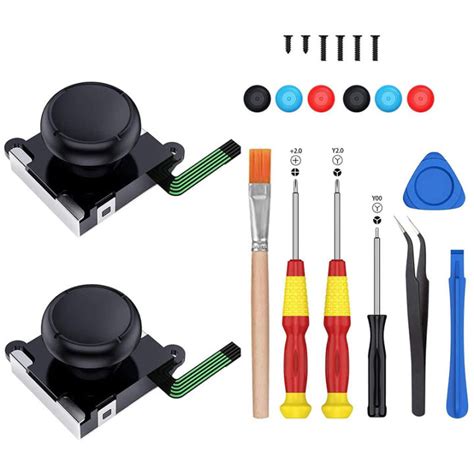
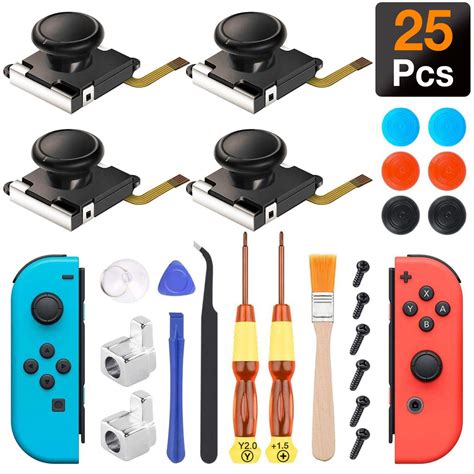
If cleaning doesn’t work, the joystick module itself might be faulty. Replacement modules are readily available online for a relatively low cost. This DIY repair involves similar steps to the internal cleaning but goes a step further by removing the old module and soldering or clipping in a new one. This is a more advanced repair and requires precision and the right tools (tri-wing screwdriver, spudger, tweezers, and potentially a soldering iron for some models).
Contacting Nintendo Support
For most users, especially if your Joy-Cons are still under warranty, contacting Nintendo support is the safest and often most effective solution. Nintendo has acknowledged the drift issue and offers free repairs in many regions, even for out-of-warranty controllers. Visit Nintendo’s official support website for your region and follow their instructions for repair service. This ensures a professional repair without the risk of further damage on your part.
Preventative Measures and Best Practices
While drift can sometimes feel inevitable, adopting good habits can help prolong the life of your Joy-Cons and potentially prevent future issues.
- Handle with Care: Avoid dropping your Joy-Cons or subjecting them to excessive force.
- Keep Them Clean: Regularly wipe down your controllers to prevent dust and grime buildup.
- Use Protective Covers: Silicone covers or stick grips can add a layer of protection against physical wear and tear.
- Store Properly: When not in use, keep your Switch and Joy-Cons in a clean, dust-free environment, preferably in a case.
Conclusion
Joy-Con drift is a significant annoyance, but it’s not always a death sentence for your controllers. By systematically troubleshooting with software updates, calibration, cleaning, and if necessary, hardware repairs or professional support, you can often restore your Joy-Cons to full functionality. Always start with the simplest solutions and progress to more complex ones, keeping your comfort level with DIY repairs and warranty status in mind. Happy gaming!


