





Efficiently expand Nintendo Switch storage: Best SD card size for games?
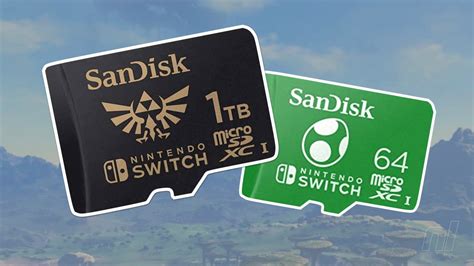
Why Your Nintendo Switch Needs More Storage
The Nintendo Switch, an incredibly versatile and popular gaming console, comes with limited internal storage. The original Switch and Switch Lite models offer 32GB, while the OLED model boasts 64GB. While this might sound like a decent amount, a significant portion is reserved for the system’s operating software. With modern games often requiring 10-20GB or more, plus updates, DLC, screenshots, and video captures, that internal space fills up surprisingly fast.
For any serious Switch owner, especially those who prefer digital downloads over physical cartridges, expanding storage is not just a luxury but a necessity. A full internal memory can prevent you from downloading new games, installing crucial updates, or even saving your progress.
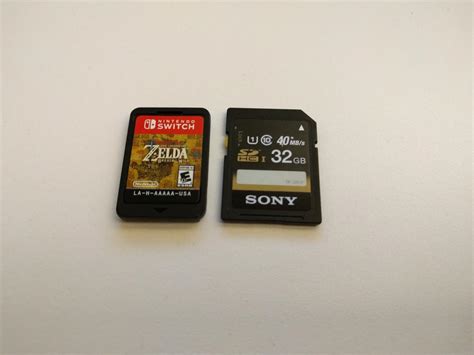
Understanding microSD Cards for Your Switch
Unlike some other consoles, the Nintendo Switch exclusively uses microSD cards for storage expansion. These tiny cards fit into a dedicated slot, usually hidden beneath the kickstand on the back of the console. While there are various types and speed classes of microSD cards available, the Switch is optimized for UHS-I speed class cards. You’ll often see these labeled with a ‘U1’ or ‘U3’ symbol, indicating minimum write speeds. While faster cards (like UHS-II) exist, the Switch cannot fully utilize their increased speed, so investing in them offers little practical benefit and higher cost.
Factors to Consider When Choosing Your SD Card Size
Selecting the best microSD card isn’t a one-size-fits-all decision. Your ideal capacity depends heavily on your personal gaming habits and budget.
1. Your Gaming Habits: Digital vs. Physical
- Digital-heavy gamers: If you frequently buy games from the eShop, you’ll need significantly more storage. Each digital game download consumes space directly.
- Physical cartridge users: Even if you primarily buy physical games, many titles still require substantial downloads for updates, DLC, and online features. Plus, screenshots and video captures add up.
2. Game Sizes
Be aware that game sizes vary wildly. While some indie titles might be under 1GB, major first-party games like The Legend of Zelda: Tears of the Kingdom can be 18GB, and third-party titles like The Witcher 3: Wild Hunt can exceed 30GB. Always check game requirements before purchasing.
3. Budget
The cost per gigabyte generally decreases with larger cards, but the overall price naturally increases. Balance what you need with what you’re willing to spend.

Recommended SD Card Sizes for Nintendo Switch
Here’s a breakdown of common microSD card sizes and who they’re best for:
128GB: The Budget-Friendly Option
- Good for: Casual gamers, those who mostly buy physical cartridges, or players with a small, curated digital library.
- Pros: Very affordable, a significant upgrade over internal storage.
- Cons: Can fill up quickly if you start downloading many digital titles or large updates. You might find yourself managing storage frequently.
256GB: The Sweet Spot for Most Gamers
- Good for: Most average Switch users. It offers an excellent balance of capacity and cost.
- Pros: Enough space for a decent collection of digital games, DLC, and updates without constant worry. Future-proof for several years for many.
- Cons: Dedicated digital collectors might still eventually outgrow it.

512GB: For Digital Enthusiasts and Collectors
- Good for: Gamers who primarily download digital titles, have a large backlog, or want to avoid managing storage for a long time.
- Pros: Ample space for a vast digital library. You’ll rarely have to delete games.
- Cons: A more significant upfront investment.
1TB: The Ultimate Capacity
- Good for: Hardcore digital collectors with extensive libraries, those who download almost every game, or players who want absolute peace of mind for years to come.
- Pros: Maxes out the Switch’s supported capacity, virtually eliminating storage concerns.
- Cons: Currently, the most expensive option. For many, it might be overkill and not the most cost-effective per gigabyte compared to 512GB.
Installation and Management Tips
Installing a microSD card is straightforward: simply slide it into the designated slot. The Switch will automatically recognize it. If you need to move games from internal storage to the SD card (or vice-versa), you’ll need to archive the software and then redownload it to your preferred location.
Conclusion: Finding Your Perfect Fit
For most Nintendo Switch owners, a 256GB microSD card strikes the optimal balance between capacity, performance, and price. It provides plenty of room for a growing digital library without breaking the bank. However, if you’re a dedicated digital-only player, jumping to 512GB offers even greater peace of mind. Consider your current and future gaming habits carefully, and choose the card that best fits your needs to ensure your Switch gaming experience remains seamless and enjoyable.



