





How to set up price alerts for specific games across all major platforms?
Never Miss a Sale: The Ultimate Guide to Game Price Alerts
For dedicated gamers, the thrill of a new release is only matched by the satisfaction of snagging a coveted title at a bargain price. With hundreds of games launching annually across various storefronts and platforms, keeping track of sales can feel like an impossible quest. Fortunately, price alert tools exist to do the heavy lifting for you, ensuring you’re always informed when your most-wanted games hit that sweet discount.
Why Price Alerts Are a Gamer’s Best Friend
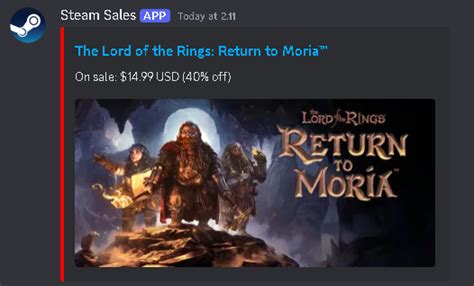
Beyond simply saving money, price alerts offer several significant advantages. They help you stick to a budget, prevent impulse buys at full price, and ensure you don’t miss limited-time flash sales. Imagine adding a game to your digital wishlist and receiving an instant notification the moment its price drops – no more constantly checking store pages or scouring deal forums. This automation empowers you to build an impressive game library without breaking the bank.
Navigating the Multi-Platform Landscape
The modern gaming ecosystem is fragmented. PC gamers contend with Steam, Epic Games Store, GOG, Humble Store, and more. Console players have their respective digital storefronts: PlayStation Store, Xbox Games Store, and Nintendo eShop. Each platform frequently runs its own sales, making a unified tracking solution invaluable. While some platforms offer basic wishlist notifications, third-party tools provide a much more comprehensive and cross-platform approach.

Top Third-Party Price Tracking Tools
When it comes to comprehensive game price tracking across PC and consoles, a few services stand out:
CheapShark (Multi-platform)
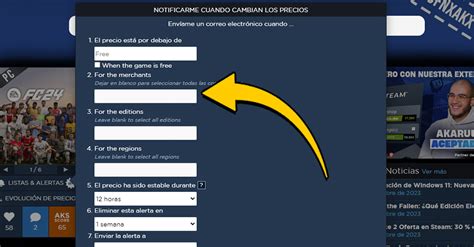
CheapShark aggregates deals from numerous PC storefronts (Steam, GOG, Epic, etc.) and also covers PlayStation, Xbox, and Nintendo eShop prices. Its user-friendly interface allows you to search for specific games, view price history, and set email alerts for when a game drops below a certain percentage or price point.
IsThereAnyDeal (PC Focused)
Primarily for PC games, IsThereAnyDeal tracks prices from virtually every major digital PC retailer. It’s excellent for seeing the historical low price, comparing current deals, and setting up detailed email alerts for your wishlist. You can even import your Steam wishlist directly.
GG.deals (Multi-platform)
Similar to CheapShark, GG.deals offers price comparisons and alerts across PC, PlayStation, Xbox, and Nintendo. It features a clean interface, robust filtering options, and the ability to track games on your wishlist, notifying you of new historical lows or when a game reaches your target price.
Leveraging Platform-Specific Wishlists
While third-party aggregators are powerful, don’t overlook the native wishlist features of individual platforms. They often provide basic notifications, especially for PC:
- Steam Wishlist: Steam sends email notifications when games on your wishlist go on sale. This is a must-use for PC gamers.
- Epic Games Store Wishlist: Similar to Steam, Epic will notify you via email when wishlisted games receive discounts.
- PlayStation Store Wishlist: The PlayStation Store allows you to add games to a wishlist, and while less consistent than PC platforms, it sometimes sends email updates on sales.
- Xbox Games Store Wishlist: Xbox also has a wishlist feature, though direct email notifications for sales are not as prominent as on PC storefronts.
- Nintendo eShop: The eShop allows adding games to a “Watch List,” but relies more on manual checking or third-party tools for sale alerts.
Step-by-Step: Setting Up Your First Price Alert
- Choose Your Primary Tool: For multi-platform tracking, start with CheapShark or GG.deals. For PC-centric tracking, IsThereAnyDeal is superb.
- Search for Your Game: Use the search bar on your chosen tool to find the specific game you want to track.
- Review Price History: Most tools display a price history chart. This helps you understand typical discounts and set a realistic target price.
- Set Your Alert: Look for a “Set Alert,” “Add to Wishlist,” or similar button. You’ll typically be asked to:
- Specify your desired price (e.g., “notify me if it drops below $20”).
- Choose your preferred platform(s) (PC, PlayStation, Xbox, Switch).
- Select your notification method (usually email).
- Confirm and Wait: Once set, you’ll receive a notification when the game meets your criteria. Remember to check your spam folder initially!
Conclusion: Smart Shopping for Smart Gamers
Embracing game price alerts is a simple yet incredibly effective way to enhance your gaming experience. By leveraging dedicated tracking websites and platform-specific wishlists, you can effortlessly expand your game library, discover hidden gems, and enjoy your favorite titles without the guilt of overspending. Start setting up your alerts today and unlock a world of gaming bargains!



