





Optimizing Switch battery life for long indie game sessions on the go?
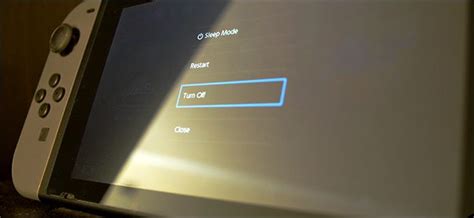
The Nintendo Switch is a marvel for portable gaming, perfectly suited for diving into the vast and vibrant world of indie games. Whether you’re exploring vast pixelated landscapes, solving intricate puzzles, or battling through challenging rogue-likes, these immersive experiences are best enjoyed without the dreaded low-battery warning. For those long commutes, cross-country flights, or simply extended couch sessions away from an outlet, optimizing your Switch’s battery life is key. Let’s explore how to keep your indie game sessions going strong, no matter where your journey takes you.
Understanding Your Switch’s Battery & Its Demands
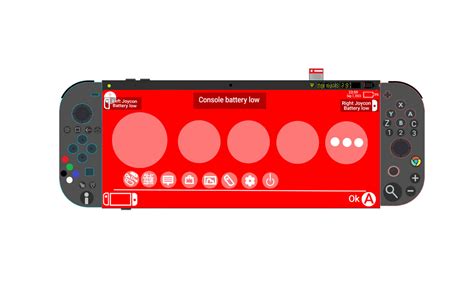
Before diving into solutions, it helps to understand what drains your Switch’s power. The screen, wireless communication (Wi-Fi and Bluetooth), and the console’s processing unit are the primary culprits. While many indie games are celebrated for their charming art styles and often less graphically intensive demands compared to AAA titles, sustained play still requires significant power. A brighter screen, constant internet checks, and even rumble feedback can collectively chip away at your precious playtime.
Essential System Settings for Power Saving
Your Switch’s system settings offer a treasure trove of adjustments to conserve battery life. Implementing these can significantly extend your playtime:
- Screen Brightness: This is arguably the biggest power consumer. Head to System Settings > Screen Brightness and manually lower it to a comfortable level. You’d be surprised how much difference a slightly dimmer screen makes.
- Auto-Brightness: While convenient, auto-brightness can sometimes set the screen brighter than necessary. Consider disabling it for manual control.
- Wireless Connectivity: If you’re playing an offline indie game, there’s no need for Wi-Fi or Bluetooth. Turn them off via the Quick Settings menu (hold the Home button). For even better savings, enable Airplane Mode if you’re fully disconnected.
- Vibration/Rumble: Joy-Con rumble adds immersion but also consumes power. Disable it under System Settings > Controllers and Sensors > Controller Vibration.
- Auto-Sleep: Shorten the ‘Auto-Sleep (Playing)’ time to as little as one minute. This ensures your console conserves power if you step away from the game for a moment.
Smart Gaming Habits for Extended Play
Beyond system settings, adopting mindful gaming habits can further stretch your battery life:
- Close Unused Software: Always close any games or applications running in the background. Hold the X button on the game icon on the Home screen and select ‘Close’.
- Fully Charge Before Departure: An obvious but crucial step. Always start your journey with a 100% charged console.
- Take Short Breaks: If you need to pause, put your Switch to sleep instead of leaving a game running. It consumes significantly less power.
- Download vs. Cartridge: While the difference is often negligible for battery life, some argue that digital downloads can be slightly more efficient than reading from a game card.
Leveraging External Power Solutions
For truly epic indie game marathons, external power is your best friend. A high-quality power bank can easily double or triple your play sessions:
- Portable Power Banks: Look for a power bank with at least 10,000 mAh capacity and, crucially, USB-C Power Delivery (PD) output. This allows for faster charging and the ability to charge while playing. Brands like Anker, RAVPower, and PowerCore are popular choices.
- Charging While Playing: With a capable USB-C PD power bank, you can effectively play indefinitely, as the power bank will keep your Switch charged or at least slow down its discharge rate significantly.

Tailoring Optimization for Indie Titles
While the above tips apply universally, indie games often present unique opportunities. Many feature charming 2D aesthetics or simpler 3D models, which might be less resource-intensive than graphically demanding AAA titles. However, don’t assume all indies are light on power; some complex simulations, open-world adventures, or games with intricate physics can still challenge your battery. The key is to apply the general optimization strategies consistently, regardless of the game.
Conclusion
Enjoying your favorite indie games on the Nintendo Switch shouldn’t be a race against the battery. By understanding how your console consumes power and implementing a combination of system setting adjustments, smart gaming habits, and potentially external charging solutions, you can significantly extend your playtime. So, go ahead and lose yourself in those captivating indie worlds – your Switch battery will be ready for the long haul.


