





How to boost Switch storage? Best microSD card for digital game library.
The Ever-Growing Digital Library Dilemma
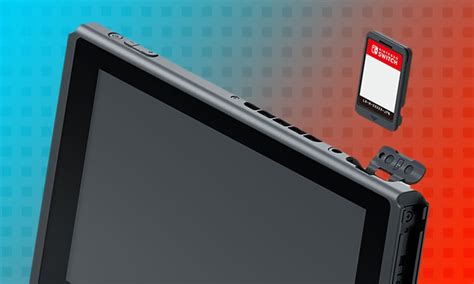
The Nintendo Switch, a marvel of portable gaming, comes with a significant drawback for avid digital game collectors: its relatively small internal storage. The original Switch and Switch Lite offer only 32GB, while the OLED model bumps it up to 64GB. While this might seem sufficient for a few indie titles, modern AAA games often demand tens of gigabytes each. Coupled with system updates, screenshots, and game save data, that built-in space fills up surprisingly fast, leaving you scrambling to delete beloved titles just to make room for new adventures.

Why a MicroSD Card is Non-Negotiable
Fortunately, Nintendo designed the Switch with an easily accessible microSD card slot, allowing for massive storage expansion. This is the simplest and most effective way to ensure your digital game library can grow without limits, letting you download and keep all your favorite titles ready to play at a moment’s notice.
Understanding MicroSD Card Essentials for Your Switch
Not all microSD cards are created equal, and choosing the right one for your Switch involves a few key considerations:
- Capacity: This is arguably the most critical factor. While 64GB might offer a temporary reprieve, most serious digital gamers will want at least 128GB, and ideally 256GB or 512GB. With 1TB cards becoming more affordable, they offer ultimate peace of mind. Consider how many large games you typically play and how often new titles catch your eye.
- Speed: The Switch supports UHS-I microSD cards, which have a maximum theoretical speed of 104 MB/s. Look for cards with a “U3” speed class and an “A1” or “A2” application performance class rating. While A2 offers theoretical benefits for app performance, the Switch doesn’t fully leverage it, so an A1 card with good read/write speeds (ideally above 60-90 MB/s for read) is perfectly adequate and often more cost-effective. Avoid older, slower cards as they can lead to longer load times.
- Brand Reputation: Stick to reputable brands. Counterfeit or low-quality cards can lead to data corruption, slow performance, and ultimately, a frustrating gaming experience. SanDisk, Samsung, and Lexar are consistently reliable choices.
Best MicroSD Card Recommendations for Nintendo Switch
Officially Licensed: SanDisk Nintendo Switch MicroSD Card
SanDisk offers officially licensed microSD cards featuring iconic Nintendo branding (Mario mushrooms, Zelda Hylian crests). These cards are specifically tested and approved for the Switch, guaranteeing compatibility and optimal performance. They come in various capacities, from 64GB up to 1TB, and are a safe, reliable, and popular choice for a reason. While they might carry a slight premium due to the licensing, they offer peace of mind.

Premium Performance (Non-Licensed): Samsung EVO Select/Plus
If you’re looking for excellent performance and value without the Nintendo branding, Samsung’s EVO Select or EVO Plus lines are fantastic alternatives. These cards consistently deliver high read and write speeds, are highly reliable, and often come at a more competitive price point than the licensed options. They are available in all popular capacities and are a favorite among tech enthusiasts for their robust performance.
Other Reliable Options
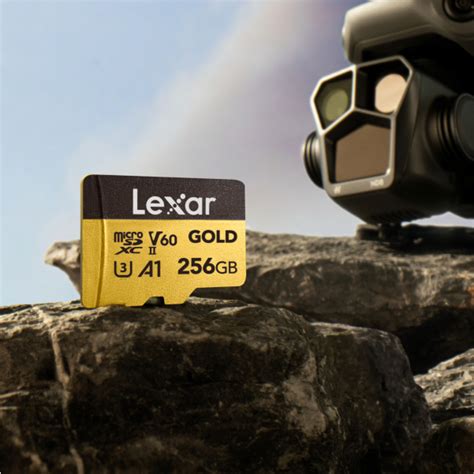
Brands like Lexar and Western Digital (which owns SanDisk) also offer high-quality microSD cards that perform admirably in the Switch. Always ensure you’re purchasing from a reputable retailer to avoid counterfeit products.
Installation and Storage Management Tips
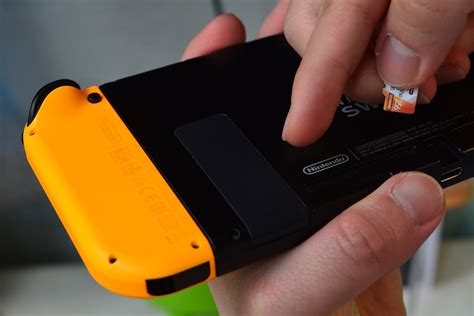
Installing a microSD card is incredibly simple: turn off your Switch, open the kickstand, and slide the card into the slot. The system will automatically detect and format it. Here are a few tips for managing your new storage:
- Set as Default: New game downloads will automatically go to your microSD card once installed.
- Move Existing Data: While you can’t directly move games from internal memory to the microSD card (or vice-versa), you can archive games from your internal storage and then re-download them, which will then install them to your microSD card. Save data always remains on the console’s internal memory and cannot be moved.
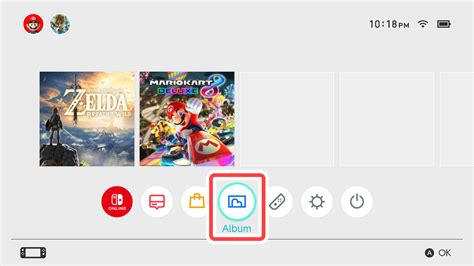
- Regularly Archive: If you find yourself running low on space on a smaller card, you can “archive” games you’re not currently playing. This deletes the game data but keeps the icon on your home screen and preserves your save data, allowing for quick re-downloading later.
Conclusion: Unlock Your Switch’s Full Potential
Investing in a high-quality microSD card is not just an upgrade; it’s an essential expansion that truly unlocks the full potential of your Nintendo Switch. Say goodbye to the frustrating cycle of deleting and re-downloading games, and hello to a vast, always-ready digital library. Choose a reputable brand with ample capacity and appropriate speed, and prepare to immerse yourself in an uninterrupted world of gaming.


