





How to optimize Switch storage for a library of big AAA & small indie games?
The Nintendo Switch, a marvel of portable gaming, often presents a common challenge to its owners: limited storage. With its modest 32GB (or 64GB for the OLED model) of internal memory, managing a growing library of games – especially a mix of sprawling AAA titles and charming, space-conscious indie gems – can quickly become a headache. Fear not, aspiring game hoarders! With a few smart strategies, you can optimize your Switch’s storage to comfortably house all your digital adventures.
Expand Your Horizons: The Indispensable MicroSD Card
The first and most critical step in conquering Switch storage woes is investing in a high-capacity microSD card. While the internal storage is handy, it fills up fast. A good microSD card becomes your Switch’s primary storage expansion, handling the bulk of your game downloads.
- Capacity: Aim for at least 128GB, but 256GB or even 512GB (or 1TB, if your budget allows) offers significantly more breathing room. Games like The Legend of Zelda: Tears of the Kingdom can easily consume over 15GB, while many indies are under 1GB.
- Speed: Look for cards with “UHS-I (Ultra High Speed Phase I)” and a “Class 10” rating, often indicated by a “U1” or “U3” symbol. While the Switch doesn’t fully utilize the fastest speeds, a U3 card can offer marginally better loading times for some games and faster transfer rates if you ever move files to a PC.
- Installation: Simply insert the card into the slot under the kickstand. The Switch will automatically recognize it and begin saving new downloads there.

Digital vs. Physical: A Storage Strategy
Your choice between digital and physical game copies can significantly impact your storage needs, though perhaps not in the way you might expect.
- Physical Cartridges: These save the base game data on the cartridge itself, meaning you don’t download the core game files to your internal or microSD storage. However, many games still require significant patches, updates, and DLC, which will take up space. Save data is always stored internally or on the microSD card.
- Digital Downloads: These require the full game data to be downloaded and stored on your console’s memory (preferably the microSD card). While convenient, a large digital library will quickly consume hundreds of gigabytes.
For optimal storage, consider purchasing large AAA titles physically if you can, as it frees up valuable digital space for smaller indie games or essential updates. However, the convenience of digital often outweighs this for many users.
Mastering Data Management: Archive, Delete, and Re-download
The Switch offers built-in tools to manage your game data, and understanding them is crucial for long-term storage optimization.
Archiving Software
When you archive software, the game icon remains on your home screen, but the main game data is deleted from your storage. Crucially, your save data remains untouched. This is perfect for games you’ve finished or aren’t playing currently but might want to revisit later. Re-downloading is straightforward and relatively quick if you have a good internet connection.
Deleting Software
Deleting software removes the game data and its icon from your home screen. Similar to archiving, your save data is generally preserved. You’ll need to re-download the game from the eShop to play it again. This is useful for games you’re absolutely sure you won’t play for a very long time, or if you want to completely clear space and don’t need the icon taking up real estate.
Prioritize and Organize Your Library
With a mix of large and small games, a little organization goes a long way:
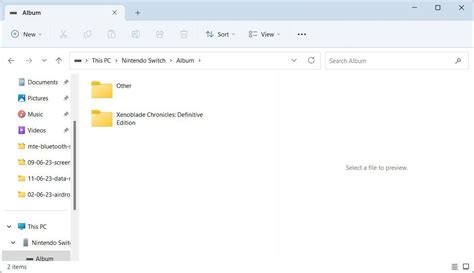
- Identify Storage Hogs: Periodically check your “Data Management” settings (System Settings > Data Management > Manage Software) to see which games are taking up the most space. This helps you decide what to archive or move.
- Rotate Games: If you’re rotating through games, keep only the ones you’re actively playing downloaded. Archive completed or seldom-played titles.
- Digital vs. Physical Placement: Consider keeping most of your digital games on the microSD card, freeing up the internal storage for save data, system updates, and critical system files. While the Switch doesn’t let you manually choose where to install, it prioritizes the microSD if available. You can move data between internal and microSD via Data Management.

Don’t Forget Cloud Saves (Nintendo Switch Online)
While not directly related to game installation storage, a Nintendo Switch Online subscription offers Cloud Saves, which is paramount for peace of mind. If you ever need to factory reset your console or migrate to a new one, your valuable save data for most games will be backed up online, preventing heartbreaking loss. This is an essential complement to any storage optimization strategy.

Conclusion: A Balanced Approach to Your Game Library
Optimizing your Nintendo Switch storage is a continuous process, especially with new releases and a diverse game library. By investing in a high-capacity microSD card, strategically choosing between digital and physical copies, and diligently using the archiving feature, you can ensure your Switch always has room for the next big adventure or charming indie surprise. Embrace these practices, and your Switch will remain a powerhouse of portable entertainment, free from the dreaded “not enough space” notification.



