





Maximize Switch storage for indie games and AAA titles?

The Perpetual Storage Challenge for Nintendo Switch Gamers
The Nintendo Switch, a marvel of portable gaming, has blessed us with an incredible library of titles, ranging from captivating indie adventures to breathtaking AAA blockbusters. However, this wealth of content often comes with a common headache for many players: limited storage space. With internal storage capacities of just 32GB (for the original and Lite models) or 64GB (for the OLED model), it doesn’t take long for even a modest digital library to fill up, forcing tough decisions about which games to keep and which to delete. This article will guide you through the best strategies to maximize your Switch storage, ensuring you can enjoy every game without compromise.
Understanding Your Switch’s Built-In Storage Limitations
The internal memory of your Nintendo Switch is surprisingly small for a modern gaming console. While it’s sufficient for the console’s operating system and a handful of smaller indie titles, it quickly becomes inadequate once you start downloading larger games like The Legend of Zelda: Tears of the Kingdom, Pokémon Scarlet and Violet, or DOOM Eternal, which can easily consume tens of gigabytes each. Recognizing this limitation is the first step toward effective storage management.
The Indispensable microSD Card: Your Primary Storage Expansion
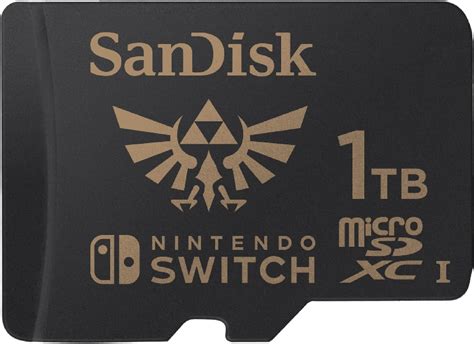
For most Switch owners, a high-capacity microSD card is not just an accessory; it’s a necessity. The Switch supports microSD, microSDHC, and microSDXC cards, offering a vast potential for expansion. Investing in a quality microSD card is the single most impactful way to boost your console’s storage.
Choosing the Right microSD Card
When selecting a microSD card, speed and capacity are key. Look for cards with a UHS-I (Ultra High Speed Phase I) rating, indicated by a ‘1’ inside a ‘U’ symbol, and a Speed Class rating of 10 (a ’10’ inside a circle). Brands like SanDisk, Samsung, and Kingston are highly reliable and offer excellent performance for the Switch.
Regarding capacity, consider your gaming habits:
- 128GB-256GB: Good for casual players or those who primarily buy physical games.
- 512GB: An excellent sweet spot for most digital-heavy players, balancing cost and capacity.
- 1TB: For hardcore digital collectors or those who want to download every available game without worry. The Switch officially supports up to 2TB, though 1TB cards are currently the largest commercially available.
Physical vs. Digital: Strategic Game Acquisition
How you acquire your games also plays a significant role in storage management.
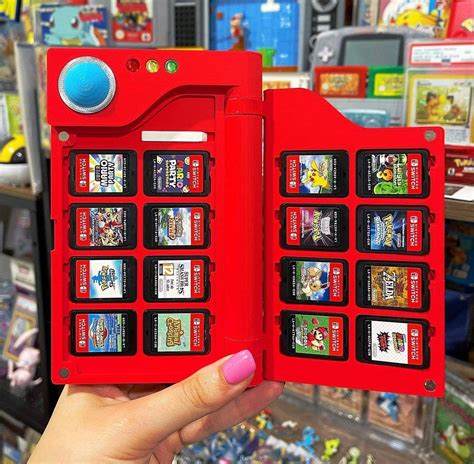
- Physical Game Cartridges: These games don’t consume your internal or microSD card storage for the main game data, though patches, updates, and DLC will still take up space. They are a great way to save digital space, especially for large AAA titles.
- Digital Downloads: Offer convenience and portability, allowing you to carry your entire library without swapping cartridges. However, they directly consume your available storage, making a large microSD card essential.
A balanced approach often works best: buy physical for massive AAA games, and opt for digital downloads for smaller indie titles or games you frequently play and want always accessible.
Effective Data Management and Archiving
Even with a large microSD card, regular data management can help keep things tidy.
Checking Your Storage
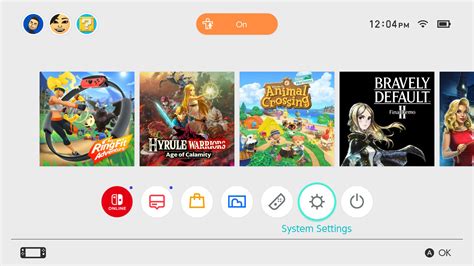
Navigate to System Settings > Data Management to see a breakdown of your storage usage. This will show you how much space is used by software, save data, and screenshots/videos.
Archiving vs. Deleting Software
When you need space, the Switch gives you two options:
- Archive Software: This removes the game data but keeps its icon on your Home menu and, crucially, preserves your save data. You can redownload the game anytime. This is ideal for games you might want to play again in the future.
- Delete Software: This removes the game data and its icon. It also gives you the option to delete save data, though save data is typically stored separately and not automatically removed with the game. Be careful not to delete save data unless you’re absolutely sure.
Cloud Saves: Protecting Your Progress
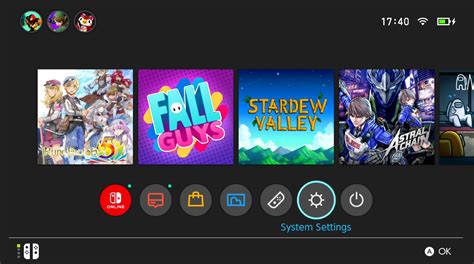
While cloud saves don’t directly free up storage space, they are crucial for peace of mind. A Nintendo Switch Online subscription allows most game save data to be backed up to the cloud. This means if you ever need to delete a game (and its local save data) or if your console is lost/damaged, your progress is safe and can be restored.
Tailoring Storage for Your Game Library: Indie vs. AAA
The distinction between indie and AAA titles is crucial for storage planning:
- Indie Games: Often boast smaller file sizes (a few megabytes to a few gigabytes). You can typically accumulate dozens, if not hundreds, of indie games on a modest microSD card. Their smaller footprint makes them perfect for digital acquisition.
- AAA Titles: These are the storage behemoths. Games like The Witcher 3: Wild Hunt, NBA 2K23, or Mortal Kombat 11 can easily demand 20GB, 40GB, or even more, especially with DLC. For these, a large microSD card (256GB+) is almost mandatory for digital versions, or opting for physical cartridges can save significant digital space.
Conclusion: A Balanced Approach to Switch Storage
Maximizing your Nintendo Switch storage is a multi-faceted task. It begins with acknowledging the internal limitations and then strategically expanding with a high-quality, high-capacity microSD card. Supplement this with smart choices between physical and digital game purchases, and regularly manage your data by archiving games you aren’t actively playing. By implementing these strategies, you can ensure your Switch is always ready for your next gaming adventure, whether it’s a massive open-world epic or a charming pixel-art indie masterpiece, without ever having to delete a beloved game.


