





What’s the best microSD card for Nintendo Switch to expand game storage?

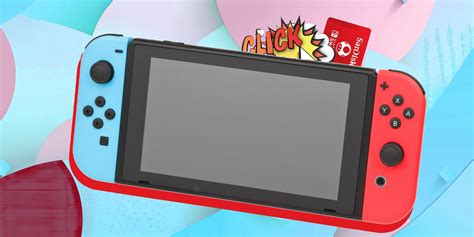
The Nintendo Switch, a beloved hybrid console, offers incredible gaming experiences both on the go and at home. However, with its modest internal storage of 32GB (or 64GB for the OLED model), players quickly find themselves running out of space, especially with the ever-growing library of digital games, updates, and DLC. Expanding your console’s storage with a high-quality microSD card isn’t just a recommendation; for many, it’s a necessity.
Why You Need a MicroSD Card for Your Switch
Unlike physical game cartridges, digital downloads consume significant internal storage. A single AAA title can easily take up over 10GB, and system updates or patches further erode the available space. A microSD card provides a seamless solution, allowing you to store dozens, if not hundreds, of games without constantly deleting and re-downloading.
Key Factors in Choosing the Best MicroSD Card
Speed Matters (But Don’t Overspend)
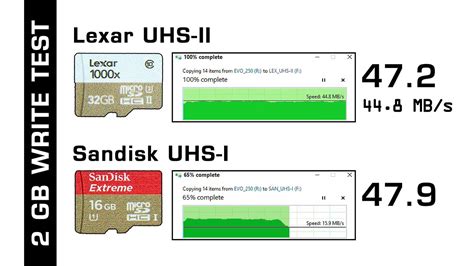
While faster is generally better, the Nintendo Switch itself has limitations. The console supports UHS-I (Ultra High Speed Phase I) cards, meaning it can handle theoretical read speeds of up to 104 MB/s. Investing in a more expensive UHS-II card won’t yield any performance benefits, as the Switch cannot utilize the extra pins for higher speeds.
- UHS-I Speed Class 3 (U3) or V30: Look for cards marked U3 or V30. These ensure a minimum sequential write speed of 30 MB/s, which is ideal for game loading and saving on the Switch. Most reputable cards will easily exceed this, but it’s a good baseline.
- Read Speed: Aim for read speeds of 90-100 MB/s. This is crucial for quickly loading games and levels.
Capacity: How Much Do You Really Need?
This is often the biggest decision point. Consider your gaming habits:
- 128GB: A good starting point for casual gamers with a mix of physical and a few digital titles. Provides roughly 10-15 additional AAA games.
- 256GB: An excellent balance of cost and storage for most players. You’ll comfortably fit a substantial digital library.
- 512GB: Ideal for avid digital-only gamers or those who simply don’t want to worry about storage for a long time. This can hold dozens of large titles.
- 1TB: For the ultimate collector or those with huge digital libraries. While pricier, 1TB cards are becoming more accessible.
Remember that games vary greatly in size. Always factor in future purchases and updates.
Brand Reliability and Authenticity
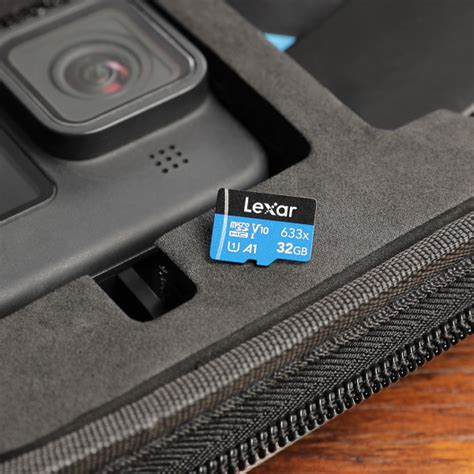
Sticking with trusted brands like SanDisk, Samsung, or PNY is paramount. Counterfeit microSD cards are unfortunately common and can lead to data loss, corruption, or advertised capacities that aren’t real. Purchase from reputable retailers to ensure you’re getting a genuine product.
Top MicroSD Card Recommendations for Nintendo Switch
Based on performance, reliability, and value, here are some of the best options:
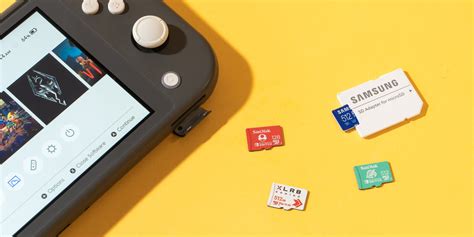
- SanDisk microSDXC Card for Nintendo Switch (Officially Licensed): These cards are branded specifically for the Switch, ensuring full compatibility and often featuring iconic Nintendo designs. They are typically U3-rated with excellent read/write speeds.
- SanDisk Extreme / Extreme PRO: While not Nintendo-branded, these are top-tier consumer cards offering robust performance. They often exceed the Switch’s requirements but provide consistent reliability.
- Samsung EVO Select / Plus: Samsung’s EVO series offers a fantastic blend of performance and value. They are widely respected for their reliability and good speeds (U3/V30).
- PNY Pro Elite: Another strong contender, PNY’s Pro Elite series delivers competitive speeds and solid performance at often attractive price points.
Final Tips Before You Buy
- Shop Around: Prices for microSD cards fluctuate. Keep an eye out for sales, especially during major shopping events.
- Check Retailers: Buy from authorized dealers like Amazon (sold by Amazon, not third-party sellers), Best Buy, Walmart, or directly from the manufacturer to avoid fakes.
- Verify Performance: Once you get your card, you can test its actual speed using tools on a PC, though simply using it in your Switch will quickly confirm its effectiveness.
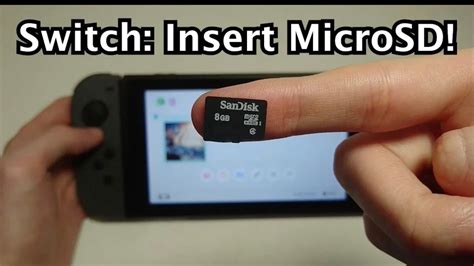
Choosing the best microSD card for your Nintendo Switch doesn’t have to be complicated. Focus on a reputable brand, a UHS-I U3/V30 speed class, and a capacity that suits your gaming habits and budget. With the right card, you’ll unlock endless hours of gaming without the headache of storage management.


