





How to pick age-appropriate video games for my child?

In today’s digital age, video games are a ubiquitous part of childhood. While they offer numerous benefits, from enhancing problem-solving skills to fostering creativity and social interaction, the sheer volume and variety of games can make choosing the right ones a daunting task for parents. Ensuring your child plays age-appropriate games is crucial for their well-being, development, and a positive gaming experience. This guide will help you confidently navigate the options and make informed decisions.
Understanding Video Game Rating Systems
The first and most important tool at your disposal is the official age rating system. Different regions have their own organizations, but their goal is the same: to provide clear guidelines on content suitability.
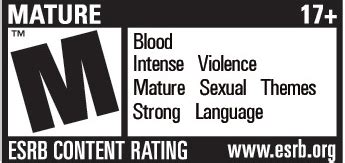
- ESRB (Entertainment Software Rating Board) – North America: You’ll see ratings like E (Everyone), E10+ (Everyone 10+), T (Teen), M (Mature 17+), and AO (Adults Only 18+). They also include content descriptors such as ‘Fantasy Violence’, ‘Mild Language’, ‘Blood’, or ‘Sexual Themes’.
- PEGI (Pan European Game Information) – Europe: Uses age labels like 3, 7, 12, 16, and 18, accompanied by content descriptors for violence, bad language, fear, sex, drugs, discrimination, gambling, and online gameplay.
- CERO (Computer Entertainment Rating Organization) – Japan: Similar age-based ratings (A, B, C, D, Z).
- Australian Classification Board and others: Many other countries have their own systems.
These ratings are a critical starting point. Always check the box or digital store page for the rating and read the content descriptors to understand why a game received a particular rating.
Beyond the Ratings: Deeper Considerations
While ratings provide an excellent baseline, they don’t always tell the whole story. Dive a little deeper to ensure a perfect fit for your child.
Thematic Content and Portrayal
Consider not just if there’s violence, but how it’s portrayed. Is it cartoonish and unrealistic, or gritty and hyper-realistic? Does the game glorify certain behaviors, or does it present consequences? A game rated for teens might contain themes that, while not explicit, could be too intense or complex for a younger or more sensitive child.
Gameplay Mechanics and Difficulty
Think about the game’s actual mechanics. Is it fast-paced and requires quick reflexes, which might frustrate a younger child? Does it involve complex puzzles or strategic thinking that might be beyond their current cognitive abilities? Conversely, a game that’s too simple might quickly bore an older child. Look for games that offer a healthy challenge without constant frustration.
Online Interaction and In-Game Purchases
Many modern games feature online multiplayer modes, allowing interaction with strangers. Be aware of chat functions, voice communication, and the potential for inappropriate language or cyberbullying. Also, be mindful of in-game purchases (microtransactions) for items, power-ups, or cosmetic upgrades, which can lead to unexpected spending if not managed.

Engage and Communicate with Your Child
The best way to know what’s right for your child is to involve them in the decision-making process and stay engaged with their gaming habits.
Talk About Their Interests
Ask your child what kind of games they like, what their friends are playing, and why. Understanding their preferences can help you find suitable options, but also provides an opportunity to discuss why certain games might not be appropriate yet.
Research Together
Before making a purchase, watch trailers, read reviews from reputable gaming sites, and look up gameplay videos on platforms like YouTube (with parental supervision). This offers a realistic preview of the game’s content and style.
Play Together (or Observe)
One of the most effective ways to gauge a game’s suitability is to play it with your child or at least observe them playing. This gives you firsthand insight into the content, challenges, and social dynamics if it’s an online game. It’s also a great way to bond!

Setting Healthy Boundaries and Screen Time
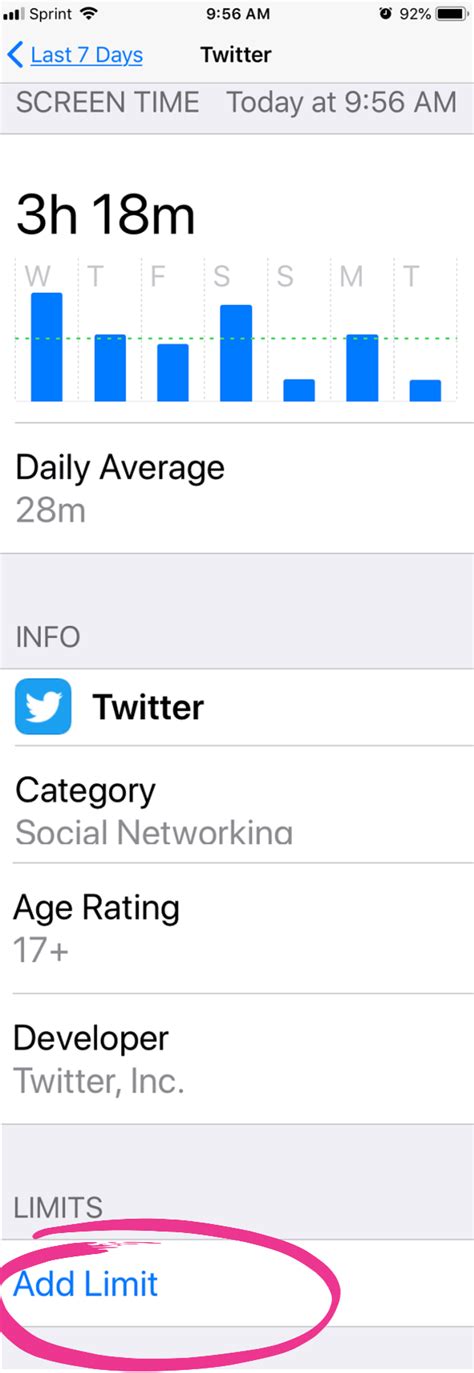
Beyond content, managing the time spent gaming is equally important for a balanced childhood. Establish clear rules regarding screen time limits and game locations (e.g., in a common family area rather than a bedroom). Encourage a variety of activities, including outdoor play, reading, homework, and family time, to ensure gaming remains one part of a well-rounded life.
Trust Your Parental Instincts
Ultimately, age ratings are guidelines, not rigid rules. Every child is unique, with different sensitivities, maturity levels, and interests. What might be perfectly fine for one 10-year-old could be overwhelming for another. Pay attention to your child’s reactions while playing. If a game seems to be causing anxiety, aggression, or a change in behavior, it might be time to reassess its appropriateness, regardless of its official rating.

Choosing age-appropriate video games for your child doesn’t have to be a guessing game. By utilizing rating systems, looking beyond the surface, communicating openly with your child, and trusting your own judgment, you can help them enjoy the positive aspects of gaming while protecting them from content that is too mature or overwhelming. Happy gaming, and happy parenting!



