




Console storage full? Best MicroSD/SSD for digital games & management tips?
Is Your Console Crying for More Space?
In the age of ever-expanding digital game libraries, large updates, and hefty DLC packs, it’s not uncommon for console storage to fill up faster than you can say “game over.” Whether you’re a Nintendo Switch enthusiast, a PlayStation 5 power user, or an Xbox Series X|S aficionado, running out of space can be a frustrating bottleneck to your gaming experience. Thankfully, expanding your storage is easier than ever, provided you know which options are best for your specific console and how to manage them efficiently.
Why Console Storage Fills Up So Quickly
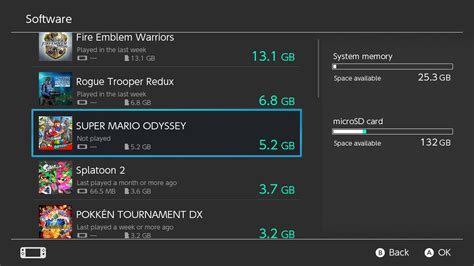
Modern games are massive. Titles like Call of Duty, Cyberpunk 2077, and even first-party exclusives often exceed 50GB, and some push well past 100GB. Add to that the mandatory updates, downloadable content (DLC), captured screenshots, and video clips, and your console’s internal drive can quickly become a digital graveyard of forgotten files and uninstalled games. For the Nintendo Switch, where internal storage is a mere 32GB (or 64GB for the OLED model), this problem is amplified significantly, making an external solution almost mandatory for digital-first players.
Expanding Storage: The Right Solution for Each Console
The best storage expansion method varies dramatically between consoles. Nintendo Switch relies on MicroSD cards, while PlayStation 5 utilizes internal M.2 NVMe SSDs, and Xbox Series X|S has its own proprietary expansion card alongside external USB drives.
Nintendo Switch: The MicroSD Card Advantage
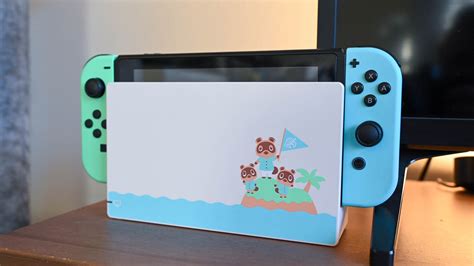
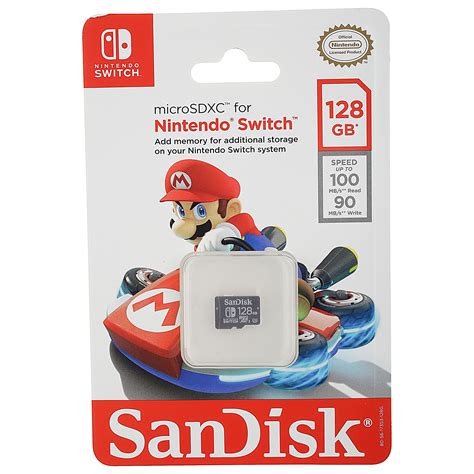
For Nintendo Switch owners, a high-quality MicroSD card is not just recommended, it’s essential for anyone with more than a handful of digital games. The Switch primarily uses UHS-I MicroSD cards, and while most will work, speed is key for faster game loading times. Look for cards with an A1 or A2 application performance class rating, indicating good random read/write speeds, and a U3 speed class for fast sequential performance.
- Recommended Capacity: While 128GB is a good start, 256GB or 512GB offers a much better balance of cost and capacity for most users. If you’re a prolific digital game buyer, a 1TB card will provide ample space for years to come.
- Top Brands: SanDisk and Samsung are consistently reliable choices, offering excellent performance and durability. Look for their “for Nintendo Switch” branded cards for peace of mind, although any equivalent spec card will perform similarly.
Switch MicroSD Management Tips:
Once installed, the Switch automatically prioritizes the MicroSD for new game downloads if space is available. You can also manually transfer games between internal memory and the MicroSD card via the System Settings. Regularly archiving games you’re not actively playing (which deletes the game data but keeps save files) can free up space without losing progress.
PlayStation 5 & Xbox Series X|S: The SSD Evolution
Next-gen consoles demand next-gen storage. Both the PS5 and Xbox Series X|S use high-speed SSDs for their internal storage to enable lightning-fast loading times and support their advanced graphics capabilities.
PlayStation 5 M.2 NVMe SSDs
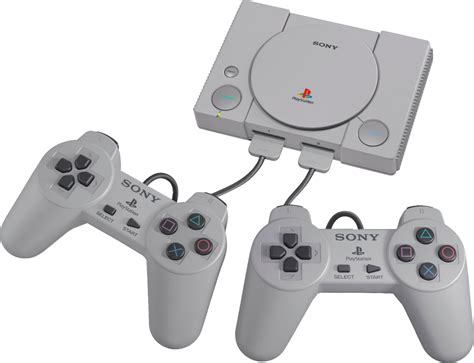
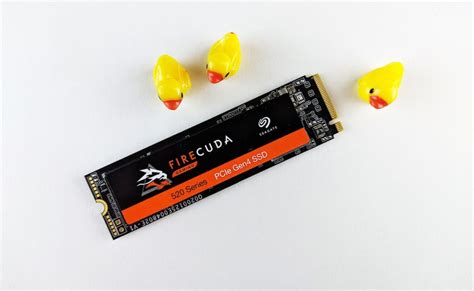
The PS5 supports user-installable M.2 NVMe SSDs, but with strict requirements. You’ll need a PCIe Gen4 x4 M.2 NVMe SSD with a sequential read speed of 5,500MB/s or faster. Crucially, it must also have an efficient heatsink, or you’ll need to add one yourself, to prevent overheating and performance throttling. Brands like Samsung (980 Pro, 990 Pro), Western Digital (SN850, SN850X), and Crucial (P5 Plus) are popular choices, often available with pre-installed heatsinks.
Xbox Series X|S Storage Expansion Card & External Drives
For the Xbox Series X|S, Microsoft opted for a proprietary Storage Expansion Card, developed in partnership with Seagate. This card plugs directly into a dedicated port on the back of the console and offers identical performance to the internal SSD, allowing you to play Xbox Series X|S optimized games directly from it. Capacities typically range from 512GB to 2TB.
Alternatively, you can connect standard external USB 3.0 HDDs or SSDs to your Xbox. However, these drives can only store Xbox Series X|S optimized games; you must move them to the internal drive or expansion card to play them. They are perfect for storing and playing older Xbox One, Xbox 360, and original Xbox titles directly.
Universal Storage Management Tips
- Delete Unplayed Games: It sounds obvious, but regularly reviewing your game library and uninstalling titles you’ve finished or no longer play is the quickest way to free up significant space. You can always re-download them later.
- Offload Media: Screenshots and video clips, especially in high resolution, can accumulate quickly. Regularly back them up to cloud storage or an external hard drive and delete them from your console.
- Understand Storage Tiers: For PS5 and Xbox, differentiate between games that must be on the internal/expansion SSD (next-gen optimized) and those that can run from slower external USB drives (last-gen games).
- Utilize Cloud Saves: Always ensure your game saves are backed up to the cloud (requires respective subscription like Nintendo Switch Online, PS Plus, Xbox Game Pass Ultimate). This means you never lose progress, even if you delete a game.
- Consider Game Archives: Some consoles, like the Switch, allow you to “archive” a game, which deletes the main game data but keeps your save file and the game icon, making it easy to redownload later.
Never Run Out of Room Again
With the right external storage solution and a few smart management habits, you can conquer the dreaded “storage full” message. Investing in a reliable MicroSD for your Switch or a high-speed NVMe SSD/Expansion Card for your PS5 or Xbox Series X|S ensures your digital gaming adventures remain uninterrupted. Keep an eye on sales for these accessories, as prices can fluctuate, making it an opportune time to upgrade your console’s capacity.