



Which microSD card optimizes Nintendo Switch game storage and performance?
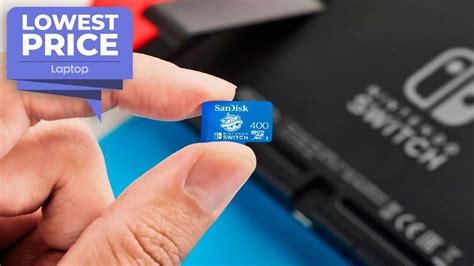
The Essential Role of MicroSD Cards for Your Nintendo Switch
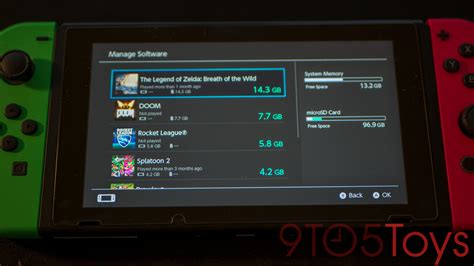
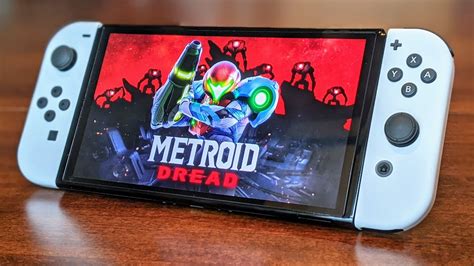
The Nintendo Switch, a marvel of portable gaming, comes with a modest 32GB (or 64GB for the OLED model) of internal storage. While sufficient for a few digital titles, this capacity quickly becomes a bottleneck for avid gamers. Most modern games, even those on the Switch, can easily consume several gigabytes, making a microSD card an indispensable accessory. But not all microSD cards are created equal, and choosing the right one can significantly impact your game loading times and overall gaming experience.
Understanding MicroSD Card Specifications
When selecting a microSD card, several specifications come into play, but only a few truly matter for the Nintendo Switch:
-
UHS-I vs. UHS-II: The Nintendo Switch supports UHS-I microSD cards, meaning it can handle theoretical speeds up to 104 MB/s. While UHS-II cards offer much faster speeds, the Switch cannot utilize these enhanced speeds, so investing in a more expensive UHS-II card for your Switch won’t yield any performance benefits.
-
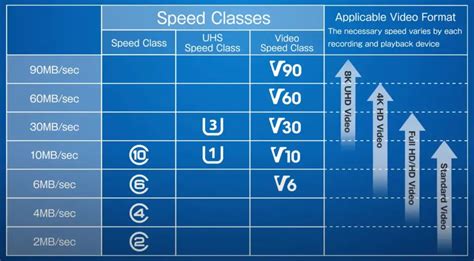
Speed Class (U1, U3) and Video Speed Class (V10, V30): These ratings indicate minimum sequential write speeds. U1/V10 guarantees 10 MB/s, while U3/V30 guarantees 30 MB/s. While important for recording high-resolution video, they’re less critical for game loading than the Application Performance Class.
-
Application Performance Class (A1, A2): This is arguably the most crucial rating for game consoles like the Switch. A1 and A2 ratings specify minimum random read and write speeds, which are vital for quickly loading game assets and saving data. A1 cards offer a minimum of 1,500 IOPS (Input/Output Operations Per Second) for random read and 500 IOPS for random write. A2 cards improve this significantly, offering 4,000 IOPS for random read and 2,000 IOPS for random write. For optimal performance, especially with larger open-world games or those with frequent loading screens, an A2 rated card is preferable, though A1 is still a solid choice.
The Sweet Spot: Speed and Capacity for Switch Gaming
For the Nintendo Switch, the ideal microSD card balances speed, capacity, and cost. Given the Switch’s UHS-I limitation, focusing on cards with good random read/write performance (A1 or A2 rating) is key.
-
Speed Recommendation: Look for cards rated UHS-I, U3, and at least A1. If possible, an A2 rated card will offer the best possible loading performance within the Switch’s capabilities.
-
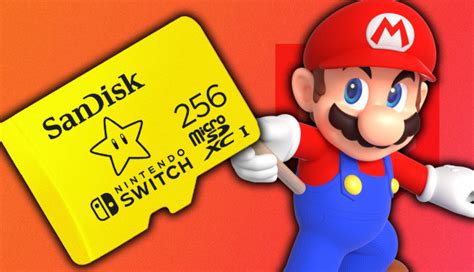
Capacity Recommendation: The sweet spot for most Switch users falls between 256GB and 512GB. A 256GB card can hold a substantial library of games, while a 512GB card provides ample room for even the most extensive collections for years to come. 1TB cards are also available for those who want virtually unlimited storage, but they come at a premium price.
Top MicroSD Card Brands and Reliability
When it comes to technology, brand reliability is paramount, especially for storage devices where data integrity is crucial. Stick with reputable brands known for their quality and warranty support:
-
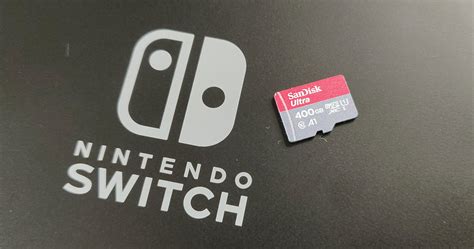
SanDisk: Widely recognized as a leader in flash storage, SanDisk offers a range of cards perfect for the Switch, including their ‘Extreme’ and ‘Ultra’ lines. They also have officially licensed Nintendo Switch branded cards.
-
Samsung: Samsung’s ‘EVO Select’ and ‘PRO Plus’ series are excellent performers, known for their durability and speed. They consistently rank high in performance tests.
-
Lexar: Another strong contender, Lexar offers reliable and fast microSD cards that are suitable for the Switch.
Always purchase from trusted retailers to avoid counterfeit cards, which can lead to data loss and poor performance.

Installation and Best Practices
Once you’ve chosen your optimal microSD card, installation is straightforward:
-
Power Off: Completely power off your Nintendo Switch before inserting the card.
-
Insert Card: Open the kickstand on the back of your Switch and insert the microSD card into the slot until it clicks into place.
-
Format: The Switch will prompt you to format the card. Always allow the Switch to format the card itself to ensure compatibility.
-
Manage Data: You can transfer existing game data from your internal storage to the microSD card via the system settings. Future downloads will automatically default to the microSD card.
Conclusion
Optimizing your Nintendo Switch game storage and performance boils down to selecting a microSD card that balances sufficient capacity with appropriate speed ratings. Prioritize a UHS-I U3 card with an A1 or, preferably, an A2 application performance rating from a reputable brand like SanDisk or Samsung. A capacity of 256GB or 512GB will provide an excellent balance of space and value, ensuring your gaming adventures on the Switch are seamless, with quicker loading times and ample room for all your favorite digital titles.