


Maximize Switch storage: Best SD card for games big and small?
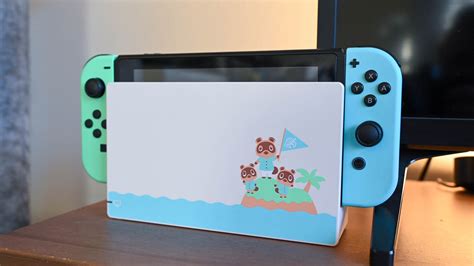
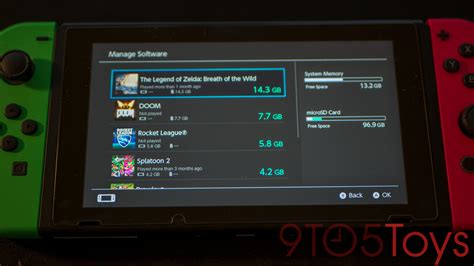
The Nintendo Switch, a marvel of portable gaming, comes with a significant limitation: its internal storage. With only 32GB for the standard model and 64GB for the OLED, that space fills up remarkably fast, especially with today’s hefty game sizes, updates, and DLC. Whether you’re a casual gamer or a digital-only collector, expanding your Switch’s storage with a high-quality microSD card isn’t just a recommendation—it’s practically a necessity.
Why You Absolutely Need a MicroSD Card for Your Switch
Even if you prefer physical game cartridges, many titles still require significant download space for updates, patches, and additional content. Fully digital games, of course, devour storage at an alarming rate. Imagine buying a new AAA title only to find you can’t download it without deleting several of your cherished existing games. A reliable microSD card offers the freedom to download new releases, keep your favorite classics, and never worry about running out of space again.
Understanding SD Card Basics: Capacity and Speed
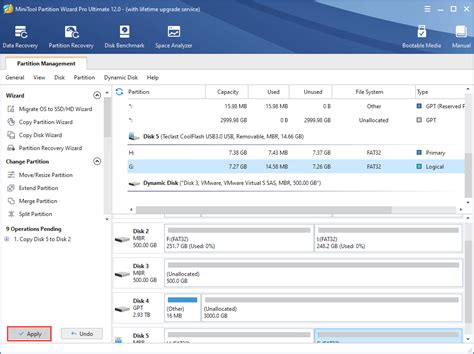
When selecting a microSD card for your Switch, two primary factors come into play: capacity and speed. Capacity, measured in gigabytes (GB) or terabytes (TB), dictates how many games and files you can store. Speeds, indicated by ratings like UHS-I and U1/U3, affect how quickly games load and data is accessed.
The Nintendo Switch supports the UHS-I (Ultra High Speed Phase I) standard, with a maximum data transfer rate of 104 MB/s. While faster UHS-II cards exist, the Switch cannot fully utilize their increased speeds, making them an unnecessary expense. Look for cards with a ‘U1’ or ‘U3’ speed class rating; U1 guarantees a minimum write speed of 10 MB/s, while U3 guarantees 30 MB/s. For optimal performance on the Switch, a U3 rating is generally preferred, especially for larger games and smoother loading.
What Capacity Is Right for You?
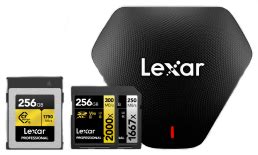
- 128GB: A good starting point for casual gamers who mostly buy physical games but want room for a few digital titles and updates.
- 256GB: Ideal for most gamers. It offers a solid balance of storage and cost, allowing for a healthy mix of physical and digital games without constant management.
- 512GB: Highly recommended for avid digital game collectors or those who frequently download new releases. This size provides ample space for a large library and future-proofs your storage for a good while.
- 1TB and beyond: For the truly dedicated digital-only players who want to download every game imaginable and never worry about deleting anything. While a significant investment, it offers ultimate peace of mind.
Recommended Brands and Key Features
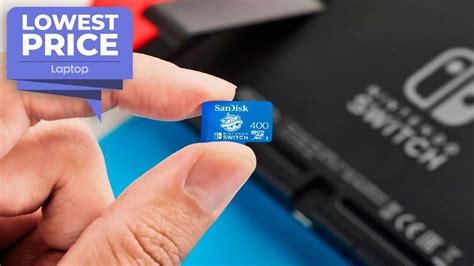
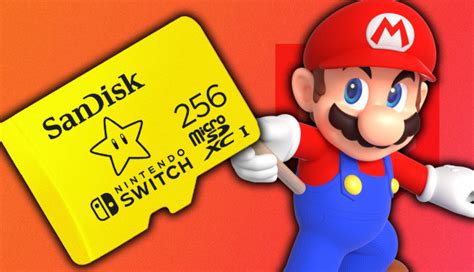
Stick with reputable brands to ensure reliability and performance. SanDisk, Samsung, and Lexar are consistently top performers in the microSD card market. While you might see officially licensed “for Nintendo Switch” cards, often adorned with Mario or Zelda branding, these are typically SanDisk cards with a premium price tag. You can often get the same performance and reliability from a standard SanDisk Ultra or Extreme, Samsung EVO Select, or Lexar Play card at a lower cost.
When shopping, always buy from trusted retailers to avoid counterfeit cards, which can lead to data corruption and poor performance. Look for cards that clearly state their capacity, speed class (UHS-I, U1/U3), and brand on the packaging.

Installing and Managing Your New SD Card
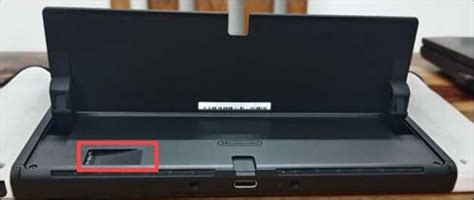
Installing a microSD card into your Switch is incredibly simple. Just power off your console, open the kickstand, and slide the card into the slot until it clicks. The Switch will automatically recognize and format the card, making it ready for use. If you’re upgrading from an older, smaller card, you can typically transfer your data by copying it to a computer and then to the new card, or by using the Switch’s system transfer utility for downloaded software.
Once installed, the Switch prioritizes using the microSD card for new downloads if it’s available. You can also manually manage your data through the System Settings to move games between the internal storage and the SD card if needed.
Conclusion
Investing in the right microSD card is one of the best upgrades you can make for your Nintendo Switch. By carefully considering your gaming habits and budget, you can select a card that provides ample storage and reliable performance, ensuring your gaming adventures are never cut short by a lack of space. Whether you opt for a modest 128GB or a sprawling 1TB, freeing up your Switch’s storage will unlock a world of uninterrupted gaming enjoyment.