


How to get instant alerts for game deals on my wishlist?
Never Miss a Deal: Instant Alerts for Your Game Wishlist
In the vast world of video games, sales and discounts can pop up at any moment, offering incredible opportunities to expand your library without breaking the bank. The challenge, however, is keeping track of these fleeting deals, especially for the specific titles you’re eagerly waiting to play. Manually checking every storefront is time-consuming and often fruitless. This is where instant alerts for your game wishlist become an invaluable tool, ensuring you’re always in the loop the moment your desired game hits an attractive price point.
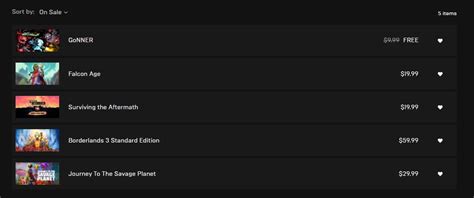
Leveraging Built-in Wishlist Features
Many major digital game storefronts offer their own integrated wishlist and notification systems. These are often the easiest to set up, as they are directly linked to your account on that specific platform.
Steam
Steam, the dominant PC gaming platform, provides robust wishlist functionality. When you add a game to your wishlist, Steam will automatically send you an email notification when that game goes on sale or is part of a special promotion. To ensure you receive these, make sure your email preferences are set correctly in your Steam account settings.
Epic Games Store
Similar to Steam, the Epic Games Store also has a wishlist feature. Add games you’re interested in, and Epic will typically send you email alerts when those titles receive a price drop or become part of a sale event. It’s a straightforward way to keep tabs on games within their ecosystem.
Console Stores (PlayStation, Xbox, Nintendo eShop)
While console stores have wishlists, their notification systems can sometimes be less immediate or comprehensive than their PC counterparts. PlayStation Store and Xbox Store often send emails for major sales, but specific wishlist item alerts might vary. It’s always worth checking your account’s communication preferences on these platforms to maximize your chances of getting notifications.

The Power of Third-Party Game Price Trackers
For a truly comprehensive and cross-platform solution, third-party price tracking websites and apps are your best bet. These services aggregate deals from numerous storefronts (Steam, Epic, GOG, Humble Store, Fanatical, Green Man Gaming, and sometimes even console stores) and offer advanced notification options.
IsThereAnyDeal (ITAD)
IsThereAnyDeal is one of the most popular and powerful aggregators. You can import your Steam wishlist, create custom wishlists for other games, and set up email alerts for price drops. It even allows you to specify a target price, only notifying you when the game falls below a certain threshold. ITAD also shows historical low prices, helping you determine if a current deal is truly good.
CheapShark
CheapShark focuses on PC game deals and is known for its simplicity and effectiveness. You can search for games, view current deals, and set up email alerts for specific titles. It pulls data from a wide array of digital storefronts, making it a reliable source for deal hunting.
GG.deals
GG.deals offers a clean interface and comprehensive price comparison for PC games, including both digital keys and official store links. You can create a personal wishlist, import from Steam, and receive email or browser push notifications when games on your list go on sale. It also provides historical price charts and ratings.
Setting Up Your Instant Alerts
Regardless of whether you use built-in features or third-party trackers, the setup process generally follows these steps:
- Create an Account: If using a third-party service, you’ll need to register.
- Build/Import Your Wishlist: Manually add games or link your Steam account (a common feature) to import your existing wishlist.
- Configure Notification Preferences: Specify how you want to be alerted (email, browser push, mobile app notification). For third-party sites, you might also be able to set a desired price threshold.
- Stay Updated: Regularly check your notifications or the tracking website to catch deals.

Maximizing Your Deal Hunting Success
To make the most of instant alerts, consider these tips:
- Combine Methods: Use a platform’s built-in wishlist for convenience, and a third-party tracker for broader coverage.
- Be Specific with Price Thresholds: For games you’re not in a hurry to play, set a very low target price to snag the absolute best deals.
- Check Historical Prices: Before buying, quickly check the historical price data on trackers like ITAD or GG.deals to ensure it’s a genuinely good sale.
- Use Browser Extensions: Some trackers offer browser extensions that can show price history and current deals directly on storefront pages.

Conclusion
Gone are the days of aimlessly browsing or missing out on fantastic game deals. By strategically utilizing the wishlist features of your favorite gaming platforms and integrating robust third-party price trackers, you can set up a system that delivers instant notifications directly to you. This proactive approach ensures you’re always among the first to know when that coveted title on your wishlist drops to an irresistible price, allowing you to build your dream game library smarter and more efficiently.