


Running out of Switch storage? Best microSD cards for digital games?
Why Your Nintendo Switch Needs More Storage
The Nintendo Switch, in its standard form, comes with a rather modest 32GB of internal storage (the OLED model offers 64GB). While this might sound adequate to a casual observer, dedicated gamers quickly discover its limitations. With many popular digital titles easily exceeding 10GB, and some blockbuster games demanding upwards of 30GB or even more, that internal space fills up alarmingly fast. Before you know it, you’re faced with the dreaded message: “Not enough free space.”
This isn’t just an inconvenience; it can force difficult choices, like deleting beloved games to make room for new ones. For those who primarily download digital titles from the eShop, expanding your storage isn’t just a luxury—it’s an absolute necessity. The good news is that the Switch supports microSD cards, offering a straightforward and cost-effective solution to virtually eliminate storage worries.
Key Factors When Choosing a microSD Card for Your Switch
Not all microSD cards are created equal. To ensure optimal performance and value for your Nintendo Switch, consider these crucial factors:
Capacity: How Much Space Do You Really Need?
- 128GB: A good starting point for casual gamers or those who mostly buy physical cartridges. It offers decent room for a handful of larger digital titles.
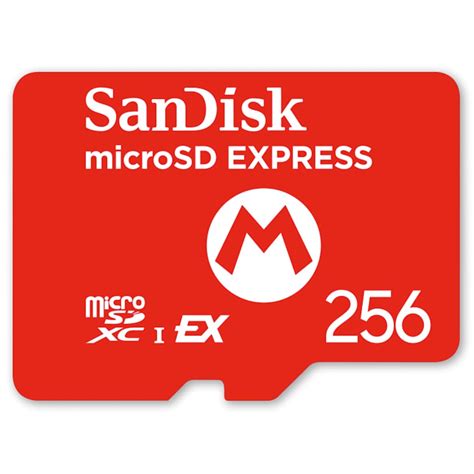
- 256GB: The sweet spot for many. This capacity provides ample space for a significant digital library without breaking the bank.
- 512GB: Ideal for serious digital collectors who download many games and want to be prepared for future releases.
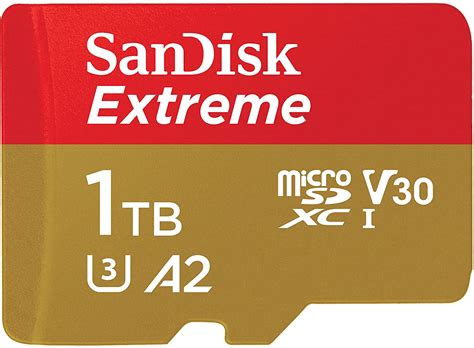
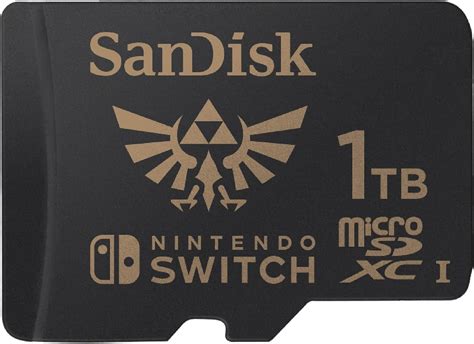
- 1TB: For the ultimate digital hoarder. While more expensive, a 1TB card virtually guarantees you’ll never worry about storage again on your Switch.
Remember that the Switch’s operating system and any existing save data will also take up some space, so the usable capacity will be slightly less than advertised.
Speed Ratings: Why U1/A1 or U3/A1 is Important
MicroSD cards come with various speed classifications. For the Nintendo Switch, you’ll want to pay attention to:
- UHS Speed Class (U1 or U3): U1 cards have a minimum write speed of 10 MB/s, while U3 cards guarantee 30 MB/s. While the Switch doesn’t fully leverage the absolute fastest U3 speeds, a U1 card is generally sufficient, and U3 offers a slight future-proofing advantage.
- Application Performance Class (A1 or A2): A1 cards are optimized for running apps, offering better random read/write speeds, which translates to faster game loading times and smoother performance. An A2 rating is even better but often overkill for the Switch, as the console itself may not fully utilize the enhanced random performance.
Look for cards labeled U1/A1 or U3/A1 as a minimum. These provide a good balance of speed and cost-effectiveness for gaming.

Reputable Brands and Reliability
When it comes to memory cards, brand reputation matters immensely. Stick to well-known and trusted manufacturers to avoid counterfeit cards or those prone to early failure. Top brands to consider include:
- SanDisk: Widely recognized, SanDisk offers a range of cards specifically branded for Nintendo Switch.
- Samsung: Known for their EVO and PRO lines, offering excellent performance and reliability.
- Lexar: Another strong contender with dependable memory solutions.
- PNY: A solid option for good value and reliable performance.
Always purchase from reputable retailers to ensure you’re getting a genuine product with a valid warranty.
Top Recommendations (General Categories)
Instead of specific model numbers which can change, here are the types of cards that generally offer the best experience:
- Best Value Pick (256GB/512GB U1/A1): For most Switch owners, a 256GB or 512GB card with U1 and A1 ratings offers the best balance of price, capacity, and performance. You’ll get plenty of space for many games without a significant investment.
- Best for Serious Collectors (512GB/1TB U3/A1): If your digital library is vast or you plan for it to be, investing in a 512GB or even a 1TB card with U3 and A1 ratings will give you peace of mind for years to come.
Installation and Management Tips
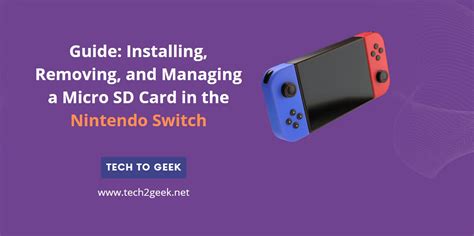
Installing a microSD card in your Switch is incredibly simple. Just power down your console, flip up the kickstand on the back, and slide the card into the slot until it clicks. The Switch will automatically recognize it. For managing your games, you can set the microSD card as the default download location. You can also archive software from your internal memory to free up space, and the game data will remain on your SD card for quick re-downloading.
Don’t Let Storage Limitations Hold You Back
Running out of storage on your Nintendo Switch is an easily solvable problem. By investing in a reliable, high-capacity microSD card, you can ensure your digital gaming adventures remain uninterrupted. Choose a card that fits your budget and gaming habits, and enjoy endless possibilities with your ever-growing library of Switch titles.