

What’s the best Nintendo Switch microSD card for diverse game storage?
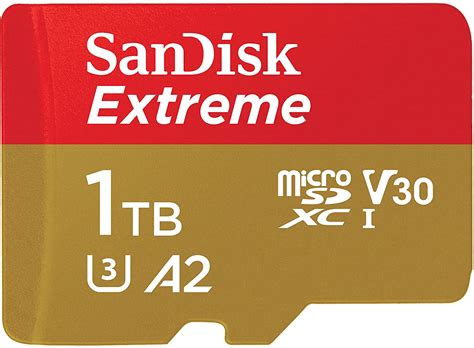
Why a MicroSD Card is Essential for Your Switch
The Nintendo Switch, while a phenomenal console, comes with a rather modest 32GB (or 64GB for OLED models) of internal storage. This quickly fills up, especially if you’re a fan of digital downloads, which often range from a few gigabytes to tens of gigabytes per title. To truly embrace a diverse game library, a high-capacity microSD card isn’t just an accessory—it’s a necessity. It expands your storage exponentially, allowing you to download numerous games without constantly deleting and re-downloading.
Key Factors When Choosing Your MicroSD Card
When selecting a microSD card for your Switch, several critical factors come into play beyond just price. Understanding these will help you make the best decision for your gaming habits:
- Capacity: This is arguably the most important factor. While smaller cards are cheaper, larger capacities offer peace of mind and future-proofing.
- Speed: Look for cards with ‘UHS-I’ (Ultra High Speed, Class 1) and ‘U3’ ratings, which indicate faster read/write speeds. Nintendo officially recommends a transfer speed of 60-95 MB/s. Faster cards can marginally improve game loading times, though the Switch itself has limitations.
- Brand Reliability: Sticking to reputable brands like SanDisk, Samsung, or Lexar is crucial. Generic or unbranded cards can be prone to failure, data corruption, or even fake capacities.
Recommended Capacities for Diverse Game Libraries
1. 128GB: The Entry Point for Casual Gamers
A 128GB card is a good starting point if you mostly buy physical cartridges but want space for a handful of digital indie titles, DLC, and game updates. It offers decent storage for a reasonable price but may require management if your digital library grows.
2. 256GB: The Sweet Spot for Most Players
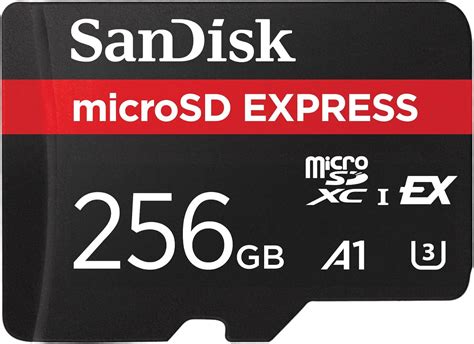
For many Switch owners, a 256GB microSD card hits the perfect balance of capacity and cost. It provides ample room for a substantial collection of digital games, including several AAA titles and numerous smaller ones, without breaking the bank. This size is often recommended as the sweet spot for value and utility.
3. 512GB: For Digital-First Enthusiasts
If you’re primarily a digital-download gamer and love having a vast library instantly accessible, a 512GB card is an excellent investment. It can hold dozens of large games, virtually eliminating the need to delete titles to make space. This capacity is becoming increasingly affordable and is ideal for those who want to buy games digitally without a second thought.
4. 1TB (or More): The Ultimate Digital Hoard
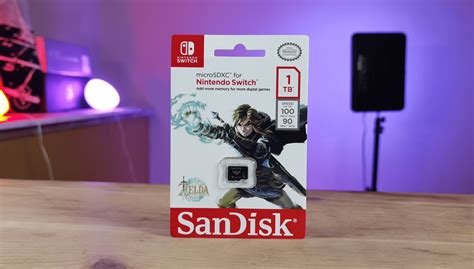
For the ultimate digital collector who wants every game ever released on the Switch, or at least a very substantial portion, a 1TB microSD card is the way to go. These cards offer immense storage, allowing you to download hundreds of games. While more expensive, prices are steadily dropping, making them a viable option for serious enthusiasts who never want to worry about storage again.
Top MicroSD Card Recommendations
When it comes to brands, SanDisk and Samsung are consistently at the top for reliability, speed, and compatibility with the Nintendo Switch. Look for models specifically marketed for gaming or high-speed data transfer.
- SanDisk Extreme / Extreme Pro: These cards offer excellent read/write speeds, often exceeding Nintendo’s recommendations, ensuring smooth performance.
- SanDisk Ultra: A more budget-friendly option that still meets the Switch’s speed requirements perfectly. Look for the A1 or A2 rating for app performance optimization.
- Samsung EVO Select / Plus: Samsung’s offerings are highly reliable and provide competitive speeds, making them a strong alternative to SanDisk.
Tips for Managing Your Switch Storage
- Prioritize Digital: Use your microSD card for digital-only games, especially larger ones.
- Delete & Re-download: If you temporarily run out of space, remember you can always archive (delete software data but keep the icon) and re-download games from the eShop later. Your save data is stored internally or via cloud save (with Nintendo Switch Online).
- Check eShop Sales: Factor in potential future purchases when choosing your card size.
Conclusion
The best microSD card for your Nintendo Switch for diverse game storage ultimately depends on your individual gaming habits and budget. For most players, a 256GB or 512GB card from a reputable brand like SanDisk or Samsung offers the ideal blend of capacity, performance, and value. Investing in a quality card will significantly enhance your Switch experience, freeing you from constant storage worries and allowing you to build the digital game library of your dreams.