



How to stop mobile games from draining my phone battery so fast?

Mobile gaming has evolved into a powerhouse of entertainment, offering console-quality graphics and immersive experiences right in your pocket. However, this advancement often comes at a cost: rapid battery depletion. If you find your phone’s charge vanishing faster than a high score after a gaming session, you’re not alone. Fortunately, there are several effective strategies you can employ to reclaim your battery life without sacrificing all the fun.
Understanding Why Games Are Battery Hogs
Before diving into solutions, it’s helpful to understand the culprits behind your phone’s dwindling power. Mobile games are resource-intensive applications. They constantly engage your phone’s processor (CPU), graphics processing unit (GPU), and often demand a bright, high-resolution display. Additionally, many games require a persistent internet connection for multiplayer modes, updates, or ads, which further strains your Wi-Fi or mobile data radios. All these components working in overdrive consume a significant amount of energy.
In-Game Settings: Tweak for Power Efficiency
Many modern mobile games offer a range of customizable settings that can impact performance and, crucially, battery life. Diving into these options can make a big difference.
Lowering graphical fidelity is often the most impactful change. Look for options related to ‘Graphics Quality,’ ‘Resolution,’ or ‘Texture Quality’ and set them to medium or low. While the visuals might take a slight hit, the reduction in processing power required will significantly prolong your playtime. Similarly, reducing the ‘Frame Rate’ (FPS) cap from, say, 60fps to 30fps can lighten the load on your GPU without necessarily making the game unplayable. Disable power-intensive effects like ‘V-Sync,’ ‘Anti-aliasing,’ or ‘Shadows’ if available.

Phone-Wide Optimizations for Gaming
Beyond in-game adjustments, your phone’s system settings offer powerful tools to manage battery consumption during gaming.
The screen is your phone’s biggest power consumer. Reduce your screen brightness, or better yet, enable auto-brightness to let your phone adjust it based on ambient light. Also, check your display settings for features like a high refresh rate (e.g., 90Hz or 120Hz) and consider temporarily reducing it to 60Hz if your phone allows, as higher refresh rates consume more power. Activate your phone’s built-in ‘Power Saving Mode’ or ‘Battery Saver’ before you start gaming. These modes typically reduce CPU speed, background app activity, and sometimes dim the screen slightly, providing a noticeable boost to battery longevity.
Manage Connectivity and Background Processes
Your phone is constantly managing various connections and background tasks, many of which are unnecessary while gaming.
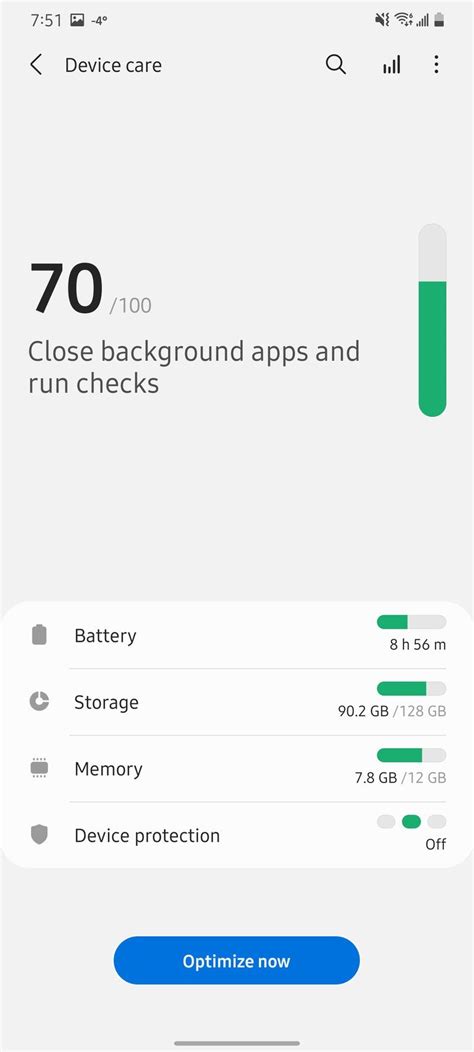
If you’re playing an offline game, consider switching off Wi-Fi, Bluetooth, and GPS. For online games, Wi-Fi is generally more battery-efficient than mobile data, especially in areas with poor cellular signal where your phone has to work harder to maintain a connection. Close all other unnecessary apps running in the background before launching your game. These apps can consume CPU, RAM, and network resources, silently draining your battery. Regularly clear the cache for your gaming apps and even your phone’s system cache to ensure smooth operation and prevent minor power leaks.
Hardware Considerations and Best Practices
Sometimes, battery drain can be influenced by your phone’s hardware and how you use it.
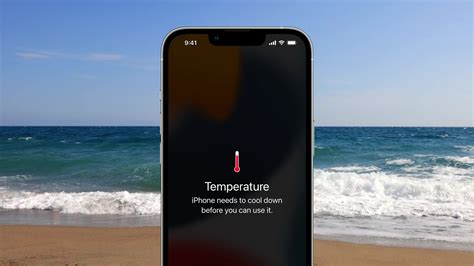
Older phones with aging batteries will naturally have shorter battery life. If your phone is several years old, its battery might simply be at the end of its lifespan, and even with optimizations, significant improvement might be elusive. Avoid playing games while your phone is charging, especially if it leads to overheating. High temperatures are detrimental to battery health and can accelerate degradation. If your phone feels hot, take a break from gaming and let it cool down. Using a phone case that restricts heat dissipation can also contribute to overheating.
Keep Your Software Up-to-Date
Developers frequently release updates for games and operating systems that include performance optimizations and bug fixes. These updates can sometimes address battery drain issues or improve efficiency. Ensure both your games and your phone’s operating system are running the latest versions.
Battling mobile game battery drain is an ongoing process, but by implementing a combination of these strategies, you can significantly extend your phone’s playtime. It’s about finding the right balance between performance and power consumption, allowing you to enjoy your favorite mobile titles without constantly hunting for a charger.