


Best microSD cards for Switch to expand game storage without lag?

The Nintendo Switch, a marvel of portable gaming, comes with a rather modest 32GB (or 64GB for the OLED model) of internal storage. While sufficient for a few digital titles and game saves, this quickly becomes a bottleneck for avid gamers who frequently download new releases, DLC, or even just large game updates. Running out of space can mean constant game deletions, re-downloads, and a frustrating user experience. Fortunately, expanding your Switch’s storage is incredibly simple and affordable thanks to microSD cards.
Why a Quality MicroSD Card is Crucial for Lag-Free Gaming
It’s not just about having more space; it’s about having *fast* space. While any microSD card will technically work, a low-quality or slow card can lead to noticeable lag during game loading, asset streaming, and even in-game performance. The Nintendo Switch supports UHS-I microSD cards, with a maximum theoretical read speed of 104 MB/s. To ensure a smooth, lag-free experience, you’ll want a card that can consistently deliver high read and write speeds, ideally rated U3 or V30.
Key Factors to Consider When Choosing
- Capacity: How much do you need?
- 64GB-128GB: Good for casual gamers with a mix of physical and digital games.
- 256GB-512GB: Ideal for most digital-first gamers, offering ample space for dozens of titles.
- 1TB or more: For the ultimate digital library, future-proofing, and never worrying about storage again.
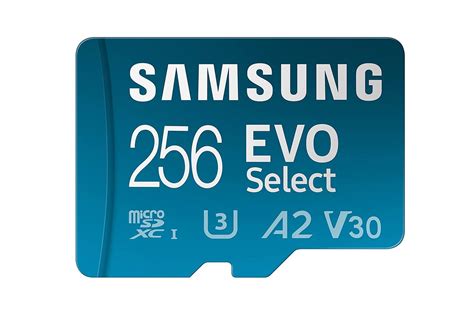
- Speed Rating (UHS-I, U3, V30): This is vital for performance. Look for cards with at least a U3 or V30 rating. These indicate a minimum sustained write speed of 30 MB/s, which translates to faster loading times and smoother gameplay on your Switch.
- Brand Reputation: Stick to reputable brands like SanDisk, Samsung, or Lexar. These brands are known for reliability, durability, and consistent performance.
- Price vs. Performance: While budget options exist, investing a little more in a quality card will save you headaches in the long run.
Top MicroSD Card Recommendations for Nintendo Switch
Based on performance, reliability, and value, here are some of the best options currently available:
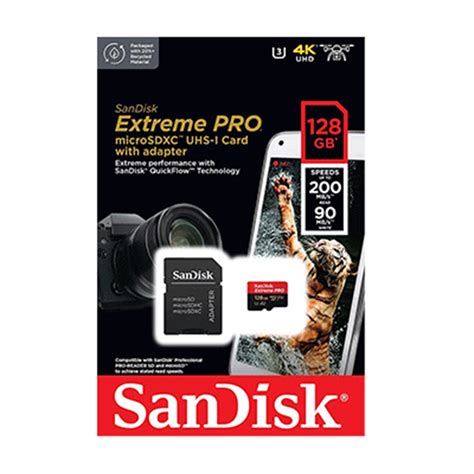
SanDisk Extreme/Extreme PRO for Nintendo Switch
SanDisk officially partners with Nintendo, making their “for Nintendo Switch” line an obvious choice. These cards are specifically optimized for the console, offering excellent read speeds (up to 100 MB/s) and write speeds (up to 90 MB/s) with a U3/V30 rating. The standard SanDisk Extreme also offers similar performance at a competitive price, often making it a slightly better value if you don’t need the official branding.
Samsung EVO Plus / EVO Select
Samsung’s EVO Plus and EVO Select lines (often an Amazon exclusive for the latter) are consistently top performers. They offer impressive read/write speeds, excellent reliability, and are often available at very competitive prices, especially during sales events. They are U3 rated, ensuring fast game loading.
Lexar PLAY microSDXC Card
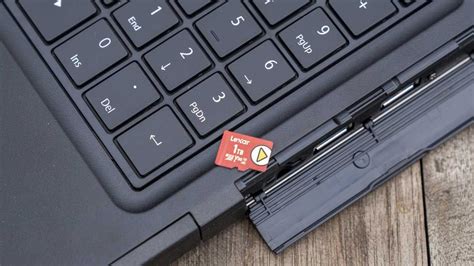
Designed specifically for gaming, the Lexar PLAY series offers high-speed performance (up to 150 MB/s read) and comes in capacities up to 1TB. It’s a solid, reliable choice for Switch owners looking for a balance of speed and storage, especially for larger game libraries.
Installing Your New MicroSD Card
Once you have your chosen card, installation is a breeze:
- Turn off your Nintendo Switch completely (don’t just put it to sleep).
- Open the kickstand on the back of the console to reveal the microSD card slot.
- Insert the microSD card into the slot until it clicks into place.
- Close the kickstand and power on your Switch.
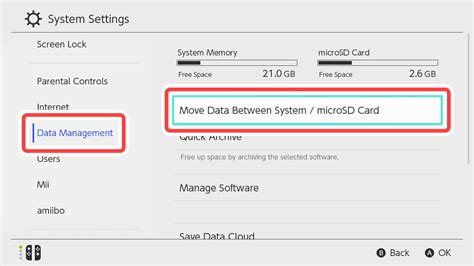
- Your Switch will automatically detect and format the new card. You can then navigate to System Settings > Data Management to confirm the new storage capacity.
Any new games downloaded will automatically save to the microSD card. You can also manually move existing game data from internal storage to the card via the Data Management settings, though this doesn’t apply to save data, which always remains on the internal memory.
Conclusion: Game On, Lag-Free
Investing in a high-quality microSD card is arguably the most essential accessory for any Nintendo Switch owner planning to download digital games. By choosing a reputable brand with a U3 or V30 speed rating and sufficient capacity, you’ll ensure your gaming experience remains smooth, fast, and unhindered by storage limitations. Say goodbye to deleting games and hello to an expanded, seamless digital library!