


How to maximize Nintendo Switch battery life on the go?
The Nintendo Switch is a marvel of portable gaming, offering an unparalleled library of titles that can be enjoyed anywhere. However, the one constant challenge for any on-the-go gamer is battery life. Whether you’re on a long commute, traveling, or just away from a power outlet, maximizing your Switch’s playtime is crucial. Fortunately, with a few smart adjustments and habits, you can significantly extend your console’s endurance and keep the gaming going for longer.
Optimize System Settings
Your Switch’s internal settings are often the biggest culprit behind rapid battery drain. Making a few tweaks here can yield substantial results.
-
Screen Brightness
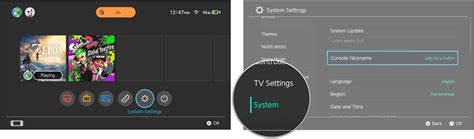
This is perhaps the most impactful change. Go to System Settings > Screen Brightness and manually lower it. While the auto-brightness feature is convenient, it often sets the screen brighter than necessary.
-
Auto-Sleep Mode
Set your Switch to enter sleep mode quicker when inactive. Navigate to System Settings > Sleep Mode and reduce the “Auto-Sleep (Playing)” and “Auto-Sleep (Console Screen On)” times.
-
Wi-Fi and Bluetooth
If you’re playing offline single-player games, there’s no need for Wi-Fi. Turn it off in System Settings > Internet. Similarly, if you’re not using wireless headphones or other Bluetooth accessories, consider turning off Bluetooth communication (though for Joy-Cons, it’s usually always on).
-
Vibration
While haptic feedback enhances immersion, it consumes power. Turn off controller vibration in System Settings > Controllers and Sensors > Controller Vibration.
Adjust In-Game Settings
Some games offer their own graphical or performance settings that can be tweaked to save power.
-
Performance Modes
A growing number of games offer “performance” or “quality” modes. Choosing performance mode often reduces resolution or graphical fidelity slightly in favor of frame rate, which can sometimes be less taxing on the GPU and thus the battery.
-
Graphical Detail
For games that allow it, lowering in-game graphical options like anti-aliasing, shadow quality, or draw distance can contribute to power savings. This is less common on Switch, but worth checking.
![Mario Kart DS (All New Cups) 2K [60FPS] - YouTube](/images/aHR0cHM6Ly90czQubW0uYmluZy5uZXQvdGg/aWQ9T0lQLjVtZE9sTVJSNFFXN25MdXhKNVNWemdIYUVLJnBpZD0xNS4x.webp)
Smart Charging & Accessory Habits
How you charge and use accessories also plays a role in extending battery life.
-
Invest in a Quality Power Bank
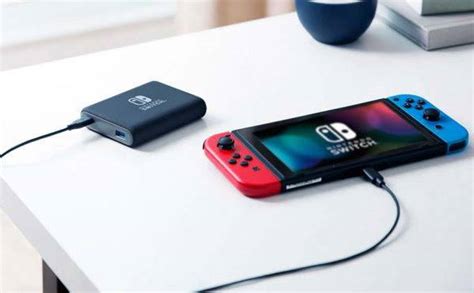
A good portable power bank is essential for extended play sessions away from outlets. Look for one with USB-C Power Delivery (PD) output for optimal charging speed while playing.
-
Detach Joy-Cons
When playing in handheld mode, if your Joy-Cons are low on battery, they will draw power from the main console. If you’re playing docked or with a Pro Controller, detach the Joy-Cons to prevent them from unnecessarily draining the console’s battery.
-
Temperature Management
Extreme temperatures, both hot and cold, can negatively impact battery performance and longevity. Keep your Switch in a cool, shaded place to prevent overheating, which can throttle performance and drain the battery faster.
General Power-Saving Practices
Beyond specific settings, adopting these habits can further boost your Switch’s endurance.
-
Keep Software Updated
Nintendo regularly releases system updates that can include performance improvements and battery optimizations. Always ensure your Switch is running the latest firmware.
-
Close Background Software
Double-check that you haven’t left any software suspended in the background. While the Switch handles this well, a quick check can ensure nothing is silently consuming resources.
-
Avoid Unnecessary Peripherals
If you’re not actively using them, unplug any USB accessories from the dock or the console itself, as they can draw a small amount of power.
By implementing these tips, from adjusting brightness and sleep settings to utilizing power banks and managing your accessories, you can significantly enhance your Nintendo Switch’s battery life on the go. Enjoy longer, uninterrupted gaming sessions and make the most of your portable adventures without constantly searching for a power outlet.