




Tips for parents to ensure kids’ online game safety?
Understanding the Digital Playground: Why Online Safety Matters
Online gaming has become an integral part of many children’s lives, offering entertainment, social interaction, and skill development. However, this digital playground also comes with potential risks, from exposure to inappropriate content and cyberbullying to privacy concerns and predatory behavior. As parents, ensuring our children’s safety in this dynamic environment is paramount. It requires a blend of technological safeguards, open communication, and ongoing education.
This guide provides practical tips for parents to help their children navigate the complexities of online gaming safely, fostering a positive and secure digital experience.

Foster Open Communication
The foundation of online safety lies in strong, open communication between parents and children. Encourage your kids to talk about their online experiences, who they play with, and anything that makes them feel uncomfortable or worried. Create a safe space where they feel comfortable sharing without fear of judgment or immediate punishment.
- Regular Check-ins: Periodically ask about the games they’re playing and their online friends. Show genuine interest.
- Establish Trust: Let them know they can always come to you with any issues, no matter how small.
- Discuss Risks: Explain potential dangers like talking to strangers, sharing personal information, or encountering inappropriate content in a calm, age-appropriate manner.
Utilize Parental Control Tools
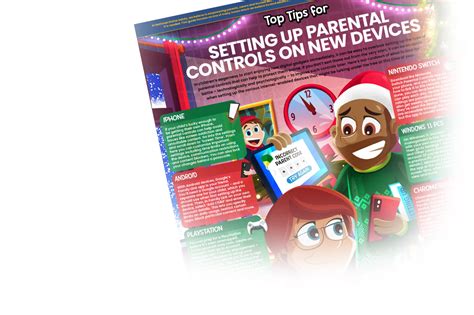
Most gaming platforms, consoles, and operating systems offer robust parental control features designed to help parents manage their children’s online interactions. These tools are your first line of defense in creating a safer gaming environment.
- Set Age Restrictions: Configure controls to prevent access to games with unsuitable age ratings.
- Manage Screen Time: Implement limits on how long your child can play daily or weekly.
- Control Communication: Adjust settings to restrict or monitor in-game chat, friend requests, and voice communication.
- Purchase Limits: Prevent unauthorized in-game purchases by requiring passwords or disabling microtransactions.
Understand the Games Your Kids Play
It’s challenging to protect your child from risks you don’t understand. Take the time to familiarize yourself with the games they enjoy. Play with them occasionally, watch game streams, or read reviews.
- Check ESRB/PEGI Ratings: These ratings provide valuable information about a game’s content and recommended age.
- Research Game Features: Learn about in-game chat, multiplayer options, and community features.
- Be Aware of Trends: Popular games can change quickly; stay informed about what’s current.
Teach Online Privacy and Digital Etiquette
Educating children about privacy and responsible online behavior is crucial. They need to understand the implications of sharing personal information and how to interact respectfully with others online.
- Never Share Personal Info: Teach them not to reveal their real name, age, address, school, or phone number to strangers.
- Strong Passwords: Emphasize using unique and strong passwords for all accounts.
- Think Before You Type: Remind them that words shared online can have real-world consequences and to always be kind.
- Reporting Tools: Show them how to block and report inappropriate behavior or content within games.

Recognize and Address Red Flags
Be vigilant for changes in your child’s behavior or mood, as these can sometimes indicate a problem online. If you notice any of the following, investigate further:
- Becoming withdrawn, irritable, or anxious after gaming.
- Obsessive focus on gaming, neglecting other activities.
- Sudden secretiveness about their online activities.
- Receiving unsolicited gifts or asking for money for online friends.
Balance and Moderation
While safety is critical, promoting a healthy balance in gaming is equally important. Encourage a variety of activities, both online and offline, to ensure well-rounded development.
- Set Clear Boundaries: Establish rules for screen time and stick to them consistently.
- Encourage Breaks: Remind them to take regular breaks to rest their eyes and move around.
- Model Healthy Habits: Your own screen time habits can influence your child’s.

Stay Engaged and Adapt
The online world evolves constantly, so your approach to safety must also adapt. Stay informed about new games, platforms, and potential risks. Regular conversations and reviews of settings will help keep your child safe as they grow and their online interactions change.
By combining proactive measures, open dialogue, and a continuous learning mindset, parents can empower their children to enjoy the benefits of online gaming while minimizing the associated risks. Creating a safe digital environment is an ongoing partnership between parent and child, built on trust and mutual understanding.