


Best SD cards for Switch gaming & quick install?

Why an SD Card is Essential for Your Nintendo Switch
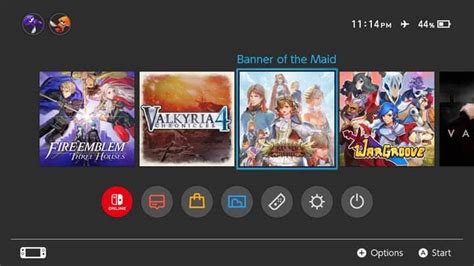
The Nintendo Switch, a marvel of portable gaming, comes with a modest 32GB (or 64GB for the OLED model) of internal storage. While sufficient for a few small indie titles, serious gamers quickly find themselves running out of space, especially with large digital downloads and frequent game updates. This is where a high-quality micro SD card becomes indispensable. Expanding your storage ensures you can keep more games ready to play, reduce redownload times, and potentially even improve game loading speeds.
Understanding Switch SD Card Requirements
Not all micro SD cards are created equal, and choosing the right one for your Switch involves understanding a few key specifications. The Nintendo Switch supports UHS-I (Ultra High Speed Phase I) compliant micro SD cards. It does not support the faster UHS-II cards, meaning buying one won’t give you any performance benefit and will just cost you more. Here’s what to look for:
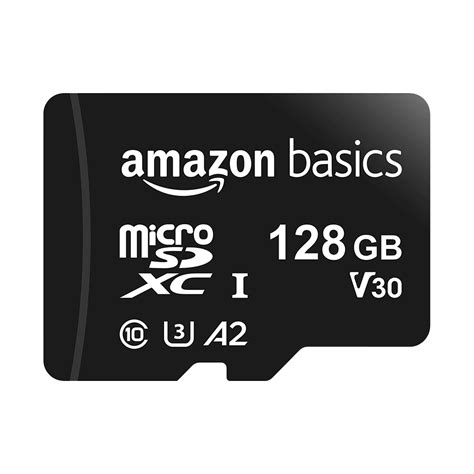
- Speed Class: Focus on U1 or U3. U1 (Speed Class 10) offers a minimum write speed of 10 MB/s, while U3 offers 30 MB/s. While the Switch doesn’t fully leverage U3 speeds in all scenarios, a U3 card generally indicates higher overall performance for read and write operations, which can translate to quicker game loading and smoother gameplay.
- Application Performance Class: Look for A1 or A2 ratings. These classes are designed for faster application performance, which is exactly what gaming entails. A1 cards offer a minimum random read of 1500 IOPS and random write of 500 IOPS, while A2 cards boost this to 4000 IOPS read and 2000 IOPS write. While the Switch may not fully utilize A2’s enhanced random access speeds, cards with this rating are often built with higher quality components, ensuring consistent performance.
Key Factors to Consider When Choosing Your Card
Capacity: How Much Space Do You Really Need?
This is perhaps the most crucial decision. Digital games for the Switch can range from a few hundred MBs to over 30GB (e.g., The Legend of Zelda: Tears of the Kingdom). Consider your gaming habits:
- 128GB-256GB: Good for casual gamers or those who mostly buy physical cartridges.
- 512GB: The sweet spot for most digital-heavy gamers, offering ample space for a large library of AAA titles and indies.
- 1TB: For hardcore digital collectors who want to download everything and never worry about storage again. Note that 1TB cards are still relatively expensive but are becoming more accessible.
Speed: Maximize Your Load Times
While the Switch doesn’t support UHS-II, opting for a high-quality UHS-I card with a U3 and A1/A2 rating is recommended. Cards from reputable brands often exceed the minimum specifications, offering faster actual read speeds (up to 100MB/s is common) which directly impacts how quickly your games load and how smoothly they run.
Brand Reputation & Reliability
Stick with trusted brands known for quality and reliability. SanDisk, Samsung, and Lexar are industry leaders with excellent track records. Counterfeit SD cards are a real problem; always purchase from reputable retailers to avoid fakes with inflated capacity claims or poor performance.
Top Recommended SD Cards for Switch Gaming
Based on performance, reliability, and value, here are some top contenders:
- SanDisk Extreme / Extreme Pro MicroSDXC: Often considered the gold standard. These U3, A2 cards deliver exceptional read and write speeds, making them perfect for fast game loading. Available in capacities up to 1TB.
- Samsung EVO Select / EVO Plus MicroSDXC: Excellent value for money. These U3, A2 cards provide reliable and fast performance, ideal for the Switch, and are frequently on sale. Available up to 512GB or 1TB for EVO Plus.
- Lexar PLAY MicroSDXC: Designed specifically for portable gaming devices. These U3, A2 cards offer great performance at competitive prices, making them a strong choice.
Quick Installation Guide for Your Nintendo Switch
Installing a micro SD card in your Nintendo Switch is incredibly straightforward:
- Power Down: Fully power off your Nintendo Switch. Do not just put it to sleep. Hold the Power Button until the power options appear, then select “Power Off”.
- Locate the Slot: On the back of the Switch console, lift the kickstand. Beneath the kickstand, you’ll find the micro SD card slot.
- Insert the Card: With the label facing upwards (towards the top of the console), gently push the micro SD card into the slot until you hear a click. It should sit flush with the console.
- Power On: Close the kickstand and power on your Switch.
- Verification & Formatting: The Switch will automatically detect the new card. If it’s a brand new card, the Switch will prompt you to format it. Follow the on-screen instructions. Formatting will erase any existing data on the card, so ensure it’s empty if you’re reusing one.
- Start Downloading: Your Switch is now ready to store more games! Future downloads will automatically go to the SD card, or you can manually move existing software from internal storage via System Settings > Data Management.

Optimizing Performance and Data Management
Once your SD card is installed, you can manage your data easily through the Switch’s System Settings:
- Data Management: Here you can see how much space is left on both your internal storage and the SD card. You can also move games between the two storage locations. While games generally perform best when installed on the SD card due to its higher throughput compared to the Switch’s internal NAND, you might move smaller, frequently played games to internal storage if you notice any subtle differences.
- Archiving Software: If you’re running low on space but don’t want to delete a game entirely, you can archive it. This removes the game data but keeps its icon on your home screen and saves its save data on the console’s internal memory. You can redownload it whenever you wish.

Conclusion
Upgrading your Nintendo Switch with a high-quality micro SD card is one of the best investments you can make to enhance your gaming experience. By choosing a card with adequate capacity, good speed ratings (UHS-I, U3, A1/A2), and from a reputable brand, you’ll ensure smoother game loading, more available storage, and overall more enjoyment from your console. The quick and easy installation means you can get back to gaming with expanded horizons in no time.