



How do you design game beginner guides that onboard new players without information overload?

The Onboarding Challenge: Balancing Guidance and Discovery
Creating an engaging and effective beginner guide for a video game is an art form. The goal is to seamlessly introduce new players to your game’s mechanics, lore, and unique quirks without overwhelming them with a deluge of information. Too little guidance, and players might feel lost and frustrated; too much, and they might become bored or resentful of lengthy tutorials. The sweet spot lies in progressive disclosure, contextual learning, and respecting the player’s intelligence and desire for agency.

Know Your Novice: Understanding Player Psychology
Before designing your guide, consider who your new player is. Are they veterans of similar genres or completely new to gaming? What are their expectations? Tailoring your approach based on potential player experience can significantly impact guide effectiveness. Acknowledge that players learn best by doing, not just by reading or watching. Their primary motivation is often to play the game, not to study a manual.
Core Principles for a Seamless First Experience
1. Gradual Revelation: The “Learning by Doing” Approach
Instead of front-loading all rules and systems, introduce core mechanics one by one as they become relevant. Allow players to experiment and discover within safe, controlled environments. This hands-on approach builds confidence and understanding far more effectively than passive instruction.
2. Contextual Cues: Show, Don’t Just Tell
Integrate tutorials directly into the gameplay. When a new mechanic is introduced, provide immediate context for its use. For instance, if teaching about combat, present an enemy to fight; if explaining inventory, give the player an item to manage. Visual cues, highlighted UI elements, and short, unobtrusive text prompts are invaluable here.

3. Prioritize Essentials: What Must They Know NOW?
Identify the absolute minimum information a player needs to progress beyond the very first hurdles. Anything secondary or advanced can be introduced later or made optional. Focus on movement, basic interaction, and primary objectives. Over-explaining intricate systems too early can cause cognitive overload.
4. Feedback and Reinforcement: Building Confidence
Provide clear and immediate feedback for player actions, especially during the learning phase. Did they successfully perform a new move? Offer a subtle visual or audio cue. Positive reinforcement encourages continued engagement and makes the learning process feel rewarding rather than punishing.
Practical Design Strategies to Prevent Overload
Interactive Tutorials and Guided Play
Design a dedicated tutorial level or segment where players are gently led through a series of tasks that teach them the basics. These should be short, focused, and immediately demonstrate the utility of each new skill. Think of it as a guided tour rather than a lecture.
Progressive Disclosure: Unveiling Features Over Time
Don’t unlock all game features at once. As players progress, introduce new mechanics, characters, or systems. This drip-feed approach allows players to master one concept before moving on to the next, preventing a feeling of being swamped by options.
Visual Storytelling and Iconography
Leverage your game’s art and UI design to communicate information. Intuitive icons, clear visual hierarchy, and environmental storytelling can convey a lot without needing extensive text. Show what an item does, or where to go, rather than explaining it at length.

Bite-Sized Information: Tooltips and Short Prompts
Keep text to a minimum. Use brief tooltips that appear on hover or short, contextual prompts that disappear once their message is delivered. If a concept requires more explanation, provide an optional link to a more detailed in-game codex or help menu.
Optional Deep Dives: Resources for the Curious
For players who crave more information, offer an in-game encyclopedia, lore codex, or advanced tips section. Crucially, make these accessible but not mandatory for basic progression. This caters to different learning styles without alienating anyone.
Pitfalls to Avoid in Beginner Guide Design
- Text Walls: Long blocks of text are intimidating and rarely read. Break information into small, digestible chunks.
- Over-explanation: Don’t explain concepts that are intuitive or widely understood in gaming.
- Skipping Essentials: While avoiding overload, ensure critical mechanics are never missed.
- Non-Skippable Intros: While guides are important, give experienced players the option to skip familiar content.
Test, Iterate, and Refine: The Continuous Improvement Loop
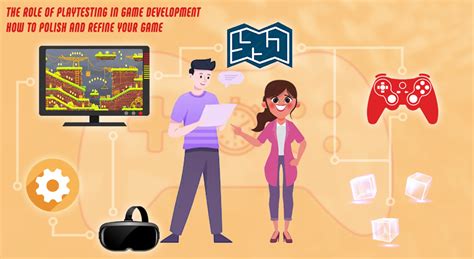
The true measure of a beginner guide’s success is how new players experience it. Conduct playtests with individuals unfamiliar with your game. Observe where they get stuck, where they seem confused, or where they simply skip instructions. Use this feedback to iterate and refine your guide, stripping away unnecessary information and clarifying unclear elements until the onboarding process feels natural and enjoyable.
Conclusion: Crafting Engaging First Impressions
Designing effective beginner guides is about empathy and foresight. By understanding how new players learn, prioritizing core information, and employing smart design strategies like progressive disclosure and contextual cues, you can create an onboarding experience that doesn’t just teach but genuinely welcomes players into your game world. A well-designed guide transforms potential frustration into an exciting journey of discovery, laying the groundwork for long-term player engagement.