





How do I set up alerts for the best game deals & discount codes across PC, console, and indie stores?
Never Miss a Discount: Your Guide to Game Deal Alerts
In the vast and ever-expanding universe of video games, finding the perfect deal can feel like a quest in itself. With new titles launching constantly and sales popping up across PC, console, and indie storefronts, it’s easy to miss out on significant savings. Fortunately, there are powerful tools and strategies you can employ to set up alerts and ensure you’re always in the loop for the best game deals and discount codes. Here’s a comprehensive guide to becoming a deal-hunting pro.
Leveraging Dedicated Deal Aggregators and Price Trackers
The first line of defense in your deal-hunting arsenal should be dedicated game deal aggregators. These websites crawl numerous storefronts and collect price data, allowing you to track specific games or general discounts.
- IsThereAnyDeal (ITAD): Often considered the gold standard for PC game deals, ITAD tracks prices across dozens of digital PC stores (Steam, Epic Games Store, GOG, Humble Store, etc.). You can add games to your wishlist and set custom price alerts, receiving email notifications when a game drops to your desired price or hits a historical low.
- CheapShark: Similar to ITAD but often including console deals, CheapShark provides a powerful search engine for game prices. It’s excellent for finding the absolute lowest price from reputable retailers and can also send email alerts.
- Dealabs / HotUKDeals / Slickdeals (Regional): These community-driven platforms allow users to post and vote on deals across all categories, including games. Setting up keywords for “game” or specific console names can notify you of new posts.
Utilizing Platform-Specific Wishlists & Notifications
Almost every major digital storefront now offers its own wishlist and notification system. Make sure you’re using them effectively:
- Steam: Add any game you’re interested in to your Steam Wishlist. Steam will send you email notifications when these games go on sale. You can also follow specific publishers or franchises.
- Epic Games Store: Similar to Steam, Epic’s wishlist will alert you when games you’re tracking receive discounts, especially during their major seasonal sales.
- PlayStation Store, Xbox Store, Nintendo eShop: Each console’s digital store allows you to add games to a wishlist. While notification systems vary, most will send you emails about sales on your wishlisted titles. Regularly checking these wishlists, especially during seasonal sales, is a good habit.
Exploring Price Tracking Browser Extensions
For even more seamless integration, consider browser extensions that work in tandem with online stores:
- Enhanced Steam / Augmented Steam: These extensions add extra functionality to the Steam store, often including price history graphs and integration with sites like IsThereAnyDeal, making it easier to see if a current sale is truly a good deal.
- General Price Trackers: Extensions like Honey or CamelCamelCamel (primarily for Amazon, but useful for physical game deals) can monitor price drops and apply coupon codes automatically at checkout.
Joining Gaming Deal Communities & Social Media
Sometimes, the fastest alerts come from dedicated communities where enthusiastic gamers share finds in real-time.
- Reddit: Subreddits like r/gamedeals, r/buildapcsales, and console-specific subreddits (e.g., r/PS4Deals, r/XboxDeals, r/NintendoSwitchDeals) are goldmines. You can set up Reddit alerts for keywords or simply subscribe and check frequently.
- Discord Servers: Many gaming communities and specific deal sites run Discord servers where alerts are posted instantly. Join a few relevant servers and ensure your notification settings are configured for deal channels.
- Twitter: Follow dedicated deal accounts (e.g., @Wario64, @videogamedeals) that frequently tweet out new discounts and sales. Turning on notifications for these accounts can give you an edge.

Monitoring Indie Bundles and DRM-Free Stores
Indie games often feature in incredible bundles and sales on platforms dedicated to independent or DRM-free titles.
- Humble Bundle & Fanatical: These sites are famous for their game bundles, often offering dozens of games for a fraction of their retail price, with portions going to charity. They also have storefronts with frequent sales. Subscribe to their newsletters for immediate alerts.
- Itch.io: A primary hub for indie and experimental games, Itch.io often hosts massive charity bundles or publisher-specific sales. Follow developers you like and check their news feeds.
- GOG (Good Old Games): Specializing in DRM-free titles, GOG frequently has excellent sales on classic and modern games. Their wishlist functionality and newsletter are reliable for deal alerts.
Setting Up Email Newsletters and RSS Feeds
Don’t underestimate the power of direct communication:
- Store Newsletters: Sign up for newsletters from your favorite digital storefronts (Steam, Epic, GOG, Humble, Fanatical, etc.) and console stores. They’ll often announce major sales directly to your inbox.
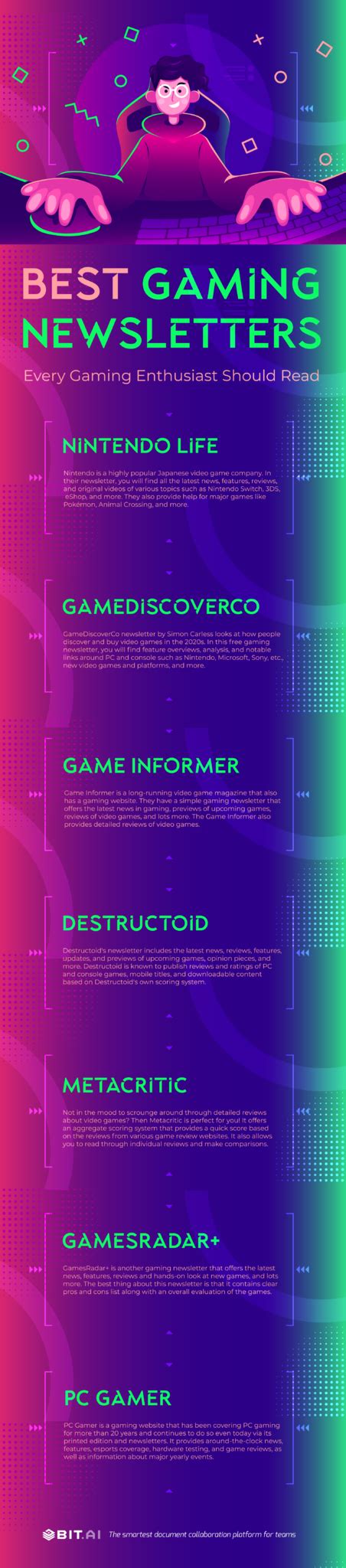
- Gaming News Sites: Many prominent gaming news websites have dedicated sections or newsletters for deals. Subscribing to these can keep you informed.
- RSS Feeds: For the tech-savvy, many deal aggregators and gaming news sites offer RSS feeds. You can use an RSS reader to get instant updates on new deals as they are published.
Conclusion: A Multi-Pronged Approach to Savings
The key to never missing a great game deal is to adopt a multi-pronged strategy. Combine the power of dedicated aggregators with platform-specific wishlists, community insights, and direct communications. By setting up a robust system of alerts across these different channels, you’ll be well-equipped to snag the best games at the best prices, no matter where they pop up.


