


How to maximize Switch storage for your growing game library?
The Ever-Growing Game Library Dilemma
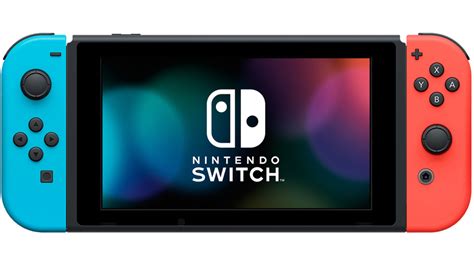
As a Nintendo Switch owner, you know the thrill of discovering new titles and expanding your game library. However, that excitement can quickly turn to frustration when you’re hit with the dreaded ‘not enough space’ message. With games growing larger and the console’s internal storage relatively modest, managing your Switch’s memory is crucial for an uninterrupted gaming experience. Let’s explore the best ways to maximize your Switch storage and keep your digital collection thriving.
The Indispensable microSD Card
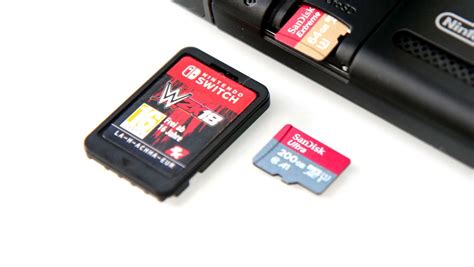
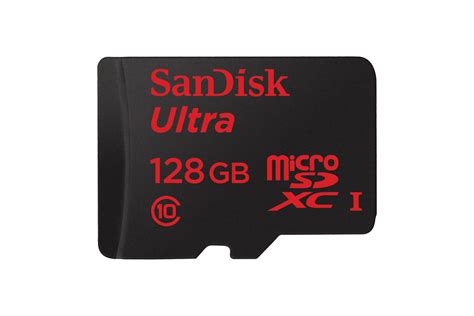
The single most effective way to expand your Switch’s storage is by investing in a high-capacity microSD card. The Nintendo Switch supports microSD, microSDHC, and microSDXC cards, with the latter offering the largest capacities. Here’s what you need to know:
- Capacity: While the internal storage is 32GB (or 64GB for the OLED model), a good microSD card can add hundreds of gigabytes. Cards up to 2TB are theoretically supported, though 1TB is currently the largest commercially available and practical option.
- Speed: Look for cards with a high read speed (UHS-I compatible, with a read speed of 60-95 MB/s recommended). Faster speeds mean quicker game loading times and smoother performance.
- Installation: Simply insert the microSD card into the slot under the kickstand on the back of your Switch. The console will automatically recognize it and begin using it for new downloads.
It’s often a good idea to buy the largest capacity you can reasonably afford, as you’ll likely fill it over time, especially with larger AAA titles and frequent eShop sales.
Managing Your Existing Game Library
Beyond adding external storage, smart management of your current games can free up significant space.
Archive vs. Delete
When you need to make space, the Switch offers two primary options for digital games:
- Archive Software: This option removes the game data from your console but keeps its icon on your home screen and saves your save data. You can redownload the game at any time from the eShop or your user profile. This is ideal for games you might want to play again in the future.
- Delete Software: This completely removes the game data and its icon. Crucially, it also preserves your save data (unless you specifically choose to delete that too). You’ll have to find the game in the eShop or your redownload list to get it back.
Remember, save data is stored separately on the console’s internal memory and is not deleted unless you specifically choose to do so from the Data Management settings.
![How To Delete Games On Nintendo Switch [The right way!] - Alvaro Trigo ...](/images/aHR0cHM6Ly90czIubW0uYmluZy5uZXQvdGg/aWQ9T0lQLkxIZmMwTTlnc1BKN2JBTVRxeF9UOGdIYUVLJnBpZD0xNS4x.webp)
Physical vs. Digital Games
While digital games are convenient, physical game cartridges can save space on your internal storage or microSD card. When you play a physical game, most of the core game data is read directly from the cartridge, with only updates, DLC, and save data being stored on your console.
- If you frequently swap between a large number of games, a mix of physical and digital might be ideal.
- For games you know you’ll play constantly, digital might be preferred for instant access without swapping cartridges.

Other Data Management Tips
- Screenshots & Videos: Over time, your gallery can accumulate hundreds, even thousands, of screenshots and video clips. Periodically review and delete unnecessary media. You can also transfer them to a computer via a USB-C cable or by removing the microSD card.
- Downloadable Content (DLC): While DLC enhances games, it also consumes space. Be mindful of how much DLC you download for games you rarely play.
- Cloud Saves (Nintendo Switch Online): If you have a Nintendo Switch Online subscription, your save data is automatically backed up to the cloud for most games. This provides peace of mind and, indirectly, means you can confidently archive or delete game software without worrying about losing your progress.
By implementing these strategies, you can effectively manage and expand your Nintendo Switch’s storage, ensuring your growing game library always has a place to call home. Happy gaming!