


How to find indie game deals & manage Switch storage for new games?
Discovering Hidden Gems and Saving Space on Your Switch
The Nintendo Switch is a fantastic platform for indie games, offering a portable gateway to thousands of unique and innovative experiences. However, navigating the vast eShop for the best deals and managing your console’s storage can sometimes feel like a mini-game in itself. Don’t let these challenges deter you from expanding your digital library! With a few smart strategies, you can snag incredible indie titles without breaking the bank and ensure you always have space for your next obsession.
Unearthing the Best Indie Game Deals
Finding indie games at a discount is easier than you might think, provided you know where to look and have a little patience. Deals on the Nintendo eShop are frequent, but they require a proactive approach to catch them.
Harness the Power of the Nintendo eShop
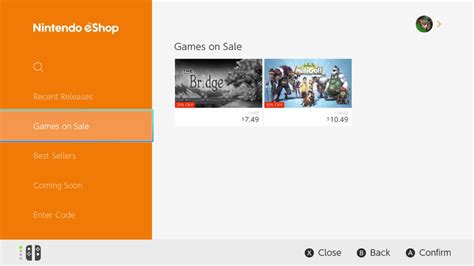
The eShop itself is your first port of call. Nintendo regularly hosts sales, including weekly discounts, publisher-specific promotions, and large seasonal events (like Black Friday, holiday sales, or spring sales). Keep an eye on the “Great Deals” section directly on your Switch, or check the official Nintendo website for current promotions. Many indie titles see significant price drops, sometimes up to 90% off, making them incredibly affordable.
Utilize Third-Party Deal Trackers
For a more targeted approach, external websites and apps are invaluable. Sites like DekuDeals (or similar regional equivalents) allow you to track prices, set up wishlists, and receive alerts when games you’re interested in go on sale. These trackers often show price history, helping you determine if a current discount is truly a good deal. They aggregate information from various eShops worldwide, giving you a comprehensive overview.
Follow Developers and Publishers
Many indie developers and smaller publishers announce sales directly on their social media channels (Twitter, Discord, Mastodon) or through their newsletters. Following your favorite studios or publishers can give you a heads-up on upcoming discounts, bundles, or even free game promotions before they hit the general public.
Consider Physical Releases (Though Less Common for Indies)
While most indie games are digital-only, some popular titles do receive physical cartridge releases. Occasionally, retailers might offer sales on these physical versions, which could be cheaper than their digital counterparts, especially during major retail events. However, for the vast majority of indies, digital is the way to go.
Mastering Switch Storage Management
With so many tempting digital deals, your Switch’s internal storage can fill up surprisingly fast. The console comes with 32 GB (or 64 GB for the OLED model) of internal memory, a significant portion of which is used by the system itself. Luckily, managing your storage is straightforward.
Invest in a MicroSD Card
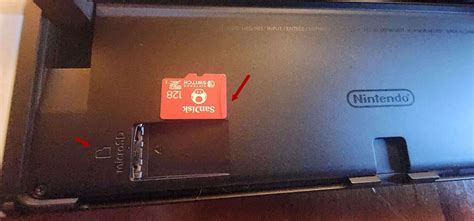
This is the single most important step for any digital game collector. A high-capacity microSD card (up to 2TB) can vastly expand your storage. Ensure you purchase a reputable brand and a card with a good read/write speed (UHS-I, Speed Class 3 is recommended) for optimal performance. Once inserted, all new game downloads will automatically go to the microSD card.
Check Your Current Storage
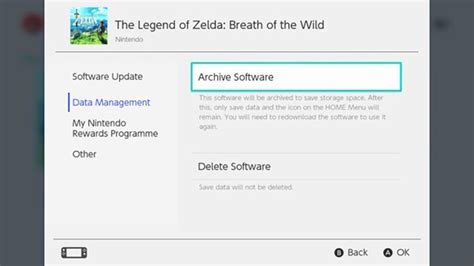
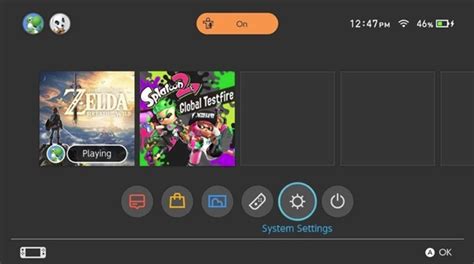
Go to System Settings > Data Management. Here, you can see how much space is being used by software, screenshots, and save data. This section also allows you to manage individual games.
Archive vs. Delete Games
When you need space, you have two main options:
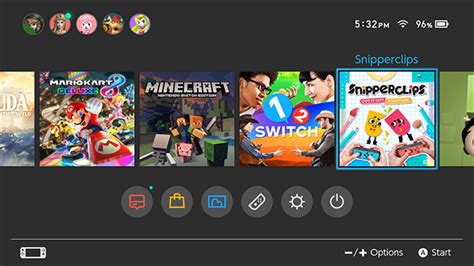
- Archive Software: This removes the game data from your console but keeps its icon on the HOME Menu and, crucially, preserves your save data. You can redownload the game at any time from the eShop or your user page. This is the recommended option for games you might want to play again.
- Delete Software: This removes both the game data and its icon from your HOME Menu. While it also preserves save data (which is stored separately in internal memory), it’s a more complete removal. You’d have to search for the game to redownload it.
Save data itself takes up very little space, so you rarely need to worry about deleting it. Always prioritize archiving game data over deleting if you want to keep the option to easily redownload.
Move Games Between Internal Memory and MicroSD Card
While you can’t directly move installed games between internal memory and a microSD card, you can effectively achieve this by archiving a game from internal memory and then redownloading it while the microSD card is inserted. The system will then install it to the card. This is useful if you installed games before getting a microSD card or want to optimize certain games for internal memory (though performance differences are usually negligible).
Conclusion
Armed with these strategies, you’re now ready to become a savvy Switch gamer. Actively seeking out deals will fill your library with incredible indie experiences, and smart storage management ensures you’ll always have room for the next must-play title. Dive into the world of independent games with confidence, knowing you’re making the most of your Nintendo Switch.