


Best microSD card for Switch? Maximize indie game storage!

Unlock Endless Indie Adventures with More Storage!
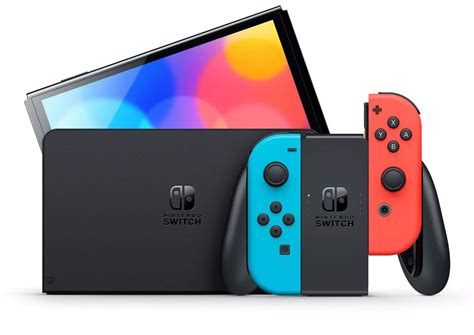
The Nintendo Switch has become a beloved home for countless independent games, offering unique experiences that often pack a huge punch. However, the console’s built-in storage—32GB for the original and Lite models, and 64GB for the OLED—can fill up surprisingly quickly, especially when you consider the ever-growing library of must-play indies, patches, and DLC. For any dedicated Switch owner, particularly those who frequent the eShop’s indie section, a high-quality microSD card isn’t just an option; it’s an essential upgrade to maximize your gaming freedom.

Why Your Switch Needs More Room for Indie Games
While many indie titles are praised for their efficiency, their collective footprint can be substantial. Games like Hades, Stardew Valley, Celeste, Dead Cells, or even Minecraft on Switch can range from a few hundred megabytes to several gigabytes. Multiply that by a dozen or two, and your internal memory quickly dwindles. Running out of space means you’re forced to delete games to make room for new ones, which can be a frustrating cycle. Expanding your storage with a microSD card allows you to build an expansive digital library without compromise, ensuring your favorite games are always ready to play.
Key Factors When Choosing Your MicroSD Card
Selecting the right microSD card involves balancing capacity, speed, and reliability. Here’s what to look for:
Capacity: How Much Space Do You Really Need?
- 128GB: A good entry-level option for casual players who download a mix of smaller titles.
- 256GB: Often considered the sweet spot for most users. It provides ample space for a large collection of indie games, several larger AAA titles, and future updates without breaking the bank.
- 512GB: Ideal for avid digital collectors or those who plan to heavily rely on digital downloads for both indie and major releases. This offers excellent future-proofing.
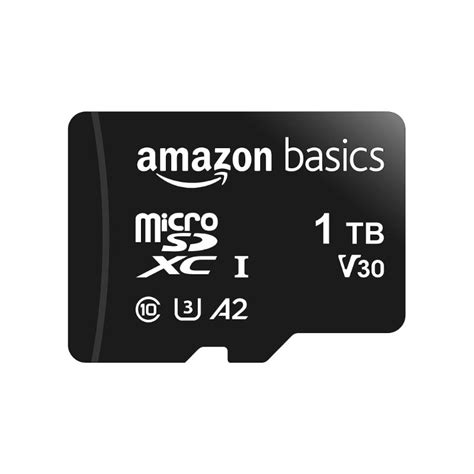
- 1TB: The maximum supported capacity. While expensive, it’s perfect for power users who want to download virtually everything and never worry about storage again.
Pro Tip: Always aim for slightly more storage than you think you’ll need. Game sizes tend to grow with updates, and you’ll inevitably discover more titles you want to download.

Speed: Don’t Compromise on Load Times
While the Switch itself has limitations on how fast it can access data, a faster card can still make a noticeable difference in game loading times and system responsiveness. Look for these ratings:
- UHS-I (Ultra High Speed Phase I): Nintendo recommends UHS-I compatible cards, which most modern microSD cards are.
- Speed Class (U1 vs. U3):
- U1 (Class 10): Guarantees a minimum sequential write speed of 10 MB/s. This is generally sufficient for the Switch.
- U3: Guarantees a minimum sequential write speed of 30 MB/s. While read speeds are more crucial for game loading, a U3 card offers a slight performance edge and better future-proofing.
- Application Performance Class (A1 vs. A2):
- A1: Optimized for running apps and games, offering good random read/write speeds. This is perfectly suitable for the Switch.
- A2: Provides even faster random read/write performance. While more advanced, the Switch might not fully leverage the extra speed of A2 cards compared to A1, so A1 often provides better value.
Ultimately, a U1/A1 or U3/A2 card from a reputable brand will perform well on your Switch. Prioritize reliability and capacity slightly over getting the absolute fastest card if budget is a concern.
Brand Reliability: Avoid Counterfeits
The market is unfortunately flooded with counterfeit microSD cards that misrepresent their capacity and speed. Always stick to well-known and trusted brands, and purchase from reputable retailers to ensure you’re getting a genuine product. Top brands include:
- SanDisk (especially their official “for Nintendo Switch” line)
- Samsung (EVO Select/Plus series)
- Lexar (PLAY series)
- PNY
Top MicroSD Card Recommendations for Switch
Based on the factors above, here are some excellent choices to consider:
- SanDisk MicroSDXC for Nintendo Switch: Officially licensed by Nintendo, these cards are specifically tested and optimized for the Switch. They come in various capacities (128GB, 256GB, 512GB, 1TB) and feature iconic Nintendo branding. They offer reliable U3 speeds.
- Samsung EVO Select / EVO Plus MicroSDXC: A highly popular non-licensed alternative, Samsung EVO cards offer exceptional value, strong performance (typically U3, A2), and renowned reliability. They are a fantastic choice for those looking for great bang for their buck.
- Lexar PLAY MicroSDXC Card: Designed with gamers in mind, the Lexar PLAY series offers good speeds and competitive pricing, making it another solid option for expanding your Switch storage.

Installation and Data Management Tips
Getting your new microSD card up and running is straightforward:
- Installation: Power off your Switch. Flip open the kickstand on the back of the console. You’ll see the microSD card slot. Gently slide your new card in until it clicks into place. Close the kickstand and power on your Switch.
- Initial Setup: The Switch will usually recognize the card immediately. If it needs formatting, it will prompt you. Formatting will erase all data, so ensure the card is new or empty.
- Data Transfer: To move existing downloaded software from your Switch’s internal memory to the microSD card, go to System Settings > Data Management > Move Data Between System / microSD Card. You can select individual games to move.
- New Downloads: Any new game downloads or software updates will automatically go to the microSD card if one is inserted and has sufficient space.
- Formatting an Existing Card: If you ever need to wipe your card clean, you can do so via System Settings > System > Formatting Options > Format microSD Card. Be absolutely sure you want to do this, as all data will be lost.
Conclusion: Your Indie Game Library, Unleashed!
Don’t let limited storage hinder your enjoyment of the Nintendo Switch’s incredible indie game library. Investing in the right microSD card is a simple yet powerful upgrade that will significantly enhance your gaming experience. By choosing an optimal balance of capacity, speed, and a reliable brand, you’ll ensure your console remains a versatile, portable, and endlessly entertaining hub for all your favorite digital adventures. Happy gaming!