

How can I track PC game deals & find historical low prices for my wishlist?

Mastering the Hunt for PC Game Deals
The world of PC gaming offers an endless library of captivating experiences, but building a robust collection can quickly become an expensive endeavor. Fortunately, with a bit of strategy and the right tools, you can consistently snag your desired games at their historical low prices. This guide will walk you through the best methods to track deals, monitor price histories, and optimize your wishlist for maximum savings.
Essential Tools for Tracking PC Game Deals
To effectively track game deals, you’ll need to leverage platforms designed to aggregate prices from various digital storefronts. Relying solely on one store’s sales is often insufficient, as deals can pop up across multiple retailers simultaneously.
Dedicated Deal Aggregators
The backbone of any serious deal hunter’s toolkit is a reputable deal aggregator. These websites scour numerous legitimate digital storefronts – including Steam, Epic Games Store, GOG, Humble Store, Green Man Gaming, Fanatical, and many others – to compile a comprehensive list of current discounts. The standout in this category is:
- IsThereAnyDeal (ITAD): This is arguably the most powerful and comprehensive tool. ITAD allows you to import your Steam, Epic, GOG, and other wishlists, track prices across dozens of stores, and set custom price alerts. It’s also invaluable for its historical price data, which we’ll discuss further below.
Store-Specific Wishlists & Notifications
While aggregators are crucial, don’t overlook the built-in features of your favorite storefronts. Most major platforms offer a wishlist system:
- Steam Wishlist: Add games to your Steam wishlist, and you’ll receive an email notification when they go on sale. This is a good baseline, but doesn’t track prices outside of Steam.
- Epic Games Store, GOG, etc.: Similar to Steam, these platforms also provide wishlist functionality and often send out email alerts for price drops.
Unearthing Historical Low Prices
Knowing a game is on sale is one thing; knowing if it’s a good sale is another. This is where historical price data becomes indispensable. It helps you determine if the current discount is the lowest the game has ever been, or if it frequently drops even lower, suggesting you might want to wait.
Leveraging IsThereAnyDeal’s Price History
IsThereAnyDeal shines brightest when it comes to historical price tracking. For almost every game listed, ITAD provides a detailed price history graph:
- Graph Analysis: The graph shows you how the game’s price has fluctuated over time across different stores. You can clearly see the lowest price ever recorded, average sale prices, and how frequently the game goes on significant discount.
- Smart Buying Decisions: By reviewing this data, you can make informed decisions. If a game is at an all-time low, it’s likely a great time to buy. If it frequently drops to a much lower price, you might opt to set a more ambitious price alert and exercise patience.

Browser Extensions for On-the-Fly Checks
While ITAD is excellent for planned research, browser extensions can provide immediate insights while you’re browsing store pages:
- Enhanced Steam (for Steam users): This popular extension adds a wealth of information to Steam store pages, including links to historical price data on ITAD or other trackers, Metacritic scores, and more.
- ITAD Browser Extension: IsThereAnyDeal itself offers extensions for Chrome and Firefox that integrate its price tracking and historical data directly onto the store pages you visit, providing quick access to crucial information without leaving your browser tab.
Optimizing Your Wishlist for Savings
A well-managed wishlist, combined with the right tools, is your best defense against impulse purchases and your best friend for maximizing savings.
Be Patient and Set Price Alerts
The golden rule of deal hunting is patience. Almost every PC game will eventually go on sale. Instead of buying at the first discount you see, use ITAD to set a custom price alert:
- Target Price: Define the maximum price you’re willing to pay for a game.
- Email Notifications: When the game drops to or below your target price, ITAD will send you an email notification, often linking directly to the store offering the deal.

Consider Bundles and Subscriptions
Beyond individual game sales, keep an eye out for these opportunities:
- Humble Bundles & Fanatical Bundles: These sites frequently offer curated bundles of games at heavily discounted prices. Often, a single game in a bundle might justify the entire purchase price, with several others coming along for free.
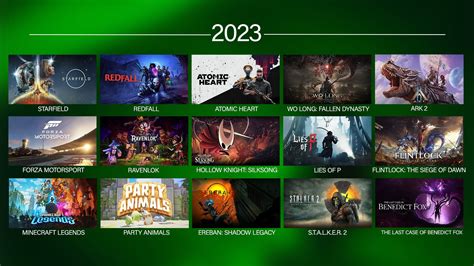
- Subscription Services (e.g., Xbox Game Pass for PC): For a monthly fee, services like Game Pass give you access to a rotating library of hundreds of games, including new releases. This can be a cost-effective way to play many games on your wishlist without buying them outright.

Don’t Forget Freebies
Sometimes, the best deal is no deal at all:
- Epic Games Store: Regularly gives away free PC games on a weekly basis.
- Prime Gaming: Amazon Prime subscribers often get free PC games and in-game content.
- Other Giveaways: Keep an eye on gaming news sites and forums for temporary giveaways from various platforms or publishers.

Conclusion
Tracking PC game deals and finding historical low prices for your wishlist doesn’t have to be a chore. By integrating powerful tools like IsThereAnyDeal, utilizing store-specific wishlists, understanding price history, and embracing patience, you can transform your game purchasing habits. No longer will you pay full price or wonder if you missed a better deal. Instead, you’ll build your dream game library intelligently, saving money to invest in more gaming adventures.