




How to boost Switch performance & reduce lag for better gameplay?

The Nintendo Switch is a marvel of portable gaming, offering endless hours of fun whether docked or on the go. However, even this versatile console can sometimes suffer from performance hiccups, slow loading times, or frustrating lag, particularly in graphically intensive games or during crucial online matches. These issues can significantly detract from your gaming experience, but the good news is that many common problems can be resolved with a few simple optimization steps. By understanding how your Switch operates and implementing some best practices, you can ensure your console runs as smoothly and responsively as possible.
Free Up Storage Space
One of the most common culprits for a sluggish Switch is a full or nearly full storage capacity. Just like any computer, when your console is constantly trying to manage data on a packed drive, its overall performance can suffer. Digital games, game updates, screenshots, and video clips all take up valuable space, whether on the internal memory or a microSD card.
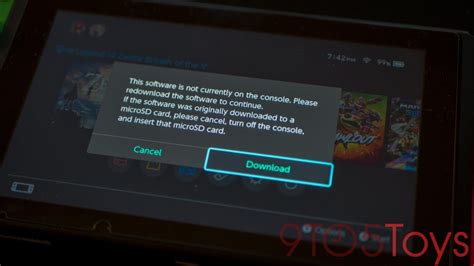
To free up space, navigate to System Settings > Data Management. Here, you can archive software you haven’t played in a while (which keeps your save data intact but removes the game itself, allowing you to re-download it later), delete software completely, or manage screenshots and video clips. Regularly review your stored data and remove anything you no longer need to give your Switch more breathing room.
Restart Your Switch Regularly
It sounds simple, but a regular restart can work wonders. Over time, temporary files and background processes can accumulate, consuming system resources and potentially leading to slowdowns or minor glitches. A full power cycle clears out these temporary states, refreshing your console’s memory and giving it a clean slate.
To restart your Switch, hold down the Power button on the top left of the console for a few seconds until the Power Options menu appears. Select ‘Restart’ or ‘Power Off’. If you choose ‘Power Off’, wait a few seconds before pressing the Power button again to turn it back on. Doing this once every few days, especially if you game frequently, can prevent many minor performance issues.
Optimize Your Wi-Fi Connection
For online gaming, lag is almost always a network issue, not necessarily a console performance problem. A weak, unstable, or congested Wi-Fi connection can lead to noticeable delays in gameplay, making competitive online experiences frustrating. Ensuring a robust and stable internet connection is paramount.
Try moving your Switch closer to your Wi-Fi router to improve signal strength. Reduce interference from other electronics (like microwaves or cordless phones) that might operate on similar frequencies. If your router supports it, consider using the 5GHz Wi-Fi band for your Switch, as it generally offers faster speeds and less interference than 2.4GHz, though it has a shorter effective range. Also, avoid playing on public Wi-Fi networks if you’re serious about performance.
Adjust In-Game Settings (When Available)
While most Switch games don’t offer extensive graphical options like PC titles, some do provide settings that can be tweaked to prioritize performance over visual fidelity. If a game feels sluggish, delve into its in-game options menu.
Look for settings related to resolution, visual effects, or even dedicated ‘Performance’ or ‘Quality’ modes. Choosing a performance-oriented mode, if available, might slightly reduce the game’s graphical detail but can significantly boost its framerate, resulting in a much smoother and more responsive experience. Not all games offer these options, but it’s always worth checking.
Keep Your Switch and Games Updated
Nintendo regularly releases system updates for the Switch, which often include performance enhancements, bug fixes, and general system stability improvements. Similarly, game developers frequently push out patches that optimize their titles, resolve known performance issues, and enhance overall gameplay.
Ensure your console is always running on the latest firmware by going to System Settings > System > System Update. For games, hover over the game icon on the Home menu, press the + button, and select ‘Software Update’ > ‘Via the Internet’. Keeping everything up-to-date is a crucial, yet often overlooked, step in maintaining optimal performance.
Consider a Wired LAN Adapter
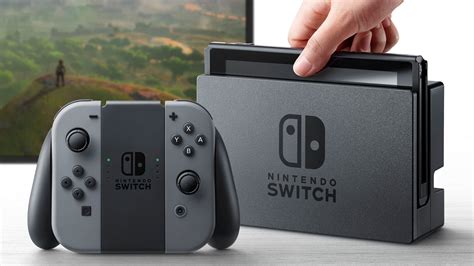
For the most demanding online gamers, a wired internet connection is always superior to Wi-Fi. While the standard Switch dock doesn’t include an Ethernet port, you can purchase a licensed USB-to-Ethernet LAN adapter that plugs into one of the dock’s USB ports. The Nintendo Switch OLED model dock, however, does come with a built-in LAN port.
A wired connection virtually eliminates wireless interference, provides a more stable ping, and can significantly reduce online lag, giving you a competitive edge and a much more consistent online experience.

Clean Your Switch’s Vents
Overheating can be a silent killer of performance. If your Switch’s cooling system isn’t working efficiently, the console may deliberately slow down (thermal throttling) to prevent damage. Dust buildup in the intake and exhaust vents can significantly hinder airflow, causing the console to run hotter.
Periodically inspect the vents, usually located on the top and bottom of the console (when handheld) and on the back of the dock. Gently clean any accumulated dust with a soft brush or a can of compressed air. Be careful not to force air directly into ports or use excessive pressure. This simple maintenance can ensure your fan can properly cool the system, maintaining peak performance.

Conclusion
A smooth, lag-free gaming experience on your Nintendo Switch is within reach. By regularly clearing storage, restarting your console, optimizing your network, keeping software updated, and even performing a bit of physical cleaning, you can significantly boost your Switch’s performance. Implementing these practical tips will not only reduce frustrating slowdowns and lag but also extend the life of your beloved console, ensuring countless more hours of uninterrupted gameplay.