Optimizing Switch storage for big AAA titles and countless indie gems?

The Nintendo Switch, a marvel of portable gaming, comes with a notorious Achilles’ heel: its internal storage. With only 32GB (or 64GB for the OLED model), a significant portion of which is reserved for the system, it doesn’t take long for big AAA titles like The Legend of Zelda: Tears of the Kingdom or Pokémon Scarlet and Violet to eat up every available byte. Add to that the endless stream of charming indie gems, and you’re quickly facing the dreaded ‘storage full’ message. But fear not, intrepid gamer! Optimizing your Switch’s storage is entirely possible with a few smart strategies.
The Essential Upgrade: MicroSD Cards
This is, without a doubt, the most crucial step for any Switch owner. The Switch supports MicroSD, MicroSDHC, and MicroSDXC cards, allowing for massive storage expansion. Given the size of modern games, a card of at least 128GB is a good starting point, but 256GB or 512GB will offer far more breathing room. For serious collectors, 1TB MicroSD cards are now readily available and increasingly affordable.
When choosing a card, look for reputable brands and prioritize UHS-I (Ultra High Speed Phase I) compatible cards with a good read speed (U1 or U3, and A1 or A2 application performance class ratings are ideal). While the Switch doesn’t fully utilize the fastest speeds, a quality card ensures smoother game loading and data transfers.
Digital vs. Physical: Making Your Choices Count
While physical game cartridges save space on your internal memory and MicroSD card, they don’t entirely eliminate data usage. Some physical games still require significant downloads for updates, patches, or even full game installations (especially for titles where only a portion of the game is on the cartridge). Digital games, on the other hand, reside entirely on your storage.
Consider your gaming habits: If you frequently swap games and value collection, physical might be appealing. If convenience and instant access are key, digital is your path. For larger AAA titles, purchasing physical copies can slightly ease the burden on your MicroSD card, as the core game data is read directly from the cartridge. However, for smaller indie titles that might take up less than a gigabyte, the convenience of digital often outweighs the minimal storage impact.
Smart Storage Management: Archive, Delete, Re-download
The Nintendo Switch offers excellent tools for managing your downloaded software. Instead of outright deleting games you might want to play again, you can ‘Archive’ them. Archiving removes the game data from your storage while keeping its icon on your Home menu and preserving your save data. When you’re ready to play again, simply select the icon to re-download the game.
This is incredibly useful for games you’ve completed or rarely play but don’t want to completely remove. For games you’re absolutely certain you won’t touch again, or those you can quickly re-download, deleting is also an option. Remember, your save data is typically stored separately on the console’s internal memory and is generally quite small, so deleting or archiving game software won’t erase your progress.
Leveraging Cloud Saves and External Storage (Sort Of)
Nintendo Switch Online subscribers benefit from Cloud Saves, which automatically back up your game save data to the cloud for most titles. This is a safety net in case your console is lost or damaged, and it also means you don’t need to worry about save data consuming significant space on your MicroSD card (as save data is primarily on the console’s internal memory anyway).
It’s important to note that the Nintendo Switch does not support external hard drives or USB storage devices for game installation. All game data, whether digital or downloaded updates for physical games, must reside either on the console’s internal memory or a MicroSD card.
Tips for a Seamless Gaming Experience
- Buy Bigger Than You Think: Storage fills up faster than you expect. Always go for a higher capacity MicroSD card if your budget allows.
- Regularly Check Storage: Periodically go into System Settings > Data Management to see what’s taking up space and archive/delete as needed.
- Prioritize Downloads: If you have limited space, download big AAA games one at a time, or prioritize the ones you’re actively playing.
- Monitor Update Sizes: Keep an eye on game update sizes. Some can be surprisingly large.
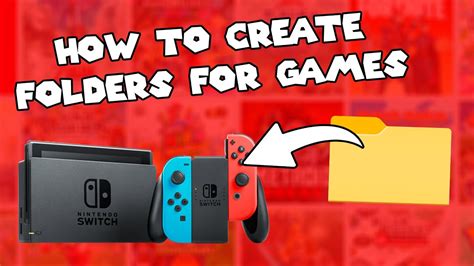
- Organize Your Home Screen: While not directly storage-related, organizing your games into folders can help you feel less overwhelmed by a large digital library.
By investing in a robust MicroSD card and adopting smart data management habits, you can transform your Nintendo Switch from a storage-constrained device into a powerful portable library capable of holding all your favorite AAA blockbusters and countless charming indie gems without constantly juggling downloads. Happy gaming!