





Best Switch microSD card for expanding game storage & performance?
Why Your Nintendo Switch Needs a Storage Upgrade
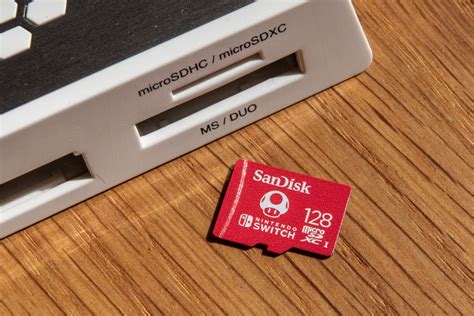
The Nintendo Switch, with its fantastic library of exclusive titles and indie gems, offers endless hours of portable fun. However, its built-in 32GB (or 64GB for OLED models) internal storage fills up surprisingly fast, especially with large digital game downloads, game updates, and DLC. Running out of space can be frustrating, forcing you to delete beloved games to make room for new adventures. This is where a high-quality microSD card becomes an indispensable accessory, not just for expanding storage but also potentially enhancing your gaming experience.
What to Look for in a Switch microSD Card
Choosing the right microSD card isn’t just about capacity; speed and reliability are equally crucial for optimal performance. Here’s what you should consider:
- Capacity: While 128GB is a decent starting point, 256GB to 512GB offers a good balance for most gamers. If you plan to download many large games, 1TB or even 1.5TB cards are now available and fully compatible with the Switch.
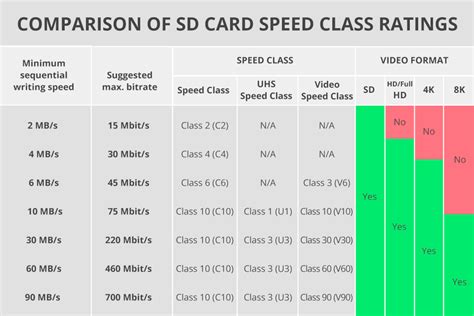
- Speed Class: The Nintendo Switch supports UHS-I cards. Look for cards with a “UHS Speed Class 1 (U1)” or “UHS Speed Class 3 (U3)” rating, indicated by a ‘1’ or ‘3’ inside a ‘U’ symbol. Even more importantly, look for an “Application Performance Class” rating, ideally A1. These ratings indicate minimum sustained random read/write speeds crucial for game loading and saving. While the Switch doesn’t fully leverage A2 speeds, an A1 card ensures smooth performance.
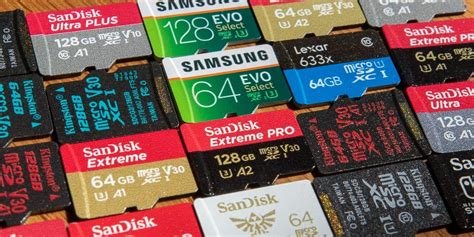
- Brand Reliability: Stick to reputable brands like SanDisk, Samsung, and Lexar to avoid counterfeit cards and ensure consistent performance and durability.
Top microSD Card Recommendations for Nintendo Switch
Based on performance, reliability, and value, here are our top picks for expanding your Switch’s storage:
1. SanDisk microSDXC for Nintendo Switch (Officially Licensed)
These cards are the go-to choice for many Switch owners. Officially licensed by Nintendo, they come in various capacities (64GB up to 1.5TB) with iconic designs from popular Nintendo franchises. They are optimized for the Switch, offering reliable UHS-I speeds (typically up to 100MB/s read, 90MB/s write) that meet or exceed Nintendo’s recommendations, ensuring smooth game loading and operation.
2. Samsung EVO Select / EVO Plus microSDXC
Samsung’s EVO Select and EVO Plus lines offer exceptional value and performance. These cards are known for their reliability and robust read/write speeds, often comparable to the SanDisk licensed cards but sometimes at a better price point. They are typically U3 and A1 rated, making them an excellent choice for any Switch owner looking for solid performance without the official licensing premium.
3. SanDisk Extreme / Extreme PRO microSDXC
If you’re looking for peak performance and superior durability, the SanDisk Extreme or Extreme PRO series are top-tier options. While the Switch can’t fully utilize their maximum theoretical speeds, these cards offer consistently fast read/write speeds that will easily exceed the requirements for the Switch. They are ideal for users who might also use the card in other devices that can take full advantage of their capabilities, providing versatility.
How Much Storage Do You Really Need?
- 128GB: Good for casual gamers who primarily buy physical cartridges but want space for digital indies and updates.
- 256GB: A popular sweet spot for most digital-first gamers, offering ample space for several large AAA titles and many smaller ones.
- 512GB: Ideal for avid digital collectors or those who anticipate downloading many large games like The Legend of Zelda: Tears of the Kingdom or Pokémon Scarlet/Violet.
- 1TB+: For the ultimate digital library. If you want to download nearly every game you own and never worry about space, this is your choice, though it comes at a premium.
Installation and Performance Impact
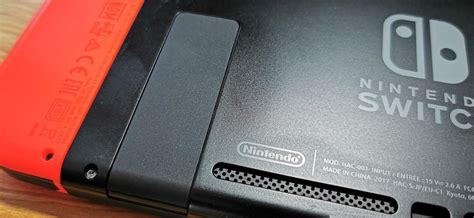
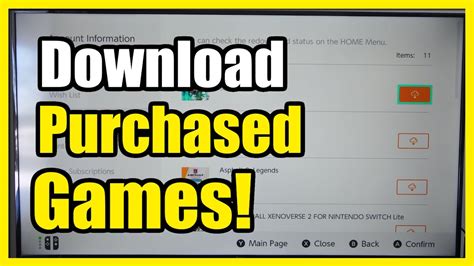
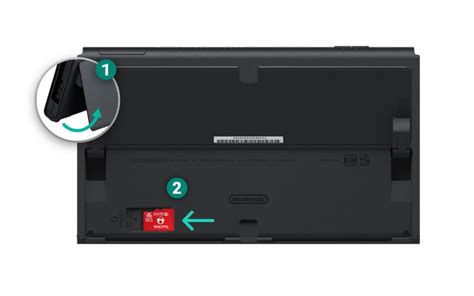
Installing a microSD card is incredibly simple: turn off your Switch, open the kickstand, and slide the card into the slot. The Switch will automatically recognize it and prompt you to format it if necessary. For games already downloaded to internal storage, you can easily move them to the microSD card via the system settings.
While a faster microSD card can slightly improve game loading times compared to slower cards or the internal storage, the difference isn’t always dramatic for every game. The primary benefit lies in vastly expanded storage and ensuring consistent, reliable data access, preventing slowdowns or corrupted saves that can occur with inferior cards. The goal is smooth, uninterrupted gameplay, which a good quality card provides.
Conclusion
Expanding your Nintendo Switch’s storage with a reliable microSD card is arguably the most important upgrade you can make to enhance your gaming experience. Whether you opt for the officially licensed SanDisk cards, the great value of Samsung EVO, or the premium performance of SanDisk Extreme, choosing a reputable brand with sufficient capacity and A1-rated speeds will ensure you have plenty of room for new adventures and a smooth, frustration-free gaming experience for years to come.



