





Best budget microSD cards for Switch game storage?

Why Your Nintendo Switch Needs a microSD Card
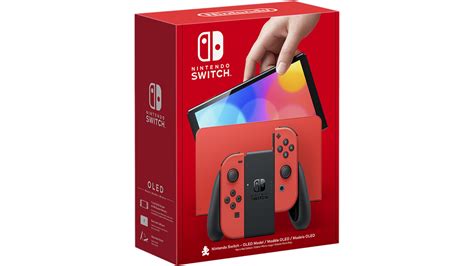
The Nintendo Switch is a fantastic console, but its internal storage often leaves much to be desired. With only 32GB (or 64GB for the OLED model) of built-in memory, a significant portion of which is reserved for the system, it doesn’t take long for gamers to hit a wall. Many modern Switch games, especially digital downloads, can easily consume several gigabytes each. Without additional storage, you’ll quickly find yourself deleting beloved titles to make room for new adventures.
This is where a microSD card becomes an essential upgrade. It allows you to dramatically increase your console’s storage capacity, giving you the freedom to download more games, DLC, and software updates without constant storage management headaches. But with so many options on the market, finding an affordable yet reliable card is key.
Key Factors for Choosing a Budget microSD Card
When you’re looking for a budget-friendly microSD card for your Switch, there are a few critical specifications to keep in mind to ensure you get the best value and performance without overspending:
Capacity (GB)
- 128GB: A good starting point for casual gamers or those who primarily buy physical game cartridges.
- 256GB: The sweet spot for most users, offering a significant boost in storage for a reasonable price. This allows for a good library of digital games.
- 512GB: An excellent choice for avid digital collectors. While slightly more expensive, prices have come down considerably, making it a viable budget option.
Speed (UHS-I, A1/A2 Rating)
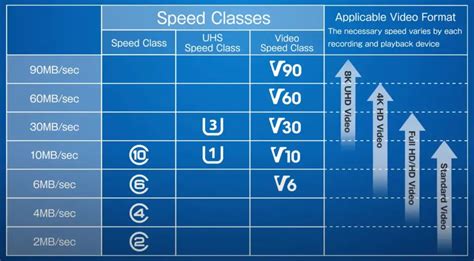
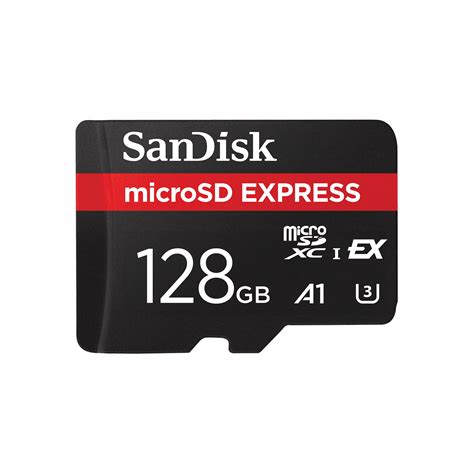
The Nintendo Switch supports UHS-I (Ultra High Speed Phase I) microSD cards. Look for cards with an ‘A1’ or ‘A2’ application performance class rating. These ratings indicate good performance for running apps (which games essentially are) directly from the card. While A2 is faster, A1 cards are perfectly adequate for the Switch and often more budget-friendly.
Brand Reliability
Stick to reputable brands like SanDisk, Samsung, PNY, and Kingston. These brands are known for their quality, reliability, and usually come with a decent warranty, which is crucial for data integrity over time.
Top Budget-Friendly microSD Card Recommendations
Based on a balance of performance, reliability, and affordability, here are some of the best budget microSD cards that consistently offer great value for Nintendo Switch owners:
1. SanDisk Ultra microSDXC UHS-I Card
The SanDisk Ultra line is a perennial favorite among Switch users, and for good reason. They offer excellent performance for the price, come in a wide range of capacities (with 256GB and 512GB often hitting great sale prices), and are widely available. They typically carry an A1 rating, which is more than sufficient for smooth gameplay on the Switch.
2. Samsung EVO Select / EVO Plus microSDXC UHS-I Card
Samsung’s EVO Select and EVO Plus cards are another top contender. These cards consistently deliver reliable performance and often compete directly with SanDisk on price. They also come in various capacities, making them a flexible choice for different storage needs. Look for them during sales events for even better deals.
3. PNY Elite-X microSDXC UHS-I Card
PNY’s Elite-X series often flies under the radar but provides fantastic value. They are typically A1 rated, offer solid read/write speeds, and can frequently be found at lower prices than their SanDisk or Samsung counterparts, especially for larger capacities like 256GB or 512GB. If you’re looking to stretch your budget further without compromising too much on quality, PNY is a strong option.
Tips for Buying on a Budget
- Shop Sales: Keep an eye out for major retail events like Black Friday, Prime Day, or back-to-school sales. microSD cards are frequently discounted during these periods.
- Buy from Reputable Retailers: To avoid counterfeit cards, always purchase from trusted sources like Amazon (sold directly by Amazon or reputable vendors), Best Buy, Walmart, or other major electronics stores.
- Check Capacity vs. Price: Sometimes a slightly larger capacity card (e.g., 512GB instead of 256GB) might be on a deep discount, offering a better price per gigabyte.

Installation and Setup
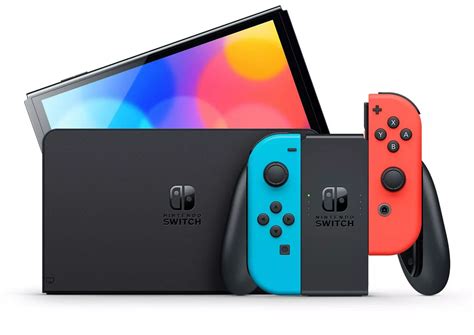
Installing a microSD card in your Nintendo Switch is incredibly simple. Just power off your console, open the kickstand, and slide the card into the slot until it clicks. The Switch will automatically recognize the new storage. You can then navigate to System Settings > Data Management to view your storage, move data, and designate the microSD card as the default download location for new games.
Conclusion
Expanding your Nintendo Switch’s storage with a budget-friendly microSD card is one of the best upgrades you can make. By focusing on reputable brands, appropriate capacities (256GB or 512GB are often ideal), and A1-rated speeds, you can significantly enhance your gaming experience without spending a fortune. With a little savvy shopping, you’ll have plenty of room for all your current and future favorite Switch titles.



