





What’s the best budget microSD for Switch game storage & fast load times?

Why a MicroSD Card is Essential for Your Nintendo Switch
The Nintendo Switch, while an incredible portable console, comes with a rather modest 32GB (or 64GB for the OLED model) of internal storage. Given that many modern Switch titles can easily consume several gigabytes, and some even exceed 20GB, an external microSD card is practically a necessity for any avid gamer. It allows you to download more digital titles, save game data, and keep your physical game library updated without constantly juggling storage space. But with so many options, how do you pick a budget-friendly card that still delivers on performance for fast load times?

Key Factors for Choosing Your MicroSD Card
When selecting a microSD card for your Switch, several specifications are crucial, even when on a budget. Don’t just look at the price tag; understand what these numbers mean for your gaming experience.
UHS-I Speed Class
The Nintendo Switch supports UHS-I (Ultra High Speed Phase I) microSD cards. While there are faster UHS-II cards available, the Switch does not utilize their advanced pinout, meaning you won’t see any performance benefit from them – only a higher price. Stick to UHS-I cards to save money.
A1 or A2 Application Performance Class
This rating indicates how well a card handles random read/write operations, which is vital for applications (like games) that access many small files. Both A1 and A2 rated cards offer good performance, with A2 theoretically being faster for these tasks. However, in real-world Switch performance, the difference between a good A1 and an A2 card is often negligible due to the console’s internal limitations. An A1 rating is perfectly adequate for the Switch and often more budget-friendly.
Read Speed (MB/s)
This is arguably the most important metric for game load times. The faster the read speed, the quicker your games will load. Aim for cards with stated read speeds of 100MB/s or higher. While write speeds are less critical for game loading, they are still important for downloading new games or updates, so a balanced card is best.
Capacity: How Much Do You Need?
Capacity is a personal choice, but for a budget-conscious buyer, striking the right balance is key. Common capacities include:
- 64GB/128GB: Good for light digital gamers, but you’ll fill it up quickly.
- 256GB: A sweet spot for many, offering significant storage without a huge price jump.
- 400GB/512GB: Excellent for heavy digital gamers, often offering the best value per gigabyte.
Going beyond 512GB into 1TB cards becomes significantly more expensive and often isn’t necessary unless you plan to own hundreds of digital titles.
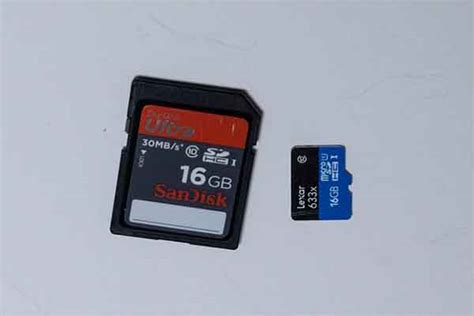
Top Budget-Friendly MicroSD Card Recommendations
Based on performance, reliability, and price, a few brands consistently offer excellent value for Switch users.
SanDisk Ultra MicroSD Card
The SanDisk Ultra line is a perennial favorite for Switch owners. They consistently offer UHS-I U1, A1 rated cards with read speeds up to 120MB/s. They are widely available, reliable, and frequently on sale, making them incredibly budget-friendly. Look for capacities from 256GB to 512GB for the best balance of price and storage.
Samsung EVO Select / EVO Plus MicroSD Card
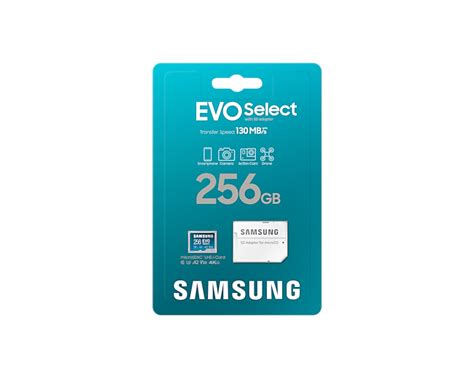
Samsung’s EVO Select (often an Amazon exclusive) and EVO Plus cards are fantastic alternatives. They typically boast similar or slightly better specifications than the SanDisk Ultra, often with UHS-I U3, A2 rated performance and read speeds up to 130MB/s. They are also highly reliable and competitively priced, especially during sales.
Optimizing for Load Times: What to Expect
It’s important to set realistic expectations for “fast load times” on the Switch. While a good quality microSD card will perform better than a very slow, unbranded one, the Switch’s internal hardware and software architecture have inherent limitations. Even the fastest UHS-I cards won’t make load times instantaneously, but they will ensure you’re not bottlenecked by slow storage. Games stored on a reputable A1/A2, 100MB/s+ read speed card will generally load as fast as they possibly can on the console, often indistinguishable from games stored on the internal memory.
Installation and Management Tips
- Power Off: Always power down your Switch completely before inserting or removing a microSD card.
- Formatting: The Switch will format the card for you when first inserted. It’s recommended to let the console handle this.
- Data Transfer: You can move games between internal storage and the microSD card via the Switch’s Data Management settings.
- Avoid Fakes: Purchase from reputable retailers to avoid counterfeit cards, which often misrepresent their capacity and speed.
![How To Delete Games On Nintendo Switch [The right way!] - Alvaro Trigo ...](/images/aHR0cHM6Ly90czIubW0uYmluZy5uZXQvdGg/aWQ9T0lQLmVBb1pCOEt0clRDU1B5VkVPeVppbndIYUVLJnBpZD0xNS4x.webp)
Conclusion
For the best budget microSD card that offers ample storage and fast load times for your Nintendo Switch, prioritize UHS-I, A1 (or A2), and read speeds of 100MB/s or higher. Brands like SanDisk Ultra and Samsung EVO Select/Plus consistently deliver on these fronts without breaking the bank. By choosing wisely, you can significantly expand your Switch’s library and enjoy your games with minimal waiting, enhancing your overall gaming experience.




