





What’s the optimal way to expand console & Switch storage for growing game libraries?

The Ever-Growing Challenge of Digital Game Libraries
In an era dominated by digital downloads, enormous game files, and frequent updates, the internal storage of gaming consoles often feels like an ever-shrinking pool. From sprawling open-world epics to indie gems, modern titles demand significant space, quickly filling up even the most generous base storage. For dedicated gamers, hitting that “storage full” notification is a frustrating, inevitable reality. The good news is, there are multiple robust solutions available to ensure your gaming doesn’t have to stop short.
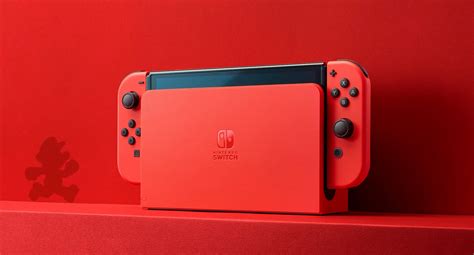
Nintendo Switch: Mastering Portable Storage
The Nintendo Switch, with its modest internal storage (32GB or 64GB depending on the model), is perhaps the console most in need of expansion from day one. Fortunately, its solution is both straightforward and highly effective: microSD cards.
- MicroSD Cards: These tiny cards are the lifeblood of Switch storage expansion. When choosing one, prioritize capacity and speed.
- Capacity: Cards range from 64GB up to 2TB. Given the size of many Switch games (e.g., The Legend of Zelda: Tears of the Kingdom is over 16GB), a 256GB, 512GB, or even 1TB card is often recommended for serious digital collectors.
- Speed: Look for cards rated UHS-I (Ultra High Speed, Class 3) with read speeds of 90MB/s or higher (often labeled as “A1” or “A2” for app performance). While the Switch can’t fully utilize the speeds of cutting-edge UHS-II cards, a fast UHS-I card will minimize load times.
Installation is as simple as inserting the card into the slot under the kickstand. Once installed, the Switch will automatically prioritize new downloads to the microSD card, and you can easily transfer existing titles from internal memory.
PlayStation 5 & Xbox Series X/S: Next-Gen Speed & Capacity
The latest generation of consoles brought with it blistering fast NVMe SSDs, essential for their rapid loading times and seamless gameplay. Expanding storage for these systems requires solutions that can keep up with their performance demands.
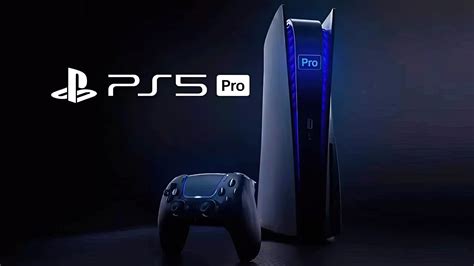
PlayStation 5 Expansion
The PS5 allows for the installation of an internal M.2 NVMe SSD. This is the optimal way to expand storage for PS5 games, as it meets Sony’s strict performance requirements.
- Requirements: The SSD must be PCIe Gen4 x4 NVMe, with a minimum read speed of 5,500 MB/s, and include a heatsink (or you’ll need to add one). Compatible sizes are 2230, 2242, 2260, 2280, and 22110.
- Capacity: Supported capacities range from 250GB to 8TB.
- Installation: This involves opening a side panel of the console and installing the drive into a dedicated slot. While it sounds daunting, it’s a relatively straightforward process with clear instructions from Sony.
Xbox Series X/S Expansion
Microsoft offers a proprietary solution for the Xbox Series X/S, ensuring guaranteed performance.
- Expansion Card: Xbox Series X/S utilizes a dedicated Storage Expansion Card, co-developed with Seagate. These cards plug directly into a port on the back of the console, offering a seamless experience identical to the internal SSD.
- Capacity: Available in 512GB, 1TB, and 2TB capacities.
- Cost: These proprietary cards tend to be more expensive per gigabyte than generic M.2 NVMe SSDs, but they offer unmatched plug-and-play simplicity and guaranteed compatibility for Xbox Series X/S optimized games.

PlayStation 4, Xbox One & Older Gen Games: Versatile External Drives
For last-generation consoles (PS4, Xbox One) and for storing backwards-compatible PS4/Xbox One games on PS5/Xbox Series X/S, external USB drives offer a cost-effective and flexible solution.
- External HDDs (Hard Disk Drives): These are generally the most economical choice for large capacities (up to 8TB). They are suitable for storing and playing older generation games.
- External SSDs (Solid State Drives): While more expensive, external SSDs offer faster loading times for older gen games compared to HDDs, though they won’t match the speed of internal NVMe drives for current-gen titles.
- Compatibility: Connect via a USB 3.0 port (or higher). Consoles will typically format the drive for their use, making it dedicated to game storage. You cannot play PS5 or Xbox Series X/S optimized games directly from these drives; they must be moved to the internal SSD or dedicated expansion card to run.
Optimal Strategy for a Seamless Gaming Experience
Choosing the “optimal” way depends on your console, budget, and gaming habits. Here’s a breakdown:
- Nintendo Switch: Invest in the largest capacity, fastest UHS-I microSD card you can afford. A 512GB or 1TB card provides ample room for years of games.
- PlayStation 5: Prioritize an internal PCIe Gen4 NVMe SSD with a heatsink. This allows you to play PS5-optimized games directly from the expanded storage without compromise.
- Xbox Series X/S: The Seagate Storage Expansion Card is the most seamless and performance-guaranteed solution for Xbox Series X/S optimized games.
- PS4/Xbox One & Backwards Compatibility: A large external USB 3.0 HDD offers the best value for storing a vast library of older generation titles. If speed is a higher priority for these games, an external SSD is a good alternative.
Conclusion: Tailoring Storage to Your Needs
Expanding your console’s storage is no longer a luxury but a necessity for most modern gamers. By understanding the specific requirements and options for each platform – from high-speed internal NVMe drives for next-gen consoles to versatile microSD cards for the Switch and external drives for legacy titles – you can create a robust and future-proof gaming setup. Evaluate your budget, prioritize speed for current-gen titles, and maximize capacity for your ever-growing digital library to ensure an uninterrupted and enjoyable gaming journey.


