Extend mobile game playtime: How to minimize battery drain on iOS & Android?
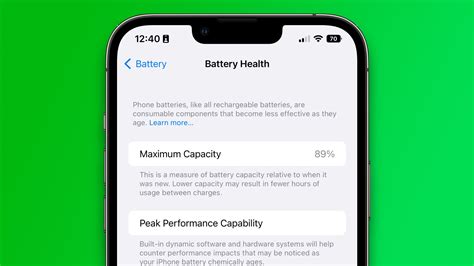
Mobile gaming offers an incredible escape, but there’s nothing more frustrating than having your epic quest cut short by a rapidly depleting battery. High-fidelity graphics, intense processing, and constant network activity all contribute to your phone’s battery working overtime. Fortunately, whether you’re an iOS or Android user, there are numerous ways to optimize your device and game settings to squeeze out extra minutes, or even hours, of playtime.
Understanding Battery Drain in Mobile Games
Mobile games are often among the most resource-intensive applications on your smartphone. They utilize the CPU and GPU heavily for rendering complex graphics and physics, demand constant screen activity at high brightness, and often require a persistent internet connection for multiplayer or content downloads. Additionally, features like haptic feedback, high refresh rates, and even device temperature can further contribute to accelerated battery consumption. Understanding these factors is the first step toward effective optimization.
Universal Strategies for Both iOS & Android
Many battery-saving tips apply equally to both major mobile operating systems. Implementing these foundational changes can provide significant benefits regardless of your device.
Dim Your Screen Brightness
Your screen is often the biggest battery hog. Reducing screen brightness, especially during gaming sessions, can dramatically extend your playtime. Most devices have an auto-brightness feature; while convenient, manually setting it lower in a well-lit environment is more efficient.
Disable Unnecessary Connectivity
GPS, Bluetooth, and Wi-Fi all consume power, even when not actively being used by your game. If your game doesn’t require them, turn them off. For online games, ensure you’re on a stable Wi-Fi connection rather than cellular data, as cellular modems often work harder and consume more power, especially in areas with poor signal.
Manage Notifications and Haptic Feedback
Constant notifications interrupting your game also wake up your screen and drain battery. Silence non-essential notifications or enable Do Not Disturb mode. Similarly, haptic feedback (vibrations) can be immersive but uses additional power; consider turning it off for extended sessions.
iOS Specific Optimizations
Apple’s iOS offers several features designed to conserve power that can be particularly useful for gamers.
Leverage Low Power Mode
Low Power Mode, found in Settings > Battery, reduces or turns off email fetch, ‘Hey Siri’, background app refresh, automatic downloads, and some visual effects. While active, it can significantly extend your battery life during gaming, though you might notice a slight performance dip in graphically intense titles.
Turn Off Background App Refresh
Apps updating content in the background can be a silent battery killer. Go to Settings > General > Background App Refresh and turn it off completely or select ‘Wi-Fi’ only. For gaming, consider disabling it for all non-essential apps.
Reduce Motion & Transparency
Visual effects like parallax, zoom, and animations, while aesthetically pleasing, consume GPU power. Navigate to Settings > Accessibility > Motion to enable ‘Reduce Motion’ and ‘Reduce Transparency’ to ease the load on your device’s graphics processor.
Android Specific Optimizations
Android’s open nature provides a range of customization options for battery saving, often with more granular control.
Utilize Battery Saver Mode
Android’s Battery Saver mode (found in Settings > Battery) functions similarly to iOS’s Low Power Mode, restricting background activity, visual effects, and CPU usage. Many Android devices also offer ‘Optimized’ or ‘Adaptive Battery’ settings that learn your usage patterns to save power.
Restrict Background App Activity
Android allows you to precisely control which apps can run in the background. In Settings > Apps > [Specific App] > Battery, you can often select ‘Restricted’ or ‘Optimize’ background activity. Ensure games and other non-essential apps are restricted when not in active use.
Optimize Game Booster Settings
Many Android manufacturers (Samsung, OnePlus, Xiaomi, etc.) include dedicated ‘Game Booster’ or ‘Game Mode’ utilities. These tools often allow you to prioritize game performance, block notifications, and, crucially, adjust settings like resolution, frame rate, and even limit CPU usage to balance performance and battery life. Experiment with these settings for your specific games.

In-Game Settings for Maximum Efficiency
Beyond your phone’s general settings, many games offer internal options that directly impact battery consumption.
Adjust Graphics Quality and Frame Rate
This is perhaps the most impactful in-game setting. High-resolution textures, complex shadows, and advanced anti-aliasing look great but demand immense processing power. Lowering graphics quality, reducing resolution, and capping the frame rate (e.g., from 60fps to 30fps) can significantly extend battery life without necessarily ruining the gameplay experience.
Download Game Resources over Wi-Fi
If a game requires large data downloads or updates, always perform them over Wi-Fi. Downloading large files over cellular data is notoriously battery-intensive due to the constant network connection and data transfer.

General Device Care for Battery Health
Maintaining the overall health of your device can indirectly contribute to better battery performance during gaming.
Keep Your Device Cool
Excessive heat is detrimental to battery health and performance. If your phone gets hot during gaming, it will work harder to cool itself, using more power. Remove phone cases, play in a cooler environment, or consider an external phone cooler if you game extensively.
Update Your OS and Games
Operating system and game developers frequently release updates that include performance optimizations and bug fixes, which can sometimes improve battery efficiency. Always keep your device’s OS and your games updated to the latest versions.
Conclusion
Extending your mobile game playtime on iOS and Android is a multi-faceted approach, combining system-level adjustments with in-game optimizations. By being mindful of your screen brightness, managing background processes, leveraging power-saving modes, and tweaking game graphics, you can significantly reduce battery drain. Implement these strategies, and you’ll spend less time tethered to a charger and more time conquering virtual worlds.