





Best Switch SD card for max game storage?

Why Your Nintendo Switch Needs a Storage Upgrade
The Nintendo Switch, a marvel of portable gaming, comes with a rather modest 32GB (or 64GB for the OLED model) of internal storage. While sufficient for a few small indie titles, it quickly becomes inadequate once you start downloading larger AAA games, digital-only releases, or even numerous game updates. This is where an external microSD card becomes not just a luxury, but an essential component for any serious Switch gamer looking to expand their digital library without constant deletion and re-downloading.
Understanding SD Card Types and Speed
When selecting an SD card for your Switch, not all cards are created equal. The Nintendo Switch exclusively uses microSD cards, specifically supporting microSDHC (High Capacity) and microSDXC (eXtended Capacity) formats. For maximum storage, you’ll be looking at microSDXC cards.
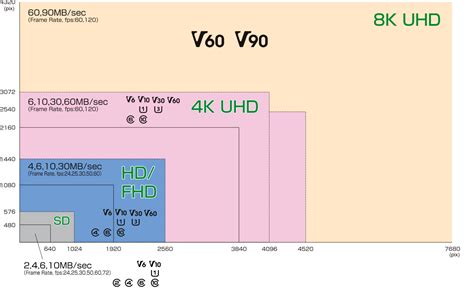
Speed is another critical factor. While the Switch doesn’t utilize the absolute fastest speeds available on the market, it benefits from cards with good read speeds to reduce game loading times. Look for cards rated UHS-I (Ultra High Speed Phase I) with a speed class of U1 or U3, and increasingly, those with A1 or A2 application performance class ratings. A1 and A2 ratings indicate superior random read/write performance, which is beneficial for quickly loading game assets.
Recommended Speed Specifications:
- Type: microSDXC
- UHS Speed Class: U1 or U3 (UHS-I compatible)
- Application Performance Class: A1 or A2 (recommended for optimal performance)
Choosing the Right Capacity: How Much is Enough?
The beauty of microSDXC cards is their ability to hold massive amounts of data. While the Switch technically supports up to 2TB, 1.5TB cards are the largest commercially available and practical options today. Here’s a breakdown of common capacities and what they offer:
- 128GB: A decent upgrade for casual gamers, holding roughly 10-20 larger games.
- 256GB: A good balance of price and capacity, suitable for most gamers with a growing library (20-40 games). This is often considered the sweet spot.
- 512GB: For serious collectors and digital-only enthusiasts, providing ample space for dozens of titles (40-80 games).
- 1TB: The choice for ultimate game hoarders, likely never needing to delete a game again. Perfect for those who download every free game, demo, and subscription title.
- 1.5TB / 2TB: The maximum possible, though 2TB cards are not yet widely available or affordable. 1.5TB offers virtually limitless storage for the foreseeable future.
Consider your gaming habits: do you buy mostly physical cartridges (which still install some data to the console/SD card) or primarily digital titles? For maximum storage, aim for 512GB or 1TB if your budget allows. The price-per-GB often offers the best value at the 512GB or 1TB mark during sales.
Top Brands and Key Considerations
Reliability and performance are paramount. Sticking to reputable brands ensures you’re getting a genuine, high-quality card that won’t fail prematurely or exhibit slow speeds.
Recommended Brands:
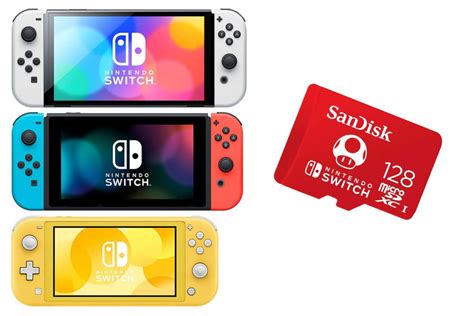
- SanDisk: Widely recognized, SanDisk offers specific ‘Nintendo Switch’ branded microSD cards, which are essentially their high-performance Extreme or Ultra lines, certified for Switch. Their Extreme PRO series offers top-tier speeds.
- Samsung: The EVO Select, EVO Plus, and PRO Plus lines are excellent choices, known for their durability and consistent performance.
- Lexar: Another reliable brand, with their Play and High-Performance lines being suitable for the Switch.
- PNY: Offers good value, with their Elite-X and PRO Elite cards providing solid performance.
Key Factors to Consider:
- Authenticity: Purchase from trusted retailers to avoid counterfeit cards, which often have fake capacities or poor performance.
- Warranty: Reputable brands offer substantial warranties (often 5-10 years or limited lifetime).
- Price per GB: Compare prices, especially during sales events, to get the best value for your desired capacity.

Installation and Setup
Installing a microSD card in your Nintendo Switch is straightforward:
- Turn off your Switch completely (not just sleep mode).
- Locate the microSD card slot under the kickstand on the back of the console.
- Insert the card with the label facing the same direction as the console screen until it clicks into place.
- Turn on your Switch. It will automatically detect and format the card if it’s new. If it’s already used, the Switch might prompt you to format it to ensure compatibility.
All future game downloads and screenshots will automatically save to the microSD card until it’s full. You can also move existing data from internal storage to the SD card via the Data Management settings.
![How to Upgrade Switch SD Card & Transfer Games? [Tutorial]](/images/aHR0cHM6Ly90czIubW0uYmluZy5uZXQvdGg/aWQ9T0lQLm55dS0tcmxXOUpHdnFIb0ozbkV3alFIYUZNJnBpZD0xNS4x.webp)
Conclusion: Maximize Your Switch Library
For maximum game storage on your Nintendo Switch, a high-capacity microSDXC card from a reputable brand like SanDisk or Samsung is the way to go. Prioritize capacities of 512GB or 1TB for the best balance of space and value, ensuring it has at least a U1 speed rating and ideally an A1 or A2 application performance class. By investing in a quality microSD card, you’ll transform your Switch into a true portable gaming powerhouse, letting you carry your entire digital library wherever you go without worrying about storage limits.



