





Tips to fix Switch Joy-Con drift for better game control?

Understanding and Addressing Nintendo Switch Joy-Con Drift
Nintendo Switch Joy-Con drift is a frustrating issue where your controller registers movement even when you’re not touching the stick, leading to unwanted in-game actions. This problem can significantly impact your gaming experience, making precise movements impossible. Fortunately, there are several approaches you can take, from simple software adjustments to more involved hardware fixes, to regain control over your gameplay.
What Causes Joy-Con Drift?
Joy-Con drift typically stems from two main issues: wear and tear on the analog stick’s internal components or the accumulation of dust, dirt, and debris beneath the joystick’s skirt. Over time, the conductive pads inside can degrade, or foreign particles can interfere with the sensor, sending erroneous signals to the Switch. Understanding the root cause can help you choose the most effective solution.

Initial Troubleshooting: Software and Basic Checks
Before diving into more complex solutions, always start with the easiest steps. Sometimes, the problem isn’t physical but rather a software glitch or calibration issue.
- Update Your System Software: Ensure your Nintendo Switch console is running the latest firmware. Nintendo occasionally releases updates that can address controller connectivity and performance issues.
- Calibrate Your Joy-Cons: Go to System Settings > Controllers and Sensors > Calibrate Control Sticks. Follow the on-screen instructions to test and recalibrate each Joy-Con stick. This can often resolve minor drift issues.
- Check for Wireless Interference: Ensure there are no other wireless devices operating too close to your Switch or Joy-Cons that could be causing interference.
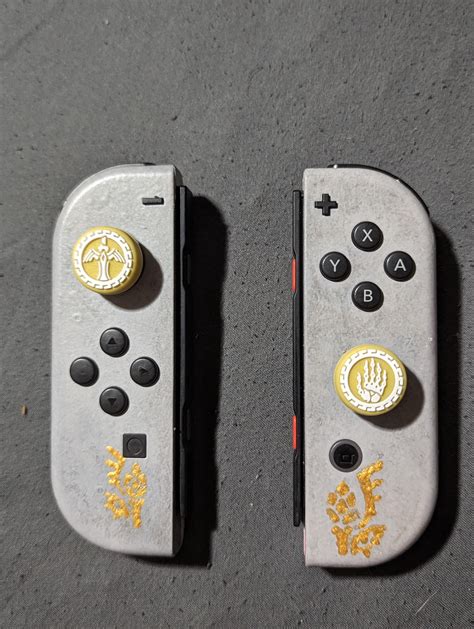
Cleaning Solutions: Tackling Dirt and Debris
If software fixes don’t work, dust and grime are the next most likely culprits. A thorough cleaning can often restore functionality.
- Compressed Air: Use a can of compressed air to blow under the rubber skirt of the analog stick. Hold the can upright and use short bursts, rotating the stick as you spray to dislodge any trapped particles.
- Contact Cleaner (Isopropyl Alcohol): For more stubborn dirt, a small amount of electronics contact cleaner (specifically designed for electronics) or 90%+ isopropyl alcohol can be applied. Gently lift the rubber skirt of the joystick and dab a tiny amount of the cleaner using a cotton swab or toothpick. Move the stick around vigorously to help the cleaner work its way in and evaporate. Ensure the Joy-Con is powered off and allow it to dry completely before use.

Hardware Fixes: Replacing the Joystick Module
When cleaning and calibration fail, the internal components of the joystick module might be worn out. Replacing the module is a more advanced DIY fix but can be very effective.
- Tools Needed: You’ll typically need a small Phillips head screwdriver, a Y-tip (tri-wing) screwdriver, tweezers, and a spudger.
- Replacement Module: Purchase a new joystick module online from a reputable seller. Ensure it’s compatible with your specific Joy-Con model (left or right).
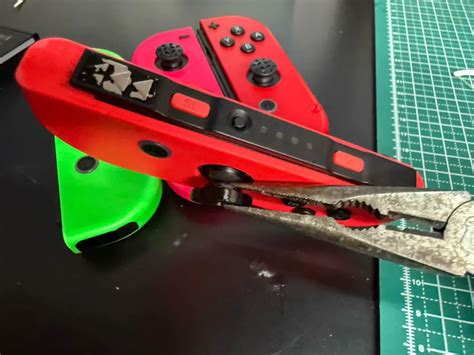
- Step-by-Step Guide: Many excellent video tutorials are available online that guide you through the disassembly process. Be extremely careful when opening the Joy-Con, as there are small, delicate ribbon cables that can be easily damaged.
When to Seek Professional Help or Replacement
If you’re not comfortable with DIY repairs or if the issue persists after your attempts, consider these options:
- Nintendo’s Repair Service: Nintendo offers free repairs for Joy-Con drift in many regions, even if your console is out of warranty. Check their official support website for eligibility and instructions on how to send in your controllers.
- Third-Party Repair Shops: Local electronics repair shops might offer Joy-Con repair services.
- Purchase New Joy-Cons: As a last resort, if all other options are exhausted or too costly/time-consuming, investing in a new pair of Joy-Cons or a Pro Controller can resolve the issue entirely.

Preventative Measures for Longevity
To minimize the chances of future drift:
- Handle with Care: Avoid excessive force or aggressive movements with the analog sticks.
- Keep Them Clean: Regularly wipe down your Joy-Cons and store them in a clean, dust-free environment.
- Use Protective Covers: Silicone covers can help prevent dust and debris from entering the joystick mechanism.
By following these tips, you can significantly improve your chances of fixing Joy-Con drift and enjoying uninterrupted, precise control during your Nintendo Switch gaming sessions.



