





How to set up price alerts for desired game deals on PC & console storefronts effectively?
Never Miss a Discount: Your Guide to Game Price Alerts
In the vast and ever-expanding world of video games, finding your next great adventure at a bargain price can feel like a game in itself. With hundreds of new titles released annually and countless sales events throughout the year, keeping track of desired games and their fluctuating prices across multiple PC and console storefronts is a daunting task. This is where price alerts become your ultimate secret weapon, transforming you from a passive browser into a savvy deal hunter.

Why Price Alerts are Essential for Gamers
Price alerts are automated notifications that inform you when a game on your wishlist drops to a specific price point or goes on sale. They eliminate the need for constant manual checking, saving you time and ensuring you never miss a prime opportunity to grab that AAA title or indie gem you’ve been eyeing. For gamers with a backlog or those on a budget, these alerts are invaluable for building a high-quality game library without breaking the bank.
Whether you game primarily on PC via Steam, Epic Games Store, GOG, or on consoles like PlayStation, Xbox, or Nintendo Switch, there are effective strategies and tools available to track prices across the board. Let’s dive into setting them up.
Setting Up Alerts for PC Gaming Storefronts
Steam: The Go-To for PC Gamers
Steam’s wishlist feature is incredibly robust for price tracking. Simply add any game you’re interested in to your wishlist. When that game goes on sale, Steam will automatically send an email notification to the address associated with your account. You can manage your notification preferences in your account settings.
Pro Tip: While Steam doesn’t allow specific price thresholds, it notifies you of any discount. For more granular control, consider third-party tools.
Epic Games Store, GOG, and Other PC Platforms
Similar to Steam, both the Epic Games Store and GOG offer wishlist functionalities. Adding games to your wishlist on these platforms will typically trigger email notifications when sales occur. Ensure your email preferences are set to receive promotional or wishlist-related communications.
For platforms like Humble Bundle, Fanatical, or Green Man Gaming, while they might not have a universal wishlist alert system, signing up for their newsletters is crucial. These newsletters often announce flash sales, bundles, and special discounts that might not be visible on larger aggregators immediately.

Leveraging Third-Party PC Game Deal Aggregators
This is where PC deal hunting truly shines. Websites like IsThereAnyDeal.com are indispensable. They aggregate prices from dozens of reputable PC storefronts (Steam, Epic, GOG, Humble, Fanatical, etc.) and allow you to set up highly specific price alerts:
- Wishlist Sync: Import your Steam, GOG, and Epic wishlists directly.
- Custom Price Drops: Set a target price (e.g., notify me when it hits $15 or drops 50%).
- Regional Pricing: Often supports tracking deals in your specific currency and region.
- Email & Browser Notifications: Receive alerts via email or directly through your browser.
Other similar sites or extensions might exist, but IsThereAnyDeal is widely recognized as a comprehensive solution.
Setting Up Alerts for Console Gaming Storefronts
PlayStation Store, Xbox Store, and Nintendo eShop
Each major console platform has its own built-in wishlist system:
- PlayStation Store: Add games to your “Watchlist.” You’ll receive email notifications when items on your list go on sale. Ensure your PlayStation account’s communication preferences allow for marketing emails.
- Xbox Store: Use the “Add to Wishlist” feature. Xbox will send you notifications (either via email or console dashboard) when games on your list receive discounts.
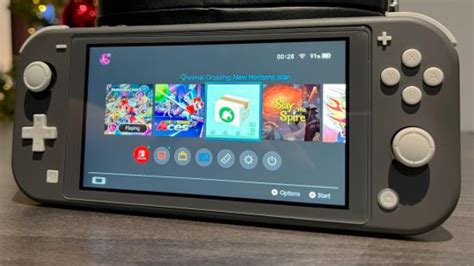
- Nintendo eShop: Add games to your “Watch List.” Nintendo typically sends email notifications for sales on wished-for titles, though their system can sometimes be less immediate or comprehensive than other platforms.
Always double-check your account’s privacy and notification settings on each platform to guarantee you’re opted in for deal alerts.
Third-Party Console Deal Trackers
While not as unified as PC aggregators, several resources exist for console deals:
- Dedicated Deal Sites: Websites like PSPrices.com (for PlayStation) or similar sites for Xbox and Nintendo allow you to set price alerts for specific games, often tracking regional sales and historical low prices.
- Social Media & Forums: Following dedicated deal accounts on Twitter (e.g., Wario64, CheapAssGamer) or joining relevant subreddits (e.g., r/gamedeals) can be incredibly effective for real-time alerts, especially for physical copies or limited-time offers.
Advanced Tips for Maximizing Your Price Alerts
To truly master the art of deal hunting with price alerts, consider these strategies:
- Prioritize Your Wishlist: Don’t add every single game. Focus on titles you genuinely want to play soon. A cluttered wishlist can lead to alert fatigue.
- Set Realistic Thresholds: For third-party tools, research a game’s price history (many trackers provide this) to set a realistic target price. Don’t wait for an impossible 90% off on a new AAA title.
- Combine Strategies: Use a platform’s native wishlist alongside a powerful third-party aggregator for comprehensive coverage.
- Regularly Review Alerts: Periodically check your active alerts and wishlists. Games can be removed from stores, or your interest might shift.
- Be Patient, But Act Decisively: Deals come and go quickly. When an alert hits your target, be ready to make the purchase, especially during major sales events.
Conclusion: Your Wallet Will Thank You
Setting up effective price alerts is a game-changer for any savvy gamer. By leveraging both built-in storefront wishlists and powerful third-party aggregators, you can ensure you never miss a fantastic deal on your desired games, regardless of whether you play on PC or console. Start optimizing your alerts today, build that dream game library, and enjoy more gaming for less money!



